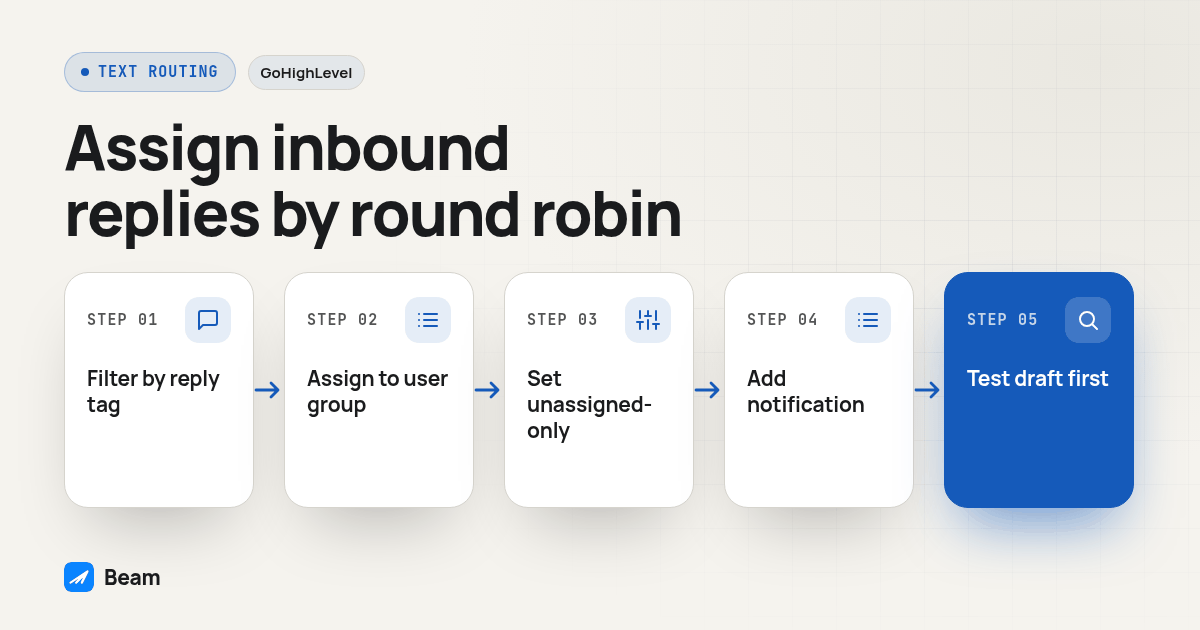
TL;DR: Build a GoHighLevel workflow on the Customer Replied trigger, filtered by a Has Tag check on Beam’s imessage-replied tag rather than an unverified Reply Channel value, then add an Assign to User action with “apply exclusively to unassigned contacts” turned on. That single setup covers both models agencies actually want: round robin for a brand-new reply with no owner yet, and silence (no reassignment) for a reply from a contact who already has a rep. Add a branching condition on territory or lead source first if you need rule-based routing instead of plain rotation.
A shared agency iMessage number is great for sending the first text and terrible for the reply, because every rep watching that inbox sees the same inbound message land in the same place, with no built-in signal for who should answer it. The fix is a GoHighLevel workflow that assigns ownership when a reply arrives, instead of relying on whoever happens to open Conversations first.
This is a routing question, not a reply-permission question or a sender-identity question. Whether staff can safely answer an internal alert copy of a text is its own setup, covered in Can Staff Reply to a GoHighLevel Text Alert?, and why the From number looks different after a contact changes hands is covered in Why GoHighLevel Texts Switch Sender After Assignment. Both happen after a reply already has an owner. This article is about the decision that happens first: which rep gets handed that reply at all.
Why does one shared iMessage number create an unowned-reply problem?
Teams adopt a single agency-level number because it is simpler to manage than individual lines. The tradeoff shows up when a lead texts back: every rep with access to Conversations sees the same inbound message, with no built-in signal for who should answer it.
Two bad outcomes follow. Three reps may reply at once, or nobody replies because each assumes someone else has it. Neither is a GoHighLevel limitation; it is a missing workflow. The platform already has pieces agencies use to assign a new lead from a form or ad.
What are the three ways agencies actually assign an inbound reply?
Before building anything, decide which assignment model the team actually needs, because the setup differs in one meaningful way: whether you need branching logic before the assignment step.
| Model | How a rep gets the reply | What triggers it | Good fit for | Main risk |
|---|---|---|---|---|
| Manual, first-to-claim | Whoever opens the shared inbox first replies | Nothing automated; reps watch Conversations | A very small team, or early testing before a workflow exists | No recorded owner; two reps can answer, or none does |
| Round robin | Assign to User rotates the contact to the next rep in a group | Customer Replied trigger, filtered to unowned contacts | Interchangeable reps, no territory or source rules | Unfair share if weighting is never reviewed |
| Rule-based | A branch checks a field like territory or lead source, then assigns a specific rep or sub-group | Customer Replied trigger, routed through a branch before Assign to User | A rep who owns a region, vertical or lead channel | More branches to build and test before launch |
Manual assignment is not really a setup at all. HighLevel Growth Partner’s guide to running a shared Conversations inbox puts it plainly: a shared inbox “without an owner for every thread is not teamwork,” and its fix is the same one this article builds on, routing ownership through the contact’s assigned user instead of hoping someone claims the thread (GoHighLevel Conversations Inbox: Team Management).
Which two GoHighLevel building blocks actually do the routing?
Two pieces handle this, and neither is specific to texting. Agencies can use the same blocks for a reply instead of a form submission.
The first is the Customer Replied trigger. GoHighLevel’s own trigger reference documents filters for Contains Phrase, Exact Match Phrase, Has Tag, Doesn’t Have Tag, Intent Type, Replied to Workflow and Reply Channel (Workflow Trigger: Customer Replied). That same reference names Email, WhatsApp and All-in-One Chat as example Reply Channel values, but it does not publish a complete list, so treat an iMessage- or Beam-specific channel value as unconfirmed until you check your own account. That gap is exactly why the procedure below filters on a tag instead.
The second is the Assign to User action. Selecting a single user assigns every matching contact to that one person every time. Selecting several users turns on round robin, cycling through the group evenly by default, or by a custom weighting if you switch Split Traffic to Unevenly, so a higher-weighted rep receives more contacts before the rotation moves on (Assign To User Trigger in GoHighLevel). The action also carries a setting worth building the whole workflow around: applying it only to contacts with no assigned user yet, which protects an existing owner from being overwritten by a later reply (GoHighLevel Conversations Inbox: Team Management).
How do you build round robin routing for inbound replies, step by step?
Build this in a draft workflow. Nothing here should touch a live lead until the verification steps further down have passed.
- Open a contact that already replied to your shared Beam number and check its activity log for the
imessage-repliedtag. Beam’s routing documentation confirms this tag fires on every inbound reply, whether the message traveled as iMessage, RCS or SMS fallback (Beam routing documentation). - In GoHighLevel, go to Automation, Workflows, and start a new draft workflow rather than editing a live one.
- Add a trigger and choose Customer Replied.
- Open the trigger’s filter and try Reply Channel first. If the dropdown does not clearly list an iMessage or Beam value, do not guess; add a Has Tag filter instead and select
imessage-replied, the one signal documented to fire on every Beam reply. - Add a second filter, Doesn’t Have Tag, and select whichever tag your team uses for closed or do-not-contact leads, so a stale thread cannot re-trigger assignment later.
- Add the Assign to User action as the next step.
- Turn on “apply exclusively to unassigned contacts.” This single setting is what stops the workflow from reshuffling a contact who already has an owner, which is the most common way agencies accidentally break round robin on reply instead of on first contact.
- Select the reps who should receive new, unowned replies. Choose Split Traffic Equally for plain rotation, or Unevenly if specific reps should take a larger share.
- Add an Internal Notification action immediately after Assign to User, so the newly assigned rep gets a ping on their phone instead of a quietly changed field nobody checks. GoHighLevel’s own guide to this action covers recipient selection and SMS delivery to a configured user phone number (Workflow Action: Internal Notification).
- Save the workflow as a draft, then run every scenario in the verification procedure below before this workflow ever touches a real lead.
Screenshot: the GoHighLevel workflow builder showing the Customer Replied trigger panel with Has Tag set to imessage-replied directly above the Assign to User action panel, the “apply exclusively to unassigned contacts” toggle switched on, and three rep names listed under equal Split Traffic.
How do you route by rule instead of plain round robin?
Rule-based routing reuses the same Assign to User action; only what comes before it changes. Add a branching condition on a custom field the team already maintains, such as Territory, State, or Lead Source, before the Assign to User step. Build one branch per value that needs its own owner: a West territory branch points Assign to User at that region’s rep or small rep group, a referral-source branch points at whoever handles warm introductions, and so on.
Inside each branch, Assign to User behaves exactly as described above. Selecting one rep gives that branch a dedicated owner; selecting a few turns the branch into its own small round robin, with the same Split Traffic and unassigned-only settings available. An agency with five territories ends up with five small Assign to User steps living under one Customer Replied trigger, not five separate workflows to maintain.
Keep a fallback branch for contacts that match none of the rules. Point it at a default round robin group rather than leaving it empty, so a missing territory or source field still gets an owner.
How is this different from the alert-reply and sender-identity questions?
The sequence matters. Can Staff Reply to a GoHighLevel Text Alert? asks whether answering a notification reaches the customer. Why GoHighLevel Texts Switch Sender After Assignment explains why the next message may show a different From number. Both start after assignment.
This article answers the step before either: which rep gets the reply when it arrives at a shared number with no owner. Without that decision, there is no assigned rep to receive the right alert or answer from the intended identity.
What can’t GoHighLevel’s native triggers do yet?
Build around one current limitation. GoHighLevel’s own community idea board carries an open, under-review request for triggers based on an outbound message a rep sends manually, specifically so a workflow can detect that a human already replied and skip reassigning that lead (Workflow Triggers off a Sent SMS or Email). Until that ships, “a rep already answered manually, so skip the automated routing” is not something the Customer Replied trigger can detect on its own.
The workaround is the same unassigned-only setting from the build procedure: once a rep claims a contact by assigning themselves, Assign to User’s unassigned-only check already leaves that contact alone on the next reply. The outbound trigger would only add finer control, such as pausing an AI follow-up the instant a human sends anything, not just after an inbound reply.
How do you verify a test reply actually reached the right rep?
Run this against contacts and phones your team controls before the workflow touches a real lead.
- Create two test contacts with no assigned user and send each an inbound test reply from a phone you control, using Beam’s connected number.
- Confirm each contact’s
imessage-repliedtag fired, and that the workflow’s trigger history shows both contacts entering the Customer Replied trigger. - Confirm the two contacts were assigned different reps if you are testing plain round robin, or the specific rep your rule intended if you are testing rule-based branching.
- Confirm each assigned rep actually received the Internal Notification on the phone number configured for their user account.
- Have one of the test reps claim their contact, then send a second reply from that same test contact. Confirm the contact is not reassigned to a different rep, which proves the unassigned-only setting is holding.
- Tag a fresh test contact with a specific territory or source value and confirm it lands with the named rep for that rule, not with whoever is next in the general round robin.
- Mark a test contact opted out or DND and confirm neither the trigger nor the assignment nor the notification fires for it.
Treat a failure on any step as a reason to keep the workflow in draft, not a reason to ship it and watch for complaints.
What should an agency check before relying on this for client accounts?
Verify contact matching first. Keeping Device Texts Inside GoHighLevel Conversations covers the requirement: a reply must land on the correct contact record before the Customer Replied trigger can work. Fix duplicate contacts before routing.
Review ownership expectations with the team. iMessage for B2B Sales Teams: Setup, Logging, Handoff covers handoffs beyond the first assignment. For the call side, RizzDial’s guide to simultaneous ring across multiple reps with an AI fallback explains how several reps can be rung while an AI agent catches calls they do not answer.
Start from the documented GoHighLevel iMessage connection before building the routing workflow; the connected inbox is a prerequisite.
What do GoHighLevel agencies ask about inbound text routing?
Does Assign to User only route brand-new contacts, or can it also route a reply from someone who already has a rep?
It depends on one toggle. Turn on apply exclusively to unassigned contacts and the action only touches contacts with no owner yet, which protects a reply from being reshuffled away from the rep who already has that relationship. Leave it off and every matching reply reassigns the contact, including one that already belongs to somebody. Most agencies running one shared number want the toggle on.
Does the Customer Replied trigger definitely fire for a Beam iMessage reply, or only for native GoHighLevel SMS?
GoHighLevel’s own filter documentation for Reply Channel names specific values like SMS, Email, WhatsApp and All-in-One Chat and does not publish a complete list, so do not assume an iMessage or Beam-specific value is sitting in that dropdown. Filter on Has Tag using Beam’s imessage-replied tag instead, since Beam applies that tag on every inbound reply regardless of whether the message carried over iMessage, RCS or SMS fallback.
Can an agency route by territory or lead source instead of plain round robin?
Yes. Add a branching condition on a custom field, such as Territory or Lead Source, ahead of the Assign to User action, then point each branch at a single named rep or a smaller round robin group instead of one shared pool. The action and its settings stay identical to plain round robin; only which users you select in each branch changes.
What happens to a reply when the contact has no assigned user yet and the team runs true round robin?
Assign to User rotates the unowned contact to the next rep in the sequence, evenly or by a custom weighting, the moment the Customer Replied trigger fires on that contact. Add an Internal Notification action right after it so the newly assigned rep actually gets a ping, not just a changed field nobody happens to check.
How long does it take to set up round robin or rule-based routing for inbound replies?
Allow time to confirm the reply tag is firing, build the workflow trigger and filters, configure Assign to User, and run a real test reply through two or three scenarios before trusting it with live leads. Beam does not publish a fixed setup time, since it depends on how many branches your rule-based routing needs; text our team with your setup and we will help you scope it.
Want to see your own inbound reply route to the right rep before you build this for a client? Text our team to try it on a number you control, then point this same workflow at a real test contact.