Quick answer: A coaching funnel has separate texting jobs: book the discovery call, help a webinar registrant remember the event, and follow up on an application. Keep each sequence short and tied to its actual calendar or application event, name the next step, and make it easy to decline. That makes the message relevant to the person who took the action instead of sounding like a bulk announcement.
A discovery call that ends in a no-show, a webinar registrant who misses the session, and an application that sits unanswered are three different workflow cases. An event-specific text can confirm what the person requested, give a useful next step and help the team notice a reply. The sequence still needs a human owner and a clear stop rule. Automation does not prove that a person read a message, intends to attend, or wants another offer.
This guide covers three small-funnel workflows: discovery call booking, webinar reminders and application follow-up. It keeps the calendar or application system as the event source, treats consent and opt-outs as prerequisites, and tests each branch on a contact and phone the practice controls before sending to applicants.
What makes a coaching funnel’s texting needs different from a sales team’s?
A large sales team may be organizing high volumes of leads among several reps. A solo coach or a small consultancy may have a more personal conversation after someone reads a program page, watches a session or submits a detailed application. The workflow should preserve that context instead of making each person sound like a row in a campaign.
Three distinctions help. First, the applicant may have shared a specific goal, so a message should refer only to information relevant to the next step. Second, calls and webinars have a date and time, so reminders need the correct event details and a way to handle changes. Third, a small practice may have a person available to review replies, but that availability should be assigned rather than assumed. Keep ownership visible in the CRM or inbox and route questions that need judgment to that person.
How do you book a discovery call by text without it reading like a mass blast?
Send a booking invitation after the event that makes the contact eligible, such as a completed application that a coach has reviewed. Use a field that holds the stated goal only when it is accurate and appropriate to reference. Avoid inserting sensitive application details into a message that could appear on a shared device.
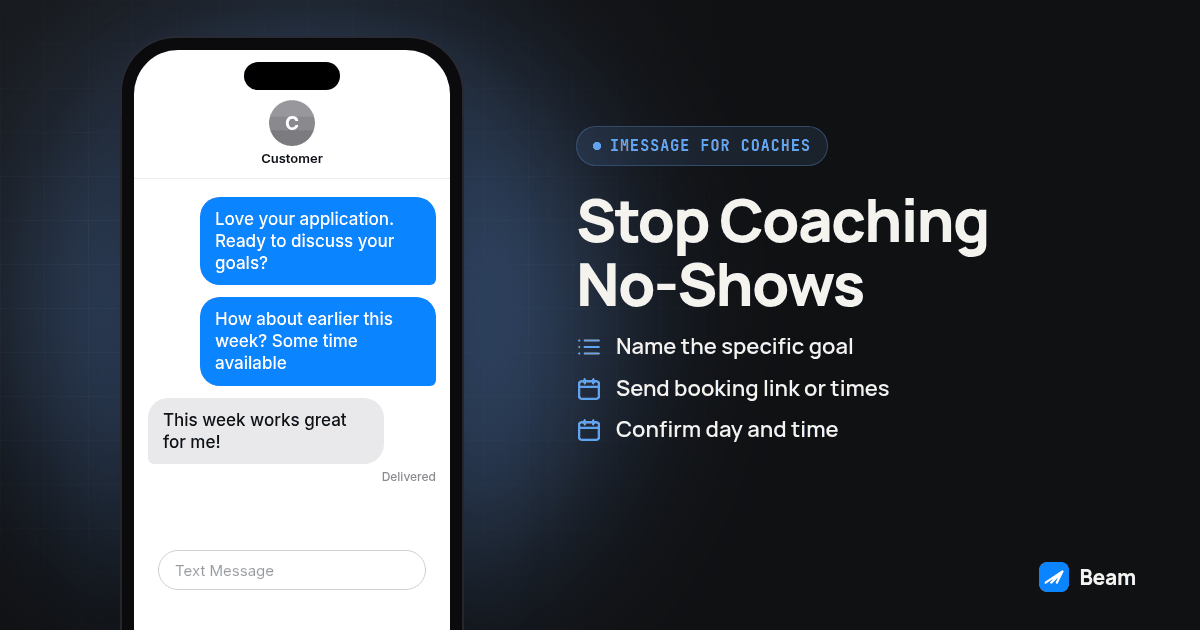
Hi {{first_name}}, this is {{coach_name}} from {{business_name}}. I saw you are working on {{stated_goal}}. Would it help to find a time for a discovery call this week?If the person says yes, send a booking link or offer a small set of actual openings. After the appointment is on the calendar, confirm the date, time and time zone, then provide a clear way to reschedule. A link sent is not an appointment booked; check the calendar for the confirmed event before starting reminders.
There is some evidence that messaging reminders can support attendance in healthcare settings. A Cochrane review of mobile messaging reminders examined appointment attendance in health services. That evidence does not establish a result for coaching discovery calls, webinar attendance or any particular practice. Use it as a reason to test a reminder, not as a promise about no-shows.
If the appointment is missed, wait for the calendar or call record your team uses to confirm that status. Then send one respectful check-in with an option to reschedule or close the conversation:
Hi {{first_name}}, I tried calling for our discovery call but did not reach you. Would you like to choose another time, or should I close this out for now?Do not let a timer send this message if the appointment was moved, the prospect already replied, or a team member has taken over the conversation.
How do you remind webinar registrants so they can find the session?
A registrant needs the details that make attendance possible: the webinar title, date, start time, time zone and access link. The registration confirmation should repeat the information the person received at signup and tell them where to ask a question. Check the event record before sending so a moved session does not leave an old date in an automated message.
Hi {{first_name}}, you are registered for {{webinar_title}} on {{webinar_date}} at {{webinar_time}} {{timezone}}. We will send the access link before it starts. Reply if you have a question or need to update your registration.As the session approaches, use a reminder with a working link and a meaningful opt-out or preference path. If the practice offers a replay, explain that option accurately instead of implying the recipient must attend live. After a missed session, send one follow-up with the replay or next step the person requested. Do not treat registration alone as consent to unrelated promotions.
How do you follow up on an application without nagging someone into opting out?
An application follow-up should reflect its real status. If a coach has reviewed the application, say so. If the team has not reviewed it yet, give an honest response window instead of suggesting a decision has been made. Keep any message focused on the stated program and provide a way to ask a question or end follow-up.
One restrained sequence might be:
After review:
Hi {{first_name}}, I reviewed your application for {{program_name}}. Would you like to book a short call to discuss the next step?
If there is no reply after the practice’s chosen interval:
No pressure if the timing is not right. If you have a question about {{program_name}}, you can reply here and I will route it to the right person.
Close-out, if the person remains unresponsive:
I will close out this follow-up for now. If you want to revisit {{program_name}}, reply here and we can pick up the conversation.
The purpose of a close-out is to stop an unattended sequence, not to manufacture urgency. Move the application to the status that matches the team’s process, and do not restart follow-up automatically unless a new event or human decision justifies it. A reply, booking, opt-out, application withdrawal or human takeover should pause the sequence and route the record for review.
What does the full cadence look like from first message to enrolled client?
| Stage | Trigger | Message job | Owner |
|---|---|---|---|
| Application received | Form submission recorded | Acknowledge receipt and set an honest response expectation | Intake owner |
| Application reviewed | Coach records review | Offer a relevant next step or explain what is missing | Coach |
| Discovery call booked | Calendar confirms an appointment | Confirm time, time zone and reschedule path | Coach |
| Call approaching | Appointment remains active | Remind the person and provide current join details | Coach |
| Call missed | Calendar or call process confirms no-show | Offer a respectful reschedule or close-out | Coach |
| Webinar registered | Registration event is confirmed | Repeat event details and access instructions | Event owner |
| Webinar approaching | Event remains scheduled | Send the approved reminder and replay option if available | Event owner |
| Application pending | Review status permits follow-up | Send a limited follow-up and then close it | Coach |
| Enrolled | Enrollment is confirmed | Welcome the person and hand off to onboarding | Client success |
The rows represent different triggers, not one long campaign. Keep separate workflows so a webinar date change cannot accidentally alter the application sequence, and an enrollment event can stop sales follow-up before onboarding begins.
How do you build this as a GoHighLevel workflow, step by step?
- Map each event to a separate workflow. Use distinct triggers for application submitted, application reviewed, discovery call booked, webinar registered and appointment status changed. Include only events the practice can verify from its connected system.
- Confirm the contact and event fields. Check name, phone, program, date, local time zone, booking status and responsible owner. Keep unnecessary application details out of message templates.
- Set the permission and suppression check before sending. Confirm the source and scope of consent for the message, check current opt-out status, and define what happens when a person changes preferences.
- Write one message for each event. Use a specific confirmation, reminder, reschedule note or close-out. Give each message one purpose and review its links, dates and time zone.
- Add stop conditions before later steps. Stop or pause after a reply, booking change, withdrawal, opt-out, enrollment or human takeover. Route the record to an owner when a response needs judgment.
- Connect the Beam send through the documented Custom Webhook path. Confirm the workflow’s fields and response handling, then run the integration’s dry run or a controlled test contact before enabling it for applicants.
- Test every branch using contacts and devices you control. Include a new booking, reschedule, cancellation, webinar registration, no-show, reply, opt-out and enrollment. Confirm that no later reminder is sent after a stop condition.
- Compare the final message record with the calendar and CRM. Verify the intended channel, message status, correct contact, event details, reply routing and owner. A queued or sent record alone does not establish that a recipient received or read the message.
Review Beam’s outbound texting page when planning the sending workflow and capacity for a practice. Treat a test as an acceptance check for your own configuration, not evidence of a particular attendance result.
What should a solo coach or consultancy say about consent before texting applicants and registrants?
A form submission is not automatically permission for every kind of text. Review what the person agreed to, who collected that agreement, the business named in it and the purpose described. Keep an appointment or webinar message tied to that event and separate it from unrelated marketing unless the practice has the necessary permission for that additional purpose.
The FCC’s consumer guidance on unwanted calls and texts is a starting point for reviewing consumer contact concerns. It is not a substitute for advice about a particular campaign. Rules can depend on the message, technology and circumstances, so ask qualified counsel when the practice is unsure. Preserve the source and wording of consent, honor opt-outs, and make sure an opt-out in one connected system is reflected wherever follow-up could continue.
When should a text get escalated into a call instead of another message?
Use a text for a clear confirmation, a short scheduling question or a link the recipient expects. Route a complicated program question, sensitive application detail, accommodation request or nuanced objection to a person who can respond appropriately. If someone asks to speak by phone, record that preference and let the assigned owner decide the next step.
The text workflow should not infer willingness from a read signal or lack of a reply. A reply can mean the automation needs to stop, even if the message is short. For practices that pair follow-up texts with calling, keep the call owner and the texting owner clear. Beam’s one contextual sister product for AI voice workflows belongs in a separate handoff: coordinate the tools only after testing that the call outcome and text status return to the right contact record.
What do coaches and consultants ask before switching to Beam?
Does Beam publish pricing for a solo coach or a small consultancy running one calendar?
Beam does not publish pricing on this page. A one-person practice and a multi-coach team may need different setups. Text our team to discuss a quote for your configuration and expected use.
How long does it take to get a discovery call and webinar reminder sequence live?
It depends on whether your booking tool fires a clean event when someone books, applies or registers, whether your line is connected, and how many test contacts it takes before the cadence works as intended. Build and test the full path on your own phone before using it with applicants.
Does this work with Calendly and Kajabi, or only GoHighLevel calendars?
Beam connects to GoHighLevel through a Custom Webhook action. Calendly, Kajabi, Acuity and other coaching tools need a way to call an outbound webhook when someone books, applies or registers; an integration tool may be part of that path. Confirm with your tool’s documentation whether it supports an outbound webhook on that event before building the sequence.
Do I need separate consent to text someone who filled out an application or registered for a webinar?
A form submission is not automatically permission for every kind of text. Check what the applicant or registrant agreed to, who collected it, and whether your planned reminders match that purpose. Keep event messages tied to that event, honor any opt-out, and do not add the contact to unrelated marketing without separate permission.
I already text applicants from my personal cell phone or a bulk SMS app. What does switching to Beam involve?
Map which calendar or application events should trigger a message, decide whether to use a dedicated business line, and carry over relevant opt-out records. Test the booking, reminder, no-show and application follow-up cases on your own phone before pointing the sequence at a real applicant list. Review Beam’s outbound texting page for its messaging workflow and ask the team to scope the setup.
Start with separate discovery-call, webinar and application workflows. Test each on a contact and phone you control, verify the calendar and CRM record, and confirm the stop rules before enabling any real applicant follow-up. When you are ready to map the setup, use the homepage demo to text the Beam team.