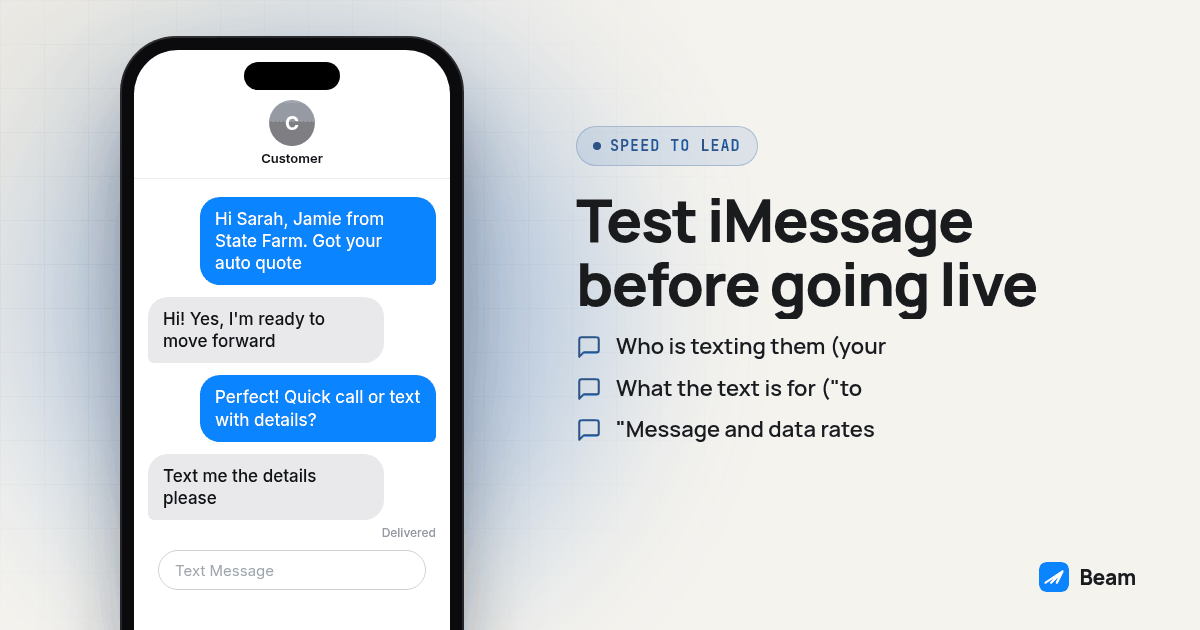
A person submitting an insurance quote request may be comparing options, so a timely, relevant follow-up gives the agency a chance to continue the conversation. A text can offer a way to respond when a call is inconvenient, but the channel does not guarantee that the lead will see or answer it. Build the process around documented consent, prompt handling, and a clear route to a licensed agent when the request needs insurance advice.
This guide covers the form, the workflow trigger, channel limits, and the handoff to a person when a lead replies. For the regulatory backbone behind all of it, start with Beam’s texting compliance hub; this article is the operational layer that sits on top of it. An insurance agency use-case page from Tuco, checked October 2026, confirms that vendors address insurance workflows. It does not establish response outcomes or product capabilities for Beam.
How fast does a reply actually need to go out?
There is no universal clock here, and we are not going to invent one. A prompt message is an operational goal, not a guaranteed response time or proof that text will outperform a call. Use the fastest workflow your team can monitor, and keep a person responsible for replies.
Build the workflow to start after form submission, with any required checks and quiet-hour rules in place. Measure the actual elapsed time from submission to the recorded send state in your own account. Also record when a person first reviews a reply and when the lead receives a human response. Keep send, delivery, reply, and staff-response times separate so a queued event is not mistaken for a delivered message or a fast sales conversation.
How do you document consent for an insurance quote text?
Consent has to exist before the first message goes out, and it has to cover the right thing. Beam’s consent guidance is a useful operational reference, but the agency must determine whether the form language and the applicable law authorize the planned text. A request for a quote should not be treated as blanket permission for unrelated or ongoing marketing.
Put this near the submit button, not buried in a terms page:
- Who is texting them (your agency name, not a generic shortcode).
- What the text is for (“to follow up on your quote request”).
- “Message and data rates may apply.”
- “Reply STOP to opt out, HELP for help.”
- A link to your privacy policy and terms.
If you intend to also send renewal reminders or cross-sell messages down the road, capture that as a separate, explicit checkbox, not as an assumption baked into the quote consent. For automated marketing texts, review the consent requirements in 47 CFR 64.1200 and retain the consent record. Requirements can depend on message purpose and technology, so do not use a generic quote request as blanket marketing permission.
How do you trigger an iMessage after the form submits?
The workflow can connect a GoHighLevel form trigger to Beam through a Custom Webhook action. Confirm the current endpoint and payload in the integration documentation. The following procedure keeps the build in draft until the key behaviors have been checked:
- Confirm your Beam line is assigned and connected. Connect the Beam workspace and GoHighLevel location that will handle the insurance leads, then confirm the line is ready for the intended channel.
- Configure authentication. Use the current Beam endpoint and required authentication details from Beam’s integration documentation. Keep credentials in the supported secret field, never in a contact field or screenshot.
- Open a draft test workflow in GoHighLevel. Go to Automation, Workflows, and build a new workflow (or branch an existing quote funnel) that is not yet live. Set the trigger to Form Submitted on your quote form.
- Add a Custom Webhook step. Name it something recognizable, such as “Send with Beam,” and configure it with the current Beam integration documentation. Do not assume a built-in GoHighLevel SMS action uses Beam’s channel routing.
- Configure the webhook. Use the current Beam endpoint and required request fields from the integration documentation. Beam routes based on recipient and line capability: iMessage for eligible iPhones, RCS where supported on Android, and SMS fallback when needed. Do not hard-code channel availability from a phone-number guess.
- Personalize the first-touch template. The first name field drives the greeting, so “Hey Sarah, this is Jamie with [agency], following up on the auto quote you just requested” reads like a person, not a broadcast.
- Test on a contact you control before connecting the trigger to your live form. Submit the form yourself, confirm the send and delivery states, and confirm the reply shows up in your GoHighLevel conversation inbox.
- Publish the workflow only after that test passes, and watch the first real batch of leads closely for the first day.
Screenshot: a GoHighLevel workflow canvas showing the Form Submitted trigger feeding directly into a Custom Webhook step labeled “Send with Beam,” with no delay step in between.
How do iMessage, SMS, and calls differ for quote follow-up?
SMS can serve as a fallback when the recipient cannot use a richer channel. The available channel depends on recipient and line capability, so compare these options based on the route your messaging setup reports:
| Channel | What to expect | Setup consideration |
|---|---|---|
| iMessage | Available for eligible iPhone recipients | Check the reported channel and status in the inbox |
| RCS | Available for supported Android phones and carriers | Support varies by recipient phone and carrier |
| SMS | Fallback when a richer channel is unavailable | Number type and carrier requirements still apply |
| Phone call | A live conversation when the lead can answer | Route insurance advice to a qualified agent |
Use actual channel and delivery signals to guide follow-up, and do not treat a queued send as delivered. Beam’s iMessage for business page covers the mechanics of how those signals reach your GoHighLevel inbox.
What goes in the first text, and how do you move the lead to a call?
Keep the first message short and specific to what they asked for. A template that works for most quote funnels:
“Hey [first name], this is [agent name] with [agency]. Got your request for a [policy type] quote, happy to run the numbers, do you have a couple minutes for a quick call, or would you rather I text you the details first?”
That question lets the lead choose whether to continue by phone or text. When they reply ready to talk, you have two ways to get them on a call without losing the thread. A human agent can call using the agency’s approved calling setup, or the workflow can offer a FaceTime Audio handoff to a voice AI agent for an initial conversation before a licensed agent takes over anything that requires an insurance recommendation. Not every reply should go to an automated voice, though; some conversations, like a coverage denial or a complicated claim history, need a person on the line from the first word, the same reasoning RizzDial’s piece on what stays human in an AI answering setup lays out for law firms fielding similarly sensitive calls.
How do you keep opt outs and quiet hours inside the TCPA rules?
Beam documents opt-out handling for standard keywords and plain-language requests. Confirm the resulting suppression state in your connected workflow and CRM, and ensure pending follow-ups cannot send after an opt-out. The FCC says covered callers must honor revocation within a reasonable time, no more than ten business days. See the FCC order summary. Treat that as an outer limit, not a workflow target, and suppress future sends promptly.
Quiet hours can depend on the message and the law that applies to it. Florida’s telemarketing statute has an 8 a.m. to 8 p.m. local-time restriction for covered commercial telephone solicitation calls; whether it applies to a particular text campaign depends on the facts and related law. For leads in several states, have counsel identify the applicable windows and configure follow-up around the recipient’s local time.
What should you test before connecting this to real leads?
Run this before the workflow touches a live form:
- Submit your own quote form with a phone number you control.
- Confirm the text arrives as a blue bubble, not SMS, if your test phone is an iPhone.
- Reply to the text and confirm it shows up in the GoHighLevel conversation inbox tied to the right contact.
- Send STOP from the test number and confirm the next scheduled message in the workflow does not go out.
- Check the time of your test against your quiet hours window; if you tested outside it, run one more pass inside the window before publishing.
What do insurance agents ask about iMessage speed to lead?
What happens if the lead does not have an iPhone? Beam routes a message according to recipient and line capability. iMessage is used for eligible iPhones; RCS can be used for supported Android devices, with SMS fallback when needed. Confirm the actual channel and delivery state in your setup, because queued does not mean delivered.
Does GoHighLevel bill me for the texting, or does the messaging platform? GoHighLevel and Beam are separate services. GoHighLevel provides the CRM and its own messaging features; Beam handles messages routed through its connected line. Check each provider’s current terms and ask Beam for a quote for your setup.
How long does it take to get an iMessage speed to lead workflow live in GoHighLevel? There is no fixed timeline to promise. It depends on line assignment, the GoHighLevel connection, form setup, and testing. Keep the workflow in draft until a test contact receives the message and replies into the expected conversation.
Can I run this alongside a power dialer or GoHighLevel’s missed call text back? A workflow can include other actions, but sequence them deliberately and check that each action uses the intended number and consent basis. Test the text, call handoff, reply routing, and stop behavior before enabling the workflow for live leads.
What happens to my current SMS number and consent records if I add an iMessage line? Adding a Beam line does not itself change your existing SMS number. Keep your suppression records coordinated across the channels and review whether your recorded consent covers the new message and line before sending.
Where should you go from here?
An iMessage speed-to-lead workflow still depends on consent that matches the message, prompt opt-out handling, and quiet hours that fit the rules for each recipient. Start with Beam’s texting compliance hub for the messaging considerations, and see Beam’s outbound texting page for volume and pacing. Text our team to try the webhook with a test contact before enabling it for live leads.