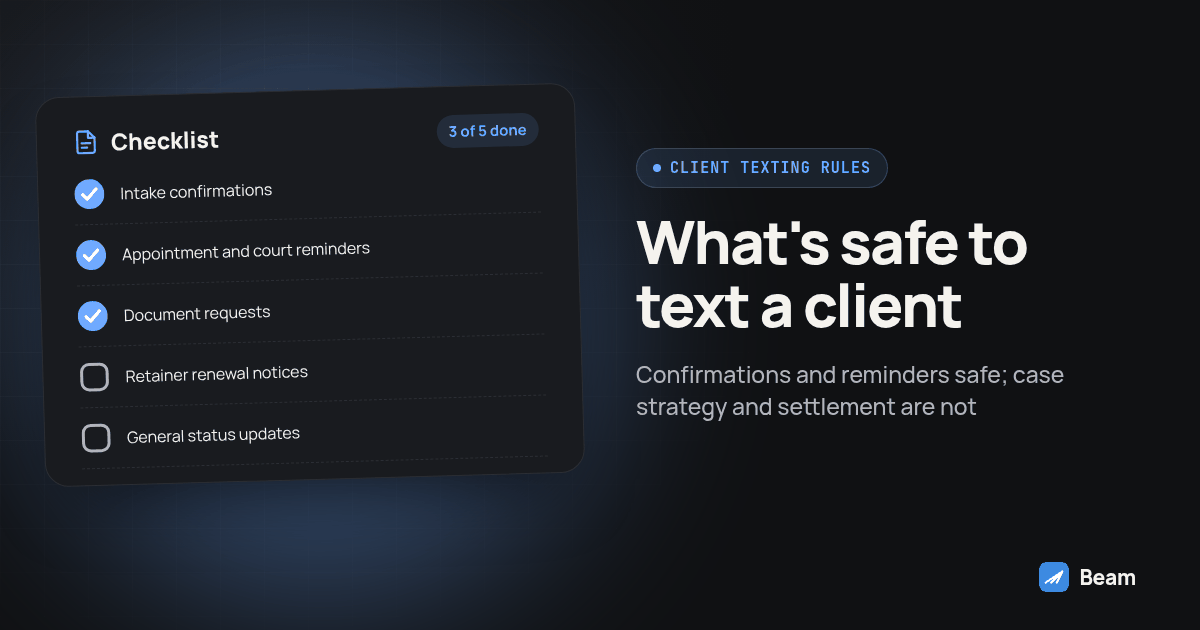
TL;DR: A law firm can text a client over iMessage for intake confirmation, consultation and court-date reminders, document requests and retainer renewal nudges, as long as the message stays transactional. Case strategy, settlement figures, privileged conversations and anything that needs a signature or sworn record stay on a secure portal, in the file, or on a phone call. None of this is legal advice; the firm’s own ethics counsel decides what fits a specific matter.
A law firm adapting client-texting templates from another practice area needs a version reviewed for its own matters and policies. The practical question is what a routine message can safely carry and what should stay in the matter file, secure portal, or a call. The sections below give the message boundary, a setup procedure, and a comparison table for the rollout reviewer.
Can a Law Firm Text Clients Without Breaking Privilege or Ethics Rules?
Texting a client directly about their own matter does not, by itself, waive attorney-client privilege. Privilege protects confidential communication between a lawyer and a client seeking legal advice, and that protection can weaken when a third party is present for the communication unless that third party is essential to the relationship, such as an interpreter (Cornell Law School Legal Information Institute, attorney-client privilege). A text to the client’s own phone is not a third party. A text that lands in a group thread with a paralegal, a spouse, or a co-counsel on a shared family plan starts to look like one.
The practical risk is not the sending, it is who else reads the screen. A lock-screen preview, a shared tablet, or a phone a client hands to a family member can expose a message the client never meant to share further, even when the firm did everything right on its end. That is why the boundary in this article is not “is texting legal,” which it generally is, but “what belongs in a message that might be seen by someone who is not the client.” Have the firm’s own ethics counsel review any template before it goes into production, since what counts as routine in one practice area can be more sensitive in another.
Which Client Messages Are Safe to Send by iMessage?
Use text for a short status update or a next action, then point the client to the file, the portal, or a call for anything that needs context. These are operational examples for the firm’s own review, not ready-to-use legal copy:
- Intake confirmation: “Hi [name], this is [firm] confirming we received your intake form. We’ll reach out to schedule your consultation.”
- Consultation reminder: “Reminder: your consultation with [attorney] is tomorrow at [time] at [location/by phone]. Reply to reschedule.”
- Court date reminder: “Reminder: your hearing is on [date] at [time] at [courthouse]. Please arrive early and bring [item].”
- Document request: “We still need your [document name] for your file. Please upload it through [secure portal], or reply if you need help finding it.”
- General status update: “Your matter is moving forward. We’ll contact you if we need anything else. Check the client portal for documents and updates.”
- Retainer renewal nudge: “Your retainer balance is running low. Please log in to [billing/portal link] to review, or call our office with questions.”
Vendor platforms built for firms describe the same shape of message. PracticePanther’s guide to firm texting highlights appointment reminders, case update notices, and document requests sent for an electronic signature as common uses, each pointing the client to a secure step rather than carrying the substance in the text itself (PracticePanther, Texting for Law Firms). MyCase describes a similar pattern: a dedicated firm number sending automatic reminders for invoices and appointments, with clients sending back simple items like a photo of a ticket or a license rather than case discussion (MyCase, Centralized Text Messaging). Neither vendor page addresses what should stay off text, which is the gap this article is written to close.
What Has to Stay Off Text Entirely?
Keep anything that needs context, a signature, or a durable record out of the routine thread. As a workflow rule, route these items to the case file, the portal, or a direct conversation instead:
- Case strategy, legal analysis, or an attorney’s opinion on how a matter should proceed.
- Settlement numbers, demand figures, or anything a client might later need to point to as the complete terms.
- Opposing party details, witness information, or anything that identifies a third party to the matter.
- Documents that need a wet or electronic signature with a verifiable audit trail.
- Anything privileged that a client might forward, screenshot, or read aloud in front of someone else.
- A decision the client needs to make after discussion, not a status the client only needs to receive.
The line is not that a number or a name can never appear in a text message. It is that the firm needs a consistent, reviewable channel for anything that carries legal substance, and a routine iMessage thread is not built to hold it the way a case management system or a signed letter is. If a client replies with a real legal question, acknowledge the message briefly and move the conversation to a call or the portal rather than answering the substance inside the same thread.
iMessage vs RCS vs SMS vs Secure Portal vs Phone Call: Which Channel Fits a Law Firm?
Different channels fit different parts of a client relationship. A business line sending from Beam reaches an iPhone through iMessage, a supported Android phone through RCS, and falls back to SMS where the line and recipient support it, with SMS remaining subject to the carrier rules that apply to the number type sending it (Beam’s routing reference).
| Client situation | Safe on iMessage/RCS/SMS | Needs the secure portal or a call |
|---|---|---|
| Intake confirmation | Confirm receipt and name the next step | Full intake form and supporting documents |
| Consultation or court reminder | Give date, time and location | Case preparation details |
| Missing document | Name the document and point to the upload link | The document itself and its review status |
| Retainer balance | Flag that a balance is low | Exact figures, billing history and account access |
| Case progress | Say an update is available | Strategy, analysis and settlement discussion |
| Sensitive developments | Say a team member will call | The actual development, over the phone |
The table is a starting point, not a substitute for the firm’s own policy. A practice area with especially sensitive matters, such as family law or criminal defense, may draw the line tighter than a routine collections or transactional practice would.
How Do You Set Up a Compliant Client-Texting Workflow?
Treat this as a test procedure, not a one-time setup task. Run it against a matter and a phone you control before a real client sees the result.
- Pick one low-risk event to automate first. An intake confirmation or a generic status update is a reasonable starting point. Do not automate settlement figures, case strategy, or anything that needs a signature.
- Confirm the source event. Identify which field or stage change in your case management system triggers the message, who can change it, and whether the workflow could fire twice after an edit.
- Check the contact record. Confirm the client’s number, preferred contact method, and any opt-out flag before the first send, using the consent language your firm already has on file.
- Write a minimal template. Name the firm, state the event plainly, and point to the next step. Strip out case substance, dollar figures, and anything that reads like a legal conclusion.
- Assign ownership. Name a person or a monitored inbox responsible for replies, and decide how quiet hours and after-hours messages are handled under firm policy.
- Test on a record you control. Move a test matter through the triggering event and confirm only the intended template fires, to the intended test phone.
- Verify the channel and the delivery status. Check that the message actually reached the test device, not just that the platform marked it sent; a queued or sent status is not proof of delivery.
- Test the reply path. Send a reply from the test phone and confirm it reaches the right person and the right file, and that an unrelated automated message does not fire on top of it.
- Test the opt-out path. Send a stop request from the test phone and confirm the system suppresses further messages and records the request where the team can see it.
- Get sign-off before enabling it for real clients. Have the attorney responsible for the practice area, and the firm’s ethics counsel if the firm has one, approve the final template and the escalation rule before turning it on.
For a GoHighLevel-connected firm, the same workflow pattern used for mortgage status updates applies directly; see Beam’s iMessage setup guide for mortgage teams for the GoHighLevel side of the trigger and test steps.
What Should a Firm Do When a Client Texts Back Case Detail Anyway?
A client may text back more than the template asked for. For example, someone could reply to a court date reminder with details about what happened at the scene. Do not answer the substance inside the same automated thread. Acknowledge that someone will follow up, route the reply to the responsible attorney or paralegal, and move the real conversation to a call or the firm’s secure channel.
Treat the reply as a signal to check who else can see that thread, not as an invitation to keep the conversation going by text. The firm should redirect the channel instead of continuing substantive discussion in a thread that was set up for a routine update.
Do You Need Separate Consent for Intake Texts, Reminders and Marketing Follow-Ups?
Keep operational consent and marketing consent in separate records. Operational consent captured during intake for appointment and document texts tied to an open matter serves a different purpose from marketing consent captured later for a referral program or newsletter signup. Log what the client agreed to and when, and have ethics counsel review the firm’s consent wording and workflow.
Federal rules on autodialed and prerecorded calls and texts require that a recipient be able to revoke consent through any reasonable method, and a sender may not designate one exclusive way to do it; common methods include replying “stop” to a text or using a listed opt-out process, and the request has to be honored within a reasonable time (47 CFR 64.1200, Cornell Law School Legal Information Institute). Beam’s own consent and opt-out reference covers what an inbound text does and does not permit and how opt-outs are enforced on the platform side; the firm still owns the underlying consent record and the decision about which messages a given client has agreed to receive.
Should the Firm Text or Call the Client?
Use text for a short update the client can read on their own time, and use a call when the matter needs discussion, reassurance, or a decision made together. A text does not confirm the client understood it, and a client going through litigation, a custody matter, or a criminal case often needs to hear a human voice more than they need a fast notification. RizzDial’s guide on what stays human in a law firm’s client contact looks at the same boundary from the calling side: which conversations an AI voice agent can handle and which ones need the attorney or a trained staff member on the line. Keep that as a separate decision from the texting workflow described here, since the two channels solve different problems even when the same matter uses both.
A shared inbox also matters here for reasons beyond coverage. When every message about a matter lives in one place the whole team can see, a reminder does not get missed just because the person who scheduled it is out of the office that day (Beam’s inbox). That visibility is part of why a dedicated firm line beats texting clients from a personal phone, independent of the content boundary this article is about.
What Do Law Firm Office Managers Ask Before Turning This On?
Who bills for the texting, our case management software or Beam?
Your case management software and Beam are separate services. The case management platform runs your matters, billing and documents; Beam handles the messages sent through your connected line. Check each provider’s current terms, and text our team for a quote scoped to your firm before you build a workflow around either number.
Does texting a client about their case waive attorney-client privilege?
Sending a text to the client themselves does not waive privilege on its own; the risk comes from who else sees the message, not the channel. Keep paralegals, co-counsel or family members off a thread that carries case substance, and route anything privileged to a call or the firm’s secure channel instead of a routine text a client might read on a phone someone else can pick up.
Do we need separate consent for case update texts versus marketing texts to past clients?
Keep operational consent and marketing consent in separate records. Operational consent for a matter, captured at intake with its own wording, serves a different purpose from marketing opt-in captured later for newsletters or referral campaigns. Log what the client agreed to and when, and honor stop requests for both.
Can a firm run one group thread with the client and a paralegal or co-counsel together?
Beam supports group messaging on supported lines. Confirm your current line and workflow support the group thread before relying on it for a live matter, and keep case substance out of any group thread the way you would any routine text, since more participants means more chances the message reaches someone other than the client.
How long does it take to get a compliant client-texting workflow live for a small firm?
There is no fixed timeline worth promising. It depends on whether your case management system already produces a clean stage-change event, whether the line is connected, and how many test files it takes to verify the wording and the handoff to a human. Keep the workflow in draft until a matter you control moves through each stage and the text reaches the intended test device.
Start with one low-risk status update, keep case substance in the file or on a call, and run the opt-out and reply tests before a real client sees the workflow. For consent language, opt-outs and number-specific requirements, use Beam’s texting compliance page, check Beam’s outbound texting overview for how pacing and number assignment work, and text our team to try it on a matter you control first.