Why do agencies and sales teams want one shared thread instead of several?
Multi person deals often involve a customer and several people coordinating the same next step. A mortgage process may include a borrower, a loan officer and a processor. A home renovation may involve a homeowner, a spouse approving the work and a property manager arranging access. A business purchase may involve a project champion and people responsible for budget or procurement. If all participants need the same update, separate calls or copied messages can make it harder to know who has the current information.
A shared conversation can make coordination easier because participants can read and reply on their own schedule. The benefit depends on everyone being appropriate recipients of the entire conversation. A group thread also creates new questions about who can see the history, which number sends the messages, who owns replies and what happens when a participant changes.
The phrase “group texting” can refer to a personal iMessage thread, a CRM’s group SMS feature or multiple one to one threads visible to a team. Those are not interchangeable. Before choosing one, identify the mechanism and verify its behavior rather than treating group messaging as a universal setting.
What does Beam actually support today: one thread per lead, or one thread for a deal team?
Beam’s documented model assigns a number to each lead and provides rep level ownership for individual threads. Teammates can work from a shared inbox, and replying to an unassigned thread claims it for that sender so two reps do not unknowingly handle the same lead. Read Beam’s number routing documentation and team and workspace guide for the documented setup.
That is a team working on individual lead conversations. Beam’s documentation does not describe creating one business initiated conversation with a customer and several named decision makers as participants, where everyone can see each other’s replies. That distinction matters when a prospect asks whether they can add a loan processor or spouse to a blue bubble conversation. A working one to one business line does not prove that group creation, group participant management or group history sync is available.
The assigned iMessage API page explains Beam’s business messaging and integration model. Separate individual threads can still support coordination when the CRM record gives authorized teammates the context they need. The customer does not automatically see the other conversations, which can be useful when participants have different information needs.
Where does a real multi person group thread exist today, and what are its limits?
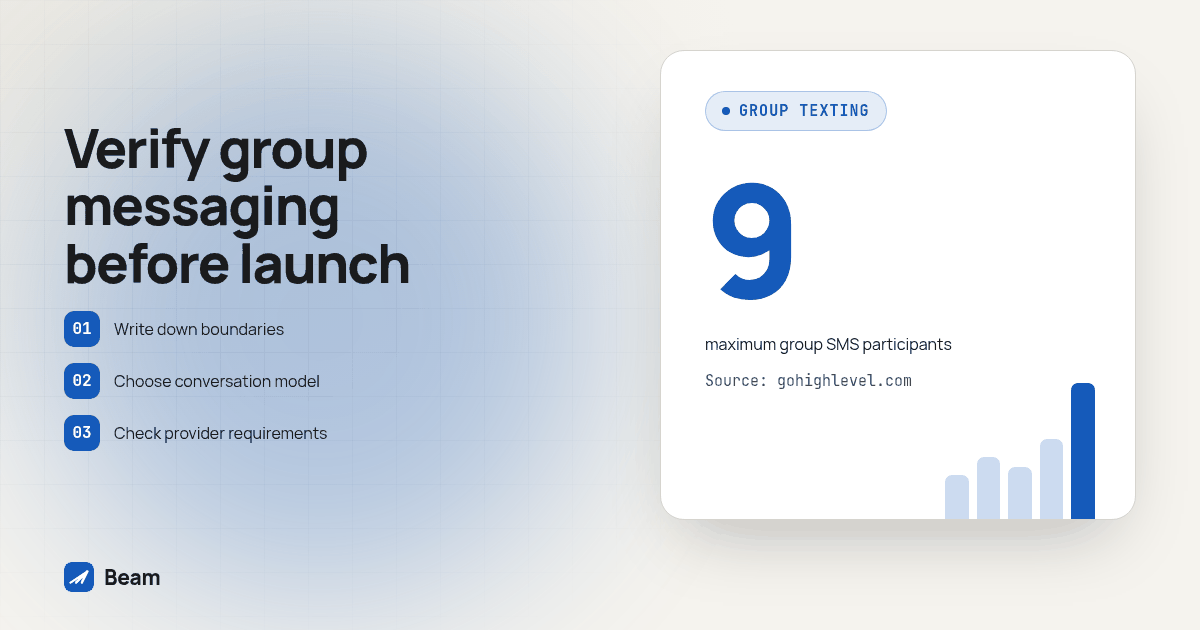
GoHighLevel documents a native Group Chat for SMS feature. Its help page, updated August 10, 2026, says the feature supports groups of 2 to 9 participants, requires US or Canadian participant numbers and a LeadConnector number enabled for SMS/MMS, and excludes toll free numbers and short codes for group texting. It also says participants and the sending number cannot be changed after creation, so a roster change requires a new group. See GoHighLevel’s group chat documentation for the current instructions and restrictions.
This is SMS, not a Beam created iMessage group. It has different number requirements and should be evaluated as a GoHighLevel feature. Check the page again during implementation because provider requirements and product interfaces can change. Also confirm the workspace has access to the sending number and that the user creating and replying to the group has the necessary contact and number permissions.
The options below answer different needs. The table describes documented product behavior, not a claim that one approach fits every deal.
| Approach | What participants experience | Who can be included | What to verify |
|---|---|---|---|
| Separate Beam one to one threads with CRM visibility | Each stakeholder has an individual conversation; authorized teammates use CRM context | Stakeholders can be tracked separately | Correct contact records, team permissions, message logging and reply ownership |
| GoHighLevel native group SMS | A shared SMS conversation inside GoHighLevel | 2 to 9 US or Canadian participants | LeadConnector SMS/MMS number, user access, participant roster, DND and opt out behavior |
| Personal iMessage group | A consumer group conversation in Apple’s Messages app | People added by a participant in the personal conversation | Whether it is appropriate for business records and whether the business can actually initiate or manage it |
When does a shared thread help a deal, and when can it create a problem?
A shared thread may fit when every participant needs the same operational update and is authorized to see the whole history. For example, a homeowner, spouse and property manager might all need an arrival window for a repair visit. The group can keep the same update in one place and allow each person to respond without arranging a call at the same time.
The fit changes when people need different information. A borrower may want to share a document status with a loan officer and processor, while a real estate agent only needs a closing date. Putting every person in one group exposes the full conversation to each participant. Use separate conversations when only some recipients should see a detail, or when different participants have different consent or communication preferences.
GoHighLevel notes that group messaging to a thread is blocked if a participant turns on Do Not Disturb after creation, and the group may need to be recreated without that participant. It also explains that changed or deleted contacts do not alter the original numbers in the group. These details can affect a long running deal. Review them in the provider documentation and add roster changes to the team’s operating procedure.
Do not infer group STOP handling from an individual thread. Beam’s consent guidance describes how one to one opt outs are enforced, but the cited GoHighLevel group documentation does not explain whether one participant’s STOP blocks that participant only or affects the whole group. Treat that as unverified until you test it and confirm the expected behavior with the provider. Keep consent records and honor each participant’s request under the rules that apply to your messages.
Finally, name one person responsible for the next reply. A shared thread makes messages visible to multiple people, but visibility does not assign responsibility. Beam’s team texting guide discusses individual thread ownership and handoff practices. For a true group, decide who monitors the conversation and how another teammate takes over if that person is unavailable.
That same ownership question appears in voice workflows too. The RizzDial team describes simultaneous ring with an AI fallback as a way to direct a call to several reps while keeping a defined fallback. A shared text thread needs its own named owner, even when the whole team can see it.
What should you check before promising a multi stakeholder deal a shared thread?
Use this procedure on a test account and contacts you control. It verifies the intended product path, participant fit, access and message handling before the customer depends on it.
- Write down the participants and information boundaries. List each person’s role, what update they need and whether they should see the complete conversation history. Remove anyone who does not need every message.
- Choose the conversation model. Use separate Beam one to one threads when each stakeholder needs an individual exchange with shared CRM context. Evaluate GoHighLevel native group SMS only when all group participants should see the same history and SMS fits the workflow.
- Check group eligibility in the current provider guide. Confirm the participant count, regional number requirements, sending number type, user permissions and any contact access rules. Do not assume that a number working for one to one texting can send group messages.
- Create a group with test contacts you control. Record which sending number was selected and who was added. Verify each participant receives the initial message and can reply through the documented interface.
- Test a roster and DND change. Confirm whether the group can be used if one test contact is marked Do Not Disturb, and observe what happens when you need to change a participant. Do not assume the existing conversation can be edited.
- Test STOP and opt out behavior with a test participant. Observe the response for that participant and the other members, then confirm the provider’s documented behavior. If it remains unclear, treat group opt out handling as unverified and use a safer workflow until resolved.
- Check the record and assign an owner. Confirm where the conversation appears, who can access it, whether replies are visible to the right teammates and who is responsible for the next response. Record the test date and the behavior you could not verify.
This is an operational acceptance test, not a guarantee of delivery or legal compliance. Repeat it if the CRM, sending number or group workflow changes, and keep the test separate from customer conversations.
How should a team choose between a group and separate conversations?
Start with the information boundary, then consider coordination. A shared group reduces duplicated updates only when all participants can appropriately receive them. Individual threads add more conversations to manage, but they let a team tailor each message and keep private details with the relevant contact. CRM visibility can give teammates context without making every participant a recipient.
Next, compare the technical requirements. Beam’s documented model is one lead per number and an individually owned thread. GoHighLevel group SMS has a set participant range and number requirements. Personal iMessage is controlled by individual users in Apple’s Messages app and is not documented as a business initiated Beam feature. Do not sell one option as a substitute for another without checking who sends, where replies appear and how records are retained.
For an agency, run the procedure in a client sub-account that mirrors the planned setup. Confirm whether a workflow uses Beam’s Custom Webhook path or GoHighLevel’s native group composer; a successful send through one path does not establish that the other path supports groups. Capture screenshots or notes for the configuration, the test participants and the visible conversation record. If the client needs true shared SMS, make the provider and its restrictions explicit in the rollout plan.
If the workflow has a call or human handoff too, test that ownership separately. A voice handoff and a shared text thread have different participants and records. The team should know who is responsible for each next action, even when several colleagues can see the same conversation.
What do buyers ask about group texting before they commit?
Can GoHighLevel run one group text thread with the client, the loan officer and the processor all together?
GoHighLevel documents a native group SMS feature for a multi person deal thread. It supports 2 to 9 participants, requires US or Canadian participants and a LeadConnector number enabled for SMS/MMS, and does not support toll free or short code numbers for group texts. Verify the current requirements and participant list in GoHighLevel’s group chat documentation before promising that every stakeholder will be in one thread.
If one person in a shared group thread sends STOP, does everyone else in that thread stop getting texted too?
GoHighLevel’s group chat documentation does not clearly explain how a STOP request from one participant affects the other participants. Beam’s documented one to one opt out handling blocks the specific opted out contact at the send layer, but a GoHighLevel group is a separate mechanism. Test the exact behavior in a group you control and follow your applicable consent and opt out process before relying on it.
What does it cost to add a shared text thread for a multi stakeholder deal?
Beam does not publish a separate price for a shared thread setup. Text our team to try it and we will walk through what your deal team needs and what that looks like for your account.
Do we need a different Beam setup for a shared deal thread versus a normal one to one lead thread?
No extra Beam hardware or number type is required for its documented one to one lead model. Beam assigns a number to each lead and supports team ownership of threads. A true multi party group is a separate GoHighLevel native SMS feature with its own number and participant requirements, not a different Beam configuration.
Is a GoHighLevel group text thread the same thing as an iMessage group thread?
No. Apple’s consumer iMessage supports personal group conversations between Apple users, while GoHighLevel documents a native group feature that sends SMS under its own participant and number requirements. Beam’s documentation does not describe a business side way to start a multi participant iMessage group.
Bring your deal team’s participant list, including who needs to see which information, and text our team to try it. We’ll help you assess separate rep owned threads with CRM visibility or a verified group SMS setup before you promise a particular experience.