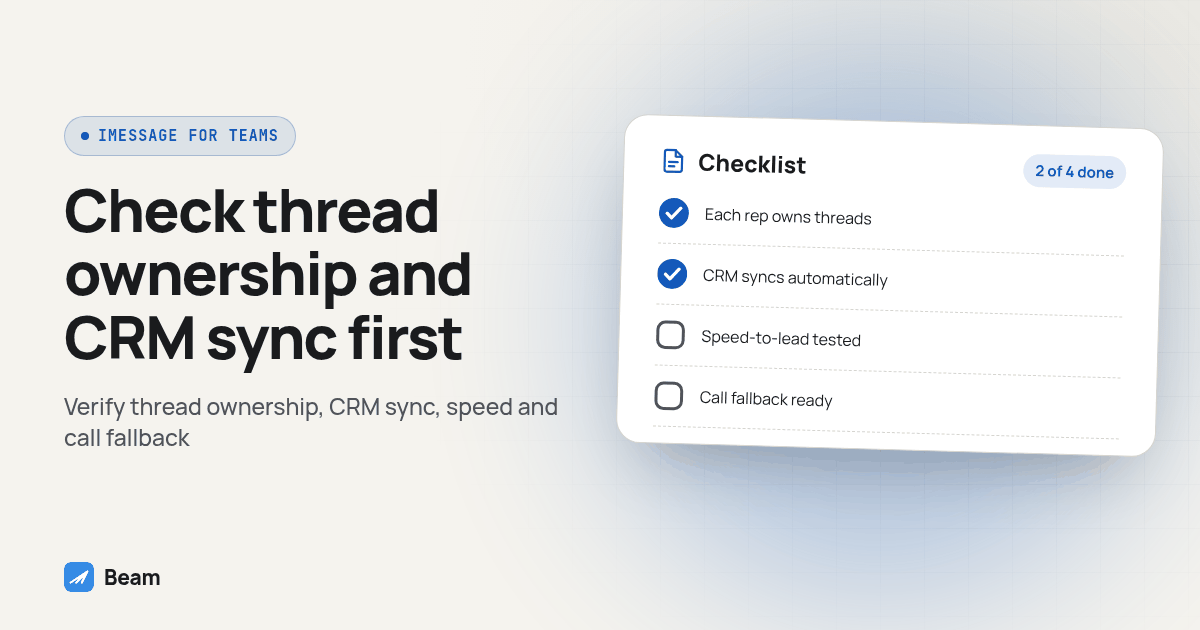
Most “iMessage for business” reviews are written for a single agency owner texting their own client list. A sales team is a different buyer: five, fifteen, or fifty reps texting the same pool of leads without stepping on each other, with a manager who needs to see who owns which conversation. The four checks below help a manager compare the actual workflow. We make Beam, so this guide explains our documented setup and gives you tests to apply to every option on your shortlist.
What does a sales team need that a solo agency’s setup doesn’t?
One agency owner can live with a single shared number and one inbox nobody argues over; a team of reps cannot. The moment you add a second rep, you need an answer to four specific questions, and most generic iMessage comparison posts skip straight past them:
- When a lead texts back, does the system know which rep owns that conversation, or does it just land in one undifferentiated pile?
- Does that text write itself against the correct contact and deal in your CRM, or does someone have to copy it over by hand?
- How fast does the first text actually go out after a form fill, and does that speed survive contact with fifty leads a day instead of five?
- If the lead wants to talk instead of type, can the rep call from inside that same thread, and what happens if the rep who owns it is out?
Everything below walks through how Beam answers each one, with a checklist and a comparison table you can run against any platform, including the one you already have.
Does every rep get their own identity, or does the team share one black hole inbox?
A shared inbox needs an explicit ownership process: a single shared number with no ownership model turns into a pile where two reps answer the same lead, or nobody answers because everyone assumes someone else saw it.
Beam’s workspace gives every teammate their own login key, not a shared password, under one of two roles: an Owner who manages settings, numbers and the AI assistant, and a Rep who works the inbox and numbers view without changing workspace configuration (Beam: Team & workspaces). Assign any thread to a specific seat from a dropdown in the conversation header, and replying to an unassigned thread claims it for whoever sent that reply, so two reps don’t quietly work the same lead at once. The inbox filters by All, Mine, and Unassigned, with each thread showing its owner’s name, so a manager sees at a glance who is sitting on what.
That’s not the same as every rep getting a personal, permanent phone number. Numbers in Beam are pooled at the workspace level and paired to each lead, not to each rep (Beam: How numbers are assigned). A sales team gets rep-level thread ownership inside a shared, CRM-connected pool: the intended workflow keeps the lead on a familiar number and makes ownership visible. The routing documentation also describes exceptions when a lead texts another line or a line degrades; confirm those transitions in your pilot. If a platform can’t show an assignee column and a claim-on-reply rule, ask what happens on day one when two reps open the same new lead.
How does a text actually land against the right deal in GoHighLevel?
Thread ownership inside the texting app is only one piece of the job. The text also has to write itself into the correct contact record in your CRM, or your reps are working two systems that don’t agree with each other.
Beam’s documented GoHighLevel path uses a Custom Webhook workflow step for outbound sends, with replies landing in the connected conversation inbox against the matched contact (Beam: iMessage two way CRM sync). The matching step is worth testing yourself before trusting it with a live pipeline: phone numbers arrive with a country code, without one, with parentheses, and a sync comparing a raw string instead of a normalized one can miss an existing contact and create a duplicate. We cover that failure pattern and the fix in keeping device texts inside GoHighLevel conversations. Run that test on one contact before rolling a shared line out to a full floor.
HighLevel distinguishes a replacement default SMS provider from an additional conversation channel. Its Conversation Providers documentation says the replacement default supports standard SMS modules, while an additional custom SMS channel does not. Beam’s documented workflow uses a Custom Webhook for outbound sends. That action does not itself write inbound replies: test the connected inbox and CRM sync separately, and verify contact matching before assuming the correct opportunity is also associated.
What does a real speed-to-lead workflow look like, from form fill to first text?
Measure speed-to-lead from the visitor’s action to a useful response, not just a webhook acceptance. An inbound-first funnel can make the visitor’s intent explicit. Here is a procedure for testing that design, step by step:
- The lead fills out the form. The form, not a rep, triggers the next step.
- The page opens the lead’s own Messages app with a pre-written first text, using a standard
sms:link (Beam: Getting leads to text first). Beam pairs the lead to one pooled number before that link opens. - The lead taps send. Opening the app is not sending a message. Confirm the visitor completes that step; a form submission alone does not establish an inbound conversation.
- The message lands in the team inbox, unassigned, visible to every rep on shift.
- The first rep to reply claims the thread and becomes its owner.
- Check the connected CRM inbox for the exchange. The Custom Webhook is the outbound workflow action; reply sync and opportunity association need separate verification.
- If the lead wants to talk, the rep calls from that same thread instead of switching apps or asking for a callback number.
Plan your outbound texting pool separately from the inbound funnel. Review Beam’s capacity guidance with the team for the actual line and audience; do not treat an operating guideline as a universal safe limit or delivery guarantee. An inbound inquiry is not permission for unrelated campaigns. Keep the requested purpose, follow-up scope and opt-out handling clear, whichever side starts the conversation.
Can a rep call the lead from the same thread, without asking them to install anything?
Nobody who wants to talk mid-text should have to give out a second number or download an app. Beam connects FaceTime Audio to the same business line and the same CRM contact as the text thread, so a call from that thread and the messages before it resolve to one record, not two (Beam: FaceTime Audio for business). The caller’s phone number is the shared identity tying the call and the text history to one conversation and one CRM contact.
That matters for a handoff a solo-agency tool rarely has to think about: the rep who has been texting the lead all week should be the same rep who sees the call come in, against the same deal the texts are attached to. Treating calling and texting as two unrelated products with separate identities is a sign the platform was built for a single inbox, not a sales floor.
What happens when the assigned rep is away and the lead calls back?
This is the gap that actually breaks a sales team’s workflow: the rep who owns the thread is at lunch, in another call, or off shift, and the lead calls the business line anyway. Know what your platform does here before go-live, not after a missed call.
For text, Beam’s assistant requires owner approval before live behavior, and a human takeover pauses assistant activity on the thread (Beam: The Assistant). For calls, Beam’s inbound routing guide describes selecting a connected receptionist for an assigned line. Transfer and fallback behavior remain in that receptionist’s settings. Selecting an endpoint does not establish an automatic missed-call escalation based on rep availability.
Beam documents connecting a RizzDial agent’s Inbound URL to that line. Keep the endpoint private, configure the intended receptionist behavior, then place a controlled call and inspect the recorded outcome. RizzDial’s speed-to-lead playbook provides context for coordinating calling with text follow-up. Verify the actual handoff instead of assuming a selected agent means a live route is ready.
Why do some sales teams lead with a text instead of a call at all?
Test this as a workflow choice rather than assuming text always performs better. A lead may prefer typing a quick question, scheduling a call or speaking immediately. Give the rep a clear next action when the contact replies, and record whether that action produces the intended appointment or conversation.
Compare similar consented inquiries over a defined observation window. Record time to the first useful reply, duplicate contacts, missed handoffs and opt-outs. Separate device delivery from a human response: read receipts and typing indicators can help where available, but neither proves buying intent. Use your own observed results when deciding whether to expand.
How do the main options compare for a sales team specifically?
Score any platform against what a sales team actually needs, not a generic feature list:
| Sales-team check | Native GoHighLevel SMS route | Single-owner iMessage setup | Beam evaluation |
|---|---|---|---|
| Rep ownership | Test contact assignment and shared coverage | Verify named seats and reassignment before sharing access | Owner/Rep roles and claim-on-reply are documented |
| CRM conversation history | Check the native contact timeline | Require a documented connector or integration plan | Custom Webhook sends; verify two way sync separately |
| First response | Measure trigger, send and reply timing | Test what happens while the owner is away | Test the inbound-first funnel and rep coverage |
| Calling context | Verify the configured voice route and contact logs | Confirm whether calls retain the same contact context | FaceTime Audio is supported; test the line and recipient |
| Voice-agent fallback | Inspect the actual configured voice workflow | Ask for a demonstrated backup route | Connected receptionist routing; fallback lives in its settings |
| Team expansion | Check permissions and routing for added reps | Establish whether a team workspace is available | Verify seat roles, filters and handover on test contacts |
Use this table as a starting checklist, not a final verdict. Confirm every row on a test contact before moving a live sales floor onto any platform, including this one.
What should a sales manager test before signing anything?
Run this on test contacts you control, not a client’s or a live lead’s, before committing a floor of reps to a new platform:
- Create two rep seats; confirm each logs in with its own key, not a shared password.
- Message an unassigned thread from each seat; confirm the first reply claims it and the owner is visible to both reps. Do not assume assignment is an access lock.
- Reassign that thread from the conversation header; confirm the Mine/Unassigned filter updates for both reps immediately.
- Trigger a GoHighLevel workflow send through the webhook step; confirm it lands against the correct contact, not a duplicate.
- Reply from the test phone; confirm it appears in the same CRM contact record, not a new one.
- Call the test number from the same thread you were texting; confirm the call and prior texts resolve to one contact.
- Test the configured receptionist and its transfer or fallback behavior while the intended rep is unavailable; record who answers and the final call outcome.
- Send a STOP from the test phone; confirm a later send attempt is blocked, not just logged.
- Review delivery failures, reply handling and opt-outs in the controlled pilot; pause expansion when a route fails or an outcome is unclear.
If any of those nine fail on a contact you control, they will fail on a live lead, just later and in front of a manager.
Ready to see a claimed thread, a CRM write and a call handoff on a contact you control, before you move a single rep’s pipeline? Text our team to try it and bring your rep count and current CRM setup so we can map the exact workflow to your floor.
What do sales teams ask before switching?
What does an iMessage platform for a sales team cost?
We don't publish pricing on this page. Text our team with your rep count, your CRM and your current texting setup, and we will walk through plan options and a line-assignment timeline. What we can tell you without a quote: the cost question that actually matters for a sales team is not the monthly fee, it is whether a text a rep sends shows up against the right deal in your CRM without someone copying it over by hand.
How long does it take a sales team to get a shared iMessage line running with GoHighLevel?
Budget time for workspace setup, a GoHighLevel Custom Webhook connection, and a full send-reply-claim test on one rep's thread before rolling it out to the floor. A team that skips straight to connecting every rep's workflow at once is usually the team explaining a missed lead to a manager a week later.
Does this work with CRMs other than GoHighLevel?
The documented, out-of-the-box workflow connection today is GoHighLevel's Custom Webhook step. For another CRM, evaluate the published messaging API and event webhooks as a custom integration rather than assuming a ready-made connector exists; confirm implementation scope and support before you commit a team to it.
Does thread ownership give a rep ownership of the sending number?
No. Rep assignment identifies who handles a conversation; Beam's number pool is managed at the workspace level. The documented routing model pairs a lead to a line, with exceptions when the lead texts another line or a line degrades. Confirm number control, portability and handover terms separately before committing your team.
If we switch from a tool one rep set up on their own phone, do we lose message history?
Treat migration as two tasks: confirming whether the number can move, and preserving whatever history lived on the old device or platform. Ask what can be exported or imported instead of assuming the new workspace contains old messages. Run a one-contact send, reply and CRM test before moving a live pipeline, and agree on an overlap and rollback plan.