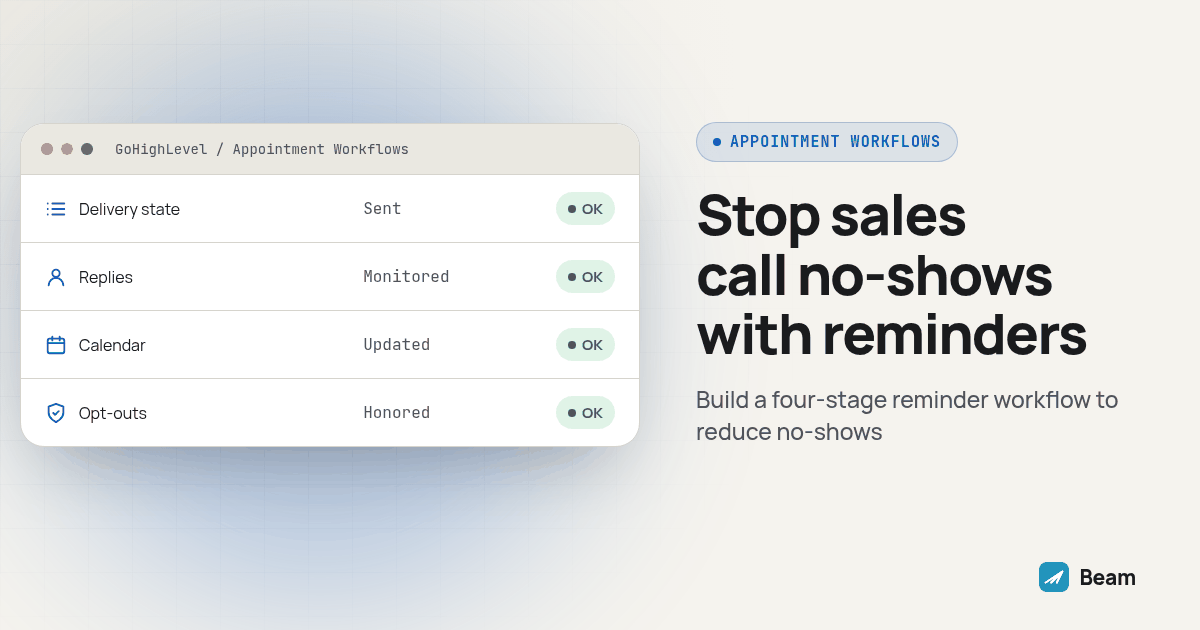
What’s actually broken about sending one reminder text before a call?
A single reminder assumes the prospect is still paying the same attention they were when they booked. Days pass, their calendar fills in around the slot, and the one text you sent sits buried under newer messages by the time the call matters.
The fix is not a guaranteed no-show reduction or simply adding more touches. It is a sequence where each message has a job: confirm the booking, remind the prospect it is coming up, provide a useful join or reschedule path, and respond appropriately if the call is missed. Evidence on appointment reminders gives a reason to test reminders, not a result to promise for sales calls. A Cochrane review of mobile messaging reminders found evidence in healthcare settings that text reminders can improve attendance compared with no reminder, while comparisons with phone reminders showed similar effects. The review is not a Beam study and does not establish a result for your sales calendar.
What follows is a practical sequence for agencies running booked demos or sales calls through GoHighLevel: four message stages, a reschedule path that checks the existing appointment, Android fallback tests, and a way to tell whether the workflow is doing what you intended.
Should we keep calling to confirm, or switch the whole sequence to text?
Most teams do not need to pick one and drop the other. They need to know what each channel is useful for before deciding where a call fits.
| What matters | Confirmation call | Text reminder sequence |
|---|---|---|
| Who does the work | A rep or setter dials and may need to leave a voicemail | A configured workflow sends messages at selected stages |
| What the prospect keeps | Details depend on what the prospect remembers or writes down | The time, link and details can remain in the message thread |
| Reply visibility | A missed call does not show what the prospect needs | A reply can be reviewed in the connected conversation thread |
| Reschedule path | The prospect calls back or waits for a callback | A message can include a link or instructions to request a new time |
| Complicated changes | A live conversation can clarify the issue | Staff may need to call after reviewing the reply |
| Attendance record | A call does not establish whether the prospect attended | A text reply does not establish whether the prospect attended |
A call still makes sense for an urgent change, a complicated reschedule, or a prospect who asks to speak with someone. A text sequence can cover routine reminders, but it does not replace an owner for replies or a reliable attendance record. Choose based on the prospect’s preferences and what the client team can support.
What should the confirmation message say when the call gets booked?
Send a short confirmation after the booking is recorded. Identify the business, state the appointment details in the prospect’s local time, and explain how to ask a question or request a change. Keep the reschedule link out if the booking system cannot reliably associate it with the existing appointment.
Hi {{first_name}}, this is {{business_name}}. You're confirmed for {{appointment_date}} at {{appointment_time}} {{timezone}} with {{rep_name}}.
We'll send a reminder before the call. Reply if you have a question or need help changing the time.
The placeholder names describe the information you need; they are not a promise that every field exists as a built-in merge field in your account. Preview the message using a test contact with every field filled, then test a second contact with an optional field blank. Confirm that no unresolved placeholder or wrong timezone reaches a prospect.
What should the pre-call reminder say, and when should it go out?
Set timing based on the client’s sales process and the prospect’s expectations. A day-before reminder gives someone time to raise a conflict. A shorter reminder nearer the call can surface the join details when they are useful. Avoid sending repeated messages simply because the workflow can.
Reminder: your call with {{business_name}} is tomorrow at {{appointment_time}} {{timezone}}. Reply if you need help with the time.{{first_name}}, your call with {{rep_name}} starts soon. Join here: {{meeting_link}}. Running late or need to move it? Reply and our team can help.Keep the final reminder readable at a glance. Verify the meeting link and timezone against the appointment record, and decide who owns replies before enabling the workflow. A reminder that prompts a question needs a person or a tested reply path behind it.
How do we build a reschedule path that does not leave the old slot open?
A reschedule link can create a second booking if it opens a generic calendar without updating the original appointment. Use the booking system’s reschedule flow when it can identify the existing appointment, then test whether the old time is released and its pending reminders stop. If your setup cannot confirm those outcomes, route the request to a person who can update the calendar.
The same calendar check matters in a voice workflow. RizzDial’s guide to verifying an AI call reschedule against the calendar covers the related failure mode, where the original booking may remain active if nobody verifies the change. This is the article’s sole contextual sister-site link.
Before using any reschedule path with prospects, test the old appointment, the replacement appointment, and reminders attached to each. Do not tell a prospect the time has changed until the calendar shows the new appointment and the old one is no longer active.
What should go out when someone misses the call?
Send a neutral message that assumes a conflict may have come up and offers a next step. Do not guilt the prospect or imply that a new time has already been booked.
Hi {{first_name}}, looks like we missed each other for your call today. If you'd like to reconnect, reply with a time that works or use this link to request a new time: {{reschedule_link}}The guide to confirming appointments by text instead of calling covers the related tone and outcome tracking for routine appointments. A later no-show message should not keep firing indefinitely. Route repeat misses or unclear replies to a staff member who can decide whether to follow up, pause messages or close the loop.
How do we build this sequence in GoHighLevel with Beam?
Build and test the workflow on a calendar and phone numbers your team controls before any prospect receives it. HighLevel’s Customer Booked Appointment trigger documentation describes a trigger for appointments booked independently by customers and says it does not support recurring appointments. Its Appointment Status trigger documentation describes triggers for scheduled appointments and status changes. Select and test the trigger that matches how your client actually books.
- Map the booking path. Record the calendar, appointment type, booking method and status changes. Check which event starts each reminder path. Do not assume a trigger covers staff-entered or recurring bookings without verifying the account behavior.
- Choose timing and message fields. Map the prospect name, appointment date, local time, rep name and meeting link. Test both complete and missing-field cases. Set waits relative to the appointment and review how a changed or canceled booking affects each wait.
- Add the Beam sending step. The GoHighLevel iMessage integration guide describes the Custom Webhook route. GoHighLevel’s Custom Webhook documentation explains how to configure an outbound request. Follow Beam’s current workflow instructions for endpoint, authorization and request fields; do not copy credentials into a public workflow note.
- Run a controlled dry run. Use a test contact and a phone your team controls. Confirm the request validates and that dry-run mode does not send a message. Check the workflow log for the expected appointment and message fields.
- Check channel and reply routing. Send to a controlled iPhone and Android phone. Confirm the received channel on each device, reply to the messages and verify replies appear against the intended contact in GoHighLevel.
- Test changes and stop conditions. Reschedule one test appointment, cancel another and opt out from a test thread. Check that the old reminders stop, the current appointment details are used and future messages are suppressed when required.
- Check retries and duplicate handling. Follow Beam’s documented request-key behavior for the integration. Repeat the same test request with the same key and confirm whether it returns the existing result rather than producing an unintended second message.
- Pilot one calendar and review exceptions. Enable the sequence for a controlled rollout only after the above paths pass. Review replies, delivery results, duplicate sends, stale reminders and no-show outcomes before expanding to other calendars.
Use the linked integration guide and Beam’s workflow sending documentation for the current fields and response behavior. The integration is a sending path; it does not decide whether a reschedule is complete or whether a prospect attended.
What happens when the prospect is on Android instead of iPhone?
The sequence logic can remain the same while the available channel changes. Beam sends iMessage to eligible iPhones, uses RCS when the Android phone and its carrier support it, and falls back to SMS for recipients neither of those channels can reach. SMS remains subject to the requirements for its number type.
Test the message and reply path on an Android device before rollout. Confirm the reply lands against the correct contact, and do not treat a missing read indicator as proof that a message failed. Channel support and available status signals differ.
How do we know the sequence is working instead of just adding noise?
Track separate appointment outcomes: confirmed, rescheduled, showed and no-showed. A confirmation reply is not attendance. A reschedule request is not a completed calendar change. Keep the source of each status clear so the client can explain what the report counts.
Use this original test procedure before interpreting a live pilot:
- Write down the expected outcomes. Define how the calendar and workflow should behave for a new booking, a reply, a reschedule, a cancellation, an opt-out and a missed call.
- Run each case with controlled contacts. Use phone numbers held by the team, and record the appointment identifier, sent message, received reply and workflow status.
- Inspect both records. Compare the message thread with the current calendar entry. Confirm whether old times were released and old reminders stopped after changes.
- Record attendance separately. Use the client’s attendance process to mark showed or no-showed. Never infer attendance from a reply, delivery status or a confirmation.
- Reconcile failures before launch. Investigate duplicate messages, missing replies, unresolved fields and stale reminders. Repeat affected cases after correcting the workflow.
- Review the pilot using consistent definitions. Compare appointments using the same inclusion rules and report confirmed and attended separately. If you want to compare no-show outcomes before and after a change, record the period and workflow differences; do not attribute a change to reminders alone without evidence.
Watch whether replies receive timely ownership and whether reschedule requests result in an updated calendar. If outcomes remain unclear, investigate the booking flow, message accuracy and contact preferences before adding more messages.
What do agencies ask before turning this on?
Does Beam charge extra to run a no-show reminder sequence for booked sales calls?
Beam does not publish pricing for this workflow on its blog. The setup depends on your calendars, lines and sub-accounts. Text our team to try it and discuss a quote for your configuration.
How long does it take to get a booked-call reminder sequence live in GoHighLevel?
Timing depends on your calendar, triggers, message fields and integration setup. Test the confirmation, reminders, a reschedule and a no-show case end to end before treating the sequence as live.
Do we need to switch calendars, or does this work with the booking tool we already use?
GoHighLevel can remain your calendar and workflow system of record. Beam adds a sending channel through a Custom Webhook step; test how your booking tool, calendar events and reply handling work together before enabling the sequence.
Do we need separate consent to text a prospect who already booked a call with us?
A booking and phone number alone do not establish permission for every kind of text. Check the consent the prospect gave, the purpose they were told about, your business policy and applicable rules. Keep appointment messages limited to the booking, honor opt-outs and do not add the person to unrelated marketing without the required permission.
We already call to confirm. What does it take to switch that into a text sequence?
Plan for someone to configure and test the workflow, review replies and keep appointment records current. Text can provide written details and a reply path, while calls remain useful for urgent changes, complicated questions and prospects who prefer speaking with someone.
Text our team to try it: tell us how your booking calendar is set up and who will handle replies, and we can discuss what the workflow needs for your account.