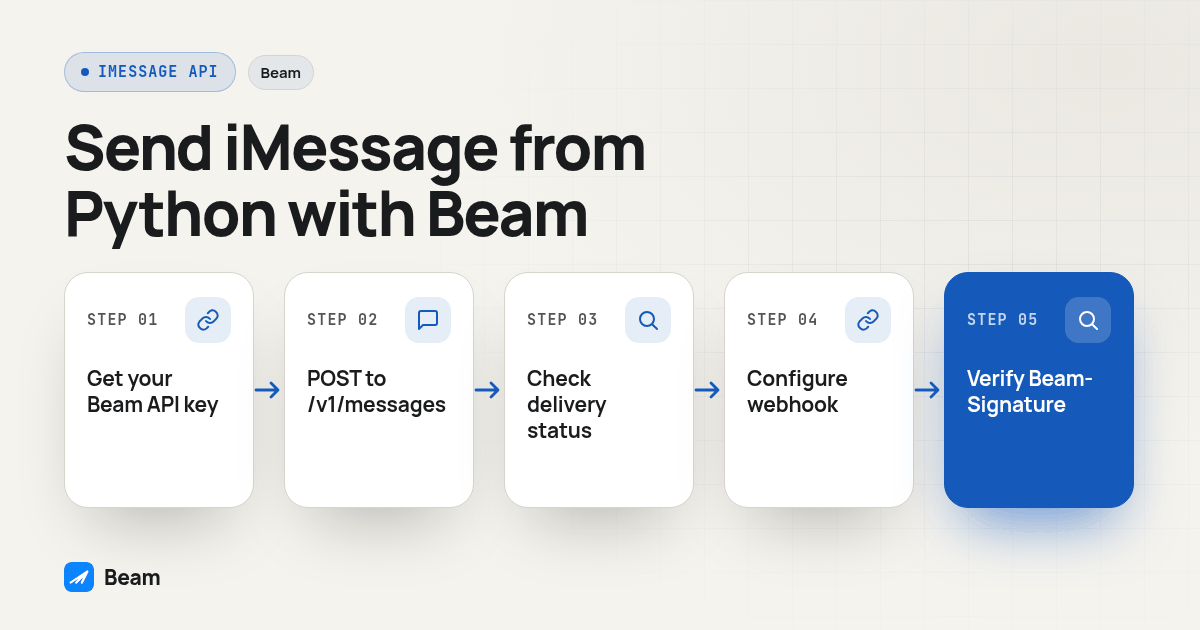
Send an iMessage from Python with one authenticated POST to Beam’s hosted /v1/messages endpoint; Beam decides whether the contact gets iMessage, RCS or an SMS fallback. To receive replies instead of only sending, point a Beam event webhook at your own endpoint and verify its Beam-Signature header with HMAC-SHA256 before trusting anything in the body. The full send, status-check and verified-receive flow is below in copy-paste Python.
Agencies building a GoHighLevel-connected backend eventually face a practical choice: does adding iMessage mean running Messages.app on a Mac, or can a Python service make a normal REST call? Beam’s API supports the latter. Sending and receiving are separate parts of the integration, though. Sending can be small; reliable reply handling also requires an endpoint, signature verification and event storage.
Key takeaways
- One endpoint,
POST /v1/messages, sends iMessage, RCS or SMS fallback; Beam chooses the channel per contact.- A 200 response means Beam queued the message. Check delivery with a separate
GET /v1/messages/:idcall.- Replies arrive as signed events pushed to your own HTTPS endpoint, not something you poll for.
- Verify the
Beam-Signatureheader before your code acts on anything a webhook sends it.
What do you need before you write any Python code?
Before running a request, have an active Beam workspace number, a workspace API key from Settings and Python with the requests library installed. The Beam iMessage API page explains the product path. The REST API expects the key in an x-api-key header, not as a Bearer token.
Keep the key server-side. Do not commit it, expose it in a frontend bundle or paste it into a shared notebook. Use an environment variable or your hosting provider’s secret store, and rotate it if it is exposed.
pip install requests
export BEAM_API_KEY="your_workspace_key"
export TEST_PHONE="+1XXXXXXXXXX"
The number above is a placeholder. Replace it with a test number you control. Do not start with a client contact, and remember that an accepted request, a later status and a visible conversation are different observations.
How do you send your first iMessage from Python?
The JSON POST requires to and message; first_name is optional. Beam selects the channel based on the recipient and available route.
import os
import requests

response = requests.post(
    "https://beam.aisync.link/v1/messages",
    headers={"x-api-key": os.environ["BEAM_API_KEY"]},
    json={
        "to": os.environ["TEST_PHONE"],
        "message": "This is a test message from our Python integration.",
        "first_name": "Test",
    },
    timeout=10,
)
response.raise_for_status()
sent = response.json()
print(sent["id"], sent["status"])
The timeout prevents indefinite waiting, and raise_for_status() catches HTTP errors. Do not retry every exception: inspect the workspace first, since a timeout can follow an accepted request.
The API contract documents optional fields too. Keep the first integration narrow, add options one at a time, and validate them against the current send endpoint documentation. Retain request and response identifiers in a protected log, without logging the key or unnecessary message content.
How do you know the message actually reached the phone?
A successful HTTP response means Beam accepted the request into its send flow. It does not by itself prove that the phone displayed the message or that a person read it. Use the returned id with the separate status endpoint, then inspect the controlled recipient’s conversation.
msg_id = sent["id"]
status_response = requests.get(
    f"https://beam.aisync.link/v1/messages/{msg_id}",
    headers={"x-api-key": os.environ["BEAM_API_KEY"]},
    timeout=10,
)
status_response.raise_for_status()
status = status_response.json()
print(status["status"], status.get("channel"))
The status endpoint documents distinct states. Treat them as separate points in the send lifecycle.
| Status | What it means in Beam’s documentation | What to do in your integration |
|---|---|---|
queued | Accepted and waiting in Beam’s pacing queue | Retain the message ID and check again later if needed |
sent | Handed to the network; channel identifies the route | Record the selected channel without calling it delivered |
delivered | Delivery confirmed against carrier records | Keep the status with the message ID; it is not proof of a read |
failed | The send did not go through | Inspect the documented error details before correcting or retrying |
cancelled | Cancelled before it went out | Record the cancellation result; do not treat it as an unsend |
no_channel | No active number could reach this contact | Review the recipient and available route before choosing another channel |
These descriptions come from Beam’s Get a Message docs. Use a deliberate interval and stopping condition if polling. For ongoing event processing, webhooks avoid repeatedly fetching the same record. Distinguish pending from final states so your application does not report success too early.
How do you receive replies instead of only sending?
For replies, configure an event webhook in Settings with an HTTPS endpoint your application controls. Beam sends event notifications there. See the event webhook guide for event types.
The event body includes an identifier, type, timestamp and event data. message.received represents an inbound message; other documented events report other outcomes. Branch on the type and use only fields defined for that event. A notification does not update a CRM automatically.
{
  "id": "evt_example",
  "type": "message.received",
  "timestamp": "<unix_seconds>",
  "data": {
    "from": "<contact_e164>",
    "to": "<your_number_e164>",
    "body": "The proposed time works for me.",
    "channel": "imessage"
  }
}
Verify, store and promptly acknowledge each event, then handle CRM matching or notifications in a background process. Your application owns event storage, CRM mapping and duplicate handling. Check the webhook contract rather than assuming unavailable events will be retried.
For agency workflows, map the sender, contact and workspace before enabling traffic. Hold ambiguous matches for review. Make opt out events available to sending paths and test suppression.
How do you verify that a webhook really came from Beam?
Verify the signature before trusting any field in a public request. Beam signs webhook payloads with HMAC-SHA256 and includes a Beam-Signature header. The signing documentation describes the timestamp and signature values, the exact raw request bytes, freshness checks and constant-time comparison. See Beam’s webhook signing docs for the current contract.
import hashlib
import hmac
import re
import time

REPLAY_WINDOW_SECONDS = 300

def verify_beam_signature(raw_body: bytes, signature_header: str, signing_secret: str) -> bool:
    match = re.match(r"t=(\d+),v1=([a-f0-9]+)", signature_header or "")
    if not match:
        return False
    timestamp, signature = match.groups()
    if abs(time.time() - int(timestamp)) > REPLAY_WINDOW_SECONDS:
        return False

    signed_payload = f"{timestamp}.".encode() + raw_body
    expected = hmac.new(
        signing_secret.encode(), signed_payload, hashlib.sha256
    ).hexdigest()
    return hmac.compare_digest(expected, signature)
The freshness value follows Beam’s documented signing window. Keep the server clock synchronized. The verifier rejects malformed fields and compares digests with hmac.compare_digest, described in Python’s hmac documentation.
Pass the exact bytes received by the server into the verifier. Parsing and serializing JSON again can change whitespace, escaping or key order. Protect the signing secret like the API key, then validate event fields and make processing repeat-safe even after a signature passes.
How do you wire that into a real Flask receiver?
The Flask route needs the raw body and signature header before parsing JSON. After verification, it can save the event or queue it for processing.
import os
from flask import Flask, request

app = Flask(__name__)

@app.post("/beam/events")
def beam_webhook():
    raw_body = request.get_data()
    header = request.headers.get("Beam-Signature", "")
    if not verify_beam_signature(
        raw_body, header, os.environ["BEAM_SIGNING_SECRET"]
    ):
        return "", 401

    event = request.get_json()
    if not isinstance(event, dict) or not event.get("type"):
        return "", 400
    enqueue_for_processing(event)
    return "", 200
Verify before parsing. The real enqueue_for_processing must save durably before success, or a failure may leave no event record.
Keep slow CRM work outside the handler and retry internally with an event identifier. Beam does not create your CRM mapping. Log rejected requests without secrets.
How do scripting Messages.app and calling an API compare?
Some teams explore automating Apple’s Messages app on a dedicated Mac because Apple does not publish a general iMessage sending API for arbitrary business backends. That approach and a hosted API have different operating responsibilities. This comparison is about integration shape; a hosted service still depends on its documented endpoints and account configuration.
| Question | Script Messages.app yourself | Call a hosted API from Python |
|---|---|---|
| What has to stay running? | A Mac signed into an Apple account and available for the automation | Your Python process needs outbound HTTPS access |
| Who maintains the sending path? | Your team maintains the Mac automation and its local dependencies | The provider maintains its hosted API path; your team maintains its client code |
| How can replies enter your system? | Your code must observe the local app or another configured path | A configured event webhook can post to your endpoint |
| How does it handle non iMessage recipients? | The local automation is focused on Messages.app behavior | Beam can route by recipient and configured channel availability |
| Where can the application code run? | The automation depends on the Mac that runs Messages.app | The Python service can run wherever your deployment can make HTTPS calls |
Mac automation keeps device operation with your team; a hosted endpoint fits server workflows using HTTP and webhooks. Review account requirements and recovery before choosing. For the adjacent voice workflow, the sister team documents its RizzDial Claude calling agent API; that is a separate product and does not change the Beam request flow here.
How should you test the whole pipeline before a customer sees it?
Use a controlled test number and a workspace where you can inspect both the Beam conversation and your receiver logs. This original procedure checks request acceptance, delivery evidence, webhook verification and opt out handling. It is a proposed test plan, not a claim that these steps were run against a production account.
- Prepare a controlled recipient. Choose a phone you own or have permission to test. Record the workspace, sending number, recipient and expected channel. Do not use a live customer record for the first test.
- Send one fixed test message. Run the Python POST with the API key loaded from the environment. Save the returned message ID, HTTP result and timestamp in a protected test record.
- Check the status endpoint. Fetch the message by ID and record its status and channel. If it is still queued, check again after a reasonable interval. Do not call an accepted request delivered.
- Compare with the test phone. Confirm what appeared in the actual conversation and whether a reply is possible. Record the observed route without generalizing one recipient’s result to every contact.
- Configure an HTTPS webhook. Point Beam’s event settings at a test endpoint. Store the signing secret outside source control, restart the receiver with that secret available, and verify one real test event before connecting downstream automation.
- Reply from the controlled phone. Confirm the receiver gets the expected inbound event, verifies the signature and stores the event before returning success. Match the event to the right test contact in your own system.
- Reject a changed body. In a local harness, take a previously captured test payload and change one byte without recalculating the signature. Confirm the verifier rejects it and no CRM or customer action runs.
- Reject an old timestamp. Use a local test fixture with an otherwise valid signature and a timestamp outside the accepted freshness window. Confirm it is rejected. Do not replay a captured production event to test this.
- Check opt out behavior. If your test setup supports it, send STOP from the controlled phone and confirm the documented opt out event reaches your receiver. Verify that your own sending workflow consults the resulting suppression state before a later send attempt.
- Review logs and cleanup. Confirm logs contain message and event identifiers but not secrets. Remove the temporary public test endpoint or restrict it, and document which checks passed before enabling any client workflow.
If a step fails, isolate the boundary. A request error, queued status, later failure and missing webhook point to different stages. Separate those observations before changing code or retrying a customer message.
How can you connect the API to GoHighLevel?
The REST endpoint is for your own service calling Beam. GoHighLevel uses a separate Custom Webhook action and configuration. Do not copy the REST x-api-key request into that action or assume its bearer token belongs in Python. Follow the GoHighLevel workflow documentation and test with a controlled contact.
Choose one owner for triggers, retries, opt outs, duplicate prevention and reply routing. Two automations responding to the same event can create conflicting activity.
What should your script watch for after launch?
Use the API error reference to interpret returned codes. An opt out response should trigger suppression, not a retry loop. A cancel request cannot undo a delivered message. Inspect state before retrying a network timeout because Beam may have accepted the request.
Monitor request outcomes, status changes, webhook receipt and processing separately. Review pending verified events, signature failures and unmapped contacts while limiting personal data in logs. If an expected event is missing, the missed webhook recovery guide explains how to compare event records and history without blindly resending to a customer.
What do developers ask about sending iMessage from Python?
Does using the API cost anything beyond my Beam plan?
Beam does not publish per request API pricing on its public pages. The send, status and webhook endpoints are part of a Beam workspace. For a quote based on your volume, text the Beam team instead of estimating from a blog post.
How long does it take to get a Python script actually sending?
Sending one test message is a short integration step once you have a workspace key and an assigned number: it uses a single POST request with a phone number and a message field. Verifying signed webhooks takes more care because you need to test tampered signatures and stale timestamps as well as a valid event.
Can this same API push messages through GoHighLevel, or do I need Zapier too?
The REST API in this guide is for server side code that talks to Beam directly. Beam’s GoHighLevel workflows use a separate Custom Webhook action documented in Beam’s integration guide. You do not need Zapier for either route, and the two request formats should not be treated as interchangeable.
Do I need A2P 10DLC registration to send iMessage through this API?
Beam’s iMessage lines do not require A2P 10DLC registration. Registration, toll free verification and short code approval apply to SMS depending on the number type. If a workflow uses SMS fallback on a local number, check the carrier requirements for that SMS route.
Why verify the webhook signature instead of trusting any POST to my endpoint?
A public endpoint can receive requests from anyone who finds its URL. Verifying the Beam-Signature header with your signing secret lets your code check that the event was signed by Beam and that its timestamp is within the freshness window, rather than trusting an unverified request or stale replay.
Text our team to try it.