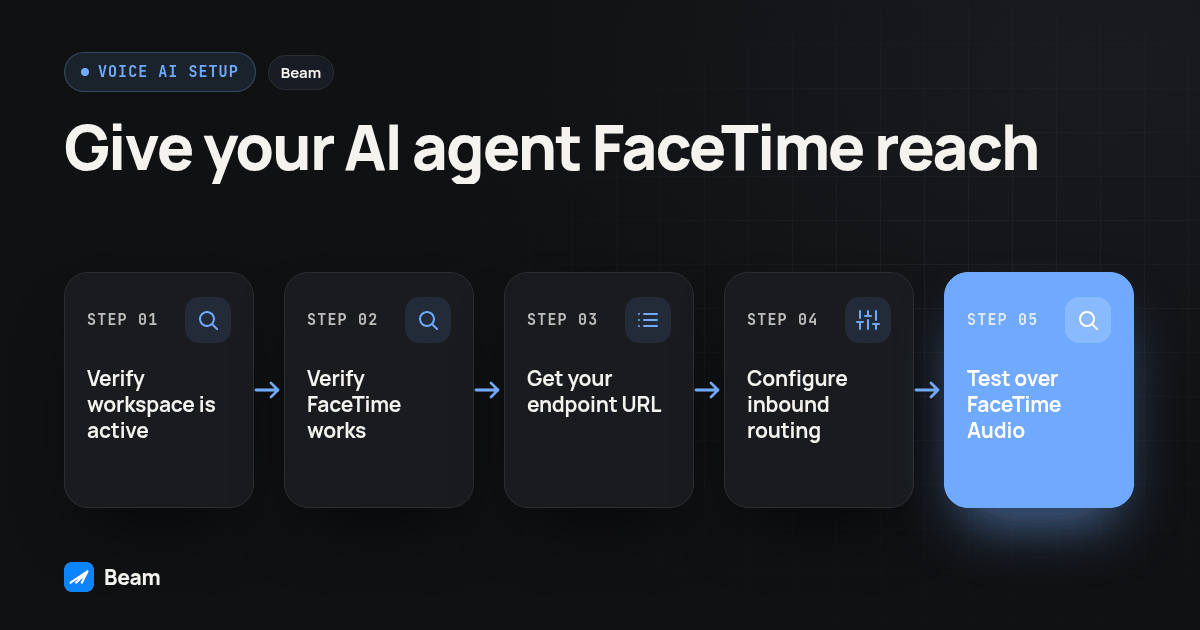
Agencies rolling out a voice AI agent keep asking the same thing: the agent already answers calls through a telephony API, so why can’t a customer reach it the way they’d FaceTime a friend? They can, once two things are true at once: a business line Apple’s network recognizes for FaceTime Audio, and that line’s inbound call routing pointed at the agent, not an empty desk.
What Does It Actually Mean to Give an AI Agent FaceTime Audio?
An AI agent, whatever platform runs it, does not carry an Apple ID or a phone around with it. FaceTime Audio always lands somewhere else first: a line Apple’s network recognizes as FaceTime reachable, tied to a business identity rather than a personal account. Beam provisions that line and documents FaceTime Audio as a channel connecting straight through to a voice AI agent, next to iMessage, RCS, and SMS fallback on the same contact (Beam: FaceTime Audio for business, Beam: iMessage API).
So “giving an agent FaceTime Audio” is really two configuration steps, not one. First, the line itself has to be enabled and reachable for FaceTime Audio, checked independently of its texting setup. Second, that line’s inbound call routing has to be pointed at the agent’s own endpoint, not a person, a voicemail greeting, or nothing at all. Skip either step and a caller either can’t reach the line over FaceTime, or reaches it and gets silence on the other end.
Why Offer a FaceTime Audio Line Alongside an Ordinary Phone Number?
A caller placing a FaceTime Audio call sees the same screen they’d see calling a friend. Apple describes it as a normal call started from the Phone or FaceTime app, carried over Wi-Fi or mobile data rather than cellular minutes (Apple: make FaceTime calls). Nobody opens a separate app or thinks about which protocol carries the audio. They just call, which removes a step between “the customer wants to talk” and “the agent is actually talking to them.”
It also sidesteps a registration headache that follows SMS. Beam’s documentation notes that iMessage and FaceTime Audio run outside carrier A2P 10DLC, while SMS fallback on the same line still follows applicable carrier A2P requirements (Beam: iMessage API). A voice AI endpoint reachable over FaceTime Audio gets a real voice channel without inheriting the texting registration process.
How Does a FaceTime Audio Call Actually Reach Your Agent’s Line?
Beam’s documented routing table lists FaceTime Audio as its own channel for Apple devices, right next to iMessage (Beam: how routing works). Its call routing documentation uses the caller’s phone number to match calls and texts to one conversation and CRM contact (Beam: inbound call routing). Test that match rather than assuming an email based FaceTime identity resolves to the same phone contact. That shared identity is the reason a caller who FaceTimes your agent, then texts a follow up question, shows up as one person on one thread rather than a stranger twice.
Reaching the agent itself is a separate configuration inside that same line. Beam’s inbound call routing documentation describes a workspace that has to be active, with a messaging line already assigned by an operator, before call routing becomes available at all (Beam: inbound call routing). Once that’s true, the routing panel for that line takes exactly one thing: the destination’s inbound endpoint URL. Beam handles the connection from its side; your job is choosing the number that should receive the call and confirming what you paste in actually belongs to a destination built to answer it.
How Do You Get a Caller Into FaceTime Audio Instead of a Regular Call?
Telling someone “you can FaceTime us” is not the same as making that one tap for them. Apple documents a URL scheme built for exactly this: facetime-audio: followed by a phone number or an email address opens FaceTime Audio directly to that identity, the audio only counterpart to the facetime: scheme used for video (Apple developer: FaceTime URL scheme reference).
- Confirm the exact identity your Beam line is reachable at for FaceTime, not just that it can take an ordinary call. Get this from whoever manages the line first.
- Build the link using that scheme and the line’s own identifier, something like
<a href="facetime-audio:YOUR_LINE_E164">Talk to our agent on FaceTime Audio</a>on a page, or the same scheme behind a button in an app. - Test what the caller experiences. Apple’s archived reference describes confirmation for web links and different behavior for native apps. Its FaceTime Audio examples are labeled iOS only, so verify the button on the supported iPhone rather than promising identical behavior across devices (Apple developer: FaceTime URL scheme reference).
- Put the link where a caller already expects a calling option, a confirmation text or a booking page, not a generic page with no context.
How Do a Direct FaceTime Audio Link, a Shared FaceTime Link, and a Phone Call Compare?
Apple’s shared FaceTime Link is a different feature from the facetime-audio: scheme above. A business generates a link ahead of time and sends it out; anyone opening it, including someone on Android with no Apple device, joins a waiting area and has to be let in by the host before the call connects (Apple: invite others to FaceTime). That breaks down the moment the thing supposed to answer is an unattended agent, since nobody is watching the waiting area.
| Direct FaceTime Audio link | Shared FaceTime link | Ordinary phone call | |
|---|---|---|---|
| What starts it | A facetime-audio: URL dialing a phone number or email directly | A link the business generates and sends ahead of time | A dialed phone number |
| Who has to act to let the caller through | Nobody; it rings the identity’s configured destination | A host has to admit the caller from the waiting area | Nobody; the carrier routes it |
| Fits an unattended voice AI endpoint | Yes, once that identity’s call routing points at the agent | No, there is no host to tap Admit | Yes, if the number forwards to the agent |
| What an Android caller gets instead | Nothing native; give them the ordinary business number | A browser join, if someone admits them | Uses the ordinary telephone route where available |
For giving a voice AI agent a reachable FaceTime Audio line, the direct link is the right tool: it rings a configured destination the same way an ordinary call does, just over a different network.
How Do You Connect a Voice AI Endpoint to That Beam Line, Step by Step?
- Confirm the Beam workspace is active and an operator has already assigned a messaging line to it. Call routing stays unavailable until both are true (Beam: inbound call routing).
- Confirm that same line’s FaceTime Audio reachability on its own; a line can text fine and still not be set up for FaceTime.
- Get your voice AI platform’s inbound endpoint URL. Beam’s own setup guide demonstrates this using a RizzDial AI Agent: open AI Agents in RizzDial, the three dot menu beside the correct agent, Endpoints, Inbound, then Copy URL, not the Outbound URL (Beam: inbound call routing). On a different platform, confirm with Beam’s team that the field will accept its endpoint.
- In Beam, open Numbers, then Inbound call routing for that line, paste the endpoint URL into the Inbound receptionist endpoint field, then choose Connect (Beam: inbound call routing).
- Treat that URL like a password: never paste it into chat or a screenshot, and know that once saved, Beam does not display it again.
- Ask the operator to confirm the shared inbound connection preserves the original public-line identity so Beam selects the correct receptionist. Keep transfers, booking, and fallback behavior in the receptionist’s own settings, as the routing guide specifies.
- Place one real test call from a phone you control, over FaceTime Audio, and confirm the agent answers, two way audio works, and the call lands on the same conversation and CRM contact as that caller’s texts.
- Repeat that test after any change to the agent’s endpoint, the line’s routing, or the FaceTime identity.
What Should You Test Before Pointing Customers at This Line?
A saved route is a configuration, not evidence that a stranger’s phone will reach your agent. Place calls from a real device on Wi-Fi only, then again on cellular data only, and record both outcomes separately. Test with the receiving side’s usual Do Not Disturb and Focus settings active, since those settings can change whether the call even alerts anything downstream.
We already wrote the longer test matrix for a human caller’s side of FaceTime Audio, covering Android fallback, call recording, and what the CRM actually shows, in FaceTime Audio to a business line: what actually rings. What’s specific to an agent is simpler: confirm it recognizes the call as coming from that FaceTime identity, confirm it answers inside whatever window you’ve configured, and confirm the recorded outcome matches what happened on the test phone, every time, not just the first time.
What Happens When the AI Agent’s Line Doesn’t Answer?
Beam’s inbound call routing guide lists connected, completed, busy, no answer, failed, and canceled outcomes, alongside the matching conversation and CRM contact. Check the recorded result against your test call. An unsuccessful connection may be a failure or cancellation rather than no answer; the label matters when deciding who follows up.
| Call outcome | What’s on the Beam line | What happens next |
|---|---|---|
| Connected / completed | Call matched to the caller’s existing conversation | Usually nothing else needed |
| No answer | A missed FaceTime Audio call tied to the conversation | A person, or a connected text agent with read access, can see it and send an iMessage follow up |
| Busy / failed / canceled | Call did not complete, same conversation record | Flag it for a person rather than guessing why |
That follow up text is the same message_send action documented on Beam’s iMessage API page, so check the actual messaging channel and available delivery or read signals instead of treating a sent follow up as proof it was read.
Is This the Same as Giving Your Agent an iMessage Number Too?
They share one Beam connection but do different jobs. An iMessage number lets an agent read and send texts on an iPhone’s own channel, the side we covered in Give Grok Bot Its Own FaceTime Line. FaceTime Audio adds a voice channel on that same line, answered by a person or a connected voice AI agent, never by a text only chat agent.
You don’t need both to use either one. A line can take FaceTime Audio calls with no text agent touching the thread, and it can run iMessage with no call routing configured at all. Decide which job needs an AI endpoint, and which still needs a person, before wiring up both.
What’s a Simple Checklist Before You Launch This?
Copy this into your rollout notes and check each line off with a real test, not a guess.
- The Beam workspace is active, a messaging line is assigned to it, and that line’s FaceTime Audio reachability is confirmed separately from its texting setup.
- The voice AI platform’s inbound endpoint URL is copied from its own dashboard, not guessed or reused from an outbound endpoint, and pasted into Beam’s Inbound receptionist endpoint field for that exact line.
- A real FaceTime Audio test call connects, both sides hear each other, and the call appears on the right CRM contact.
- A second test call, left unanswered on purpose, has its final outcome verified, with someone confirmed as owner of the resulting follow up text.
- A direct
facetime-audio:link or button is live where a caller would expect it, tapped once from a real iPhone to confirm the prompt behaves as expected.
What Else Do People Still Ask About Giving an AI Agent FaceTime Audio?
Does connecting FaceTime Audio to an AI agent require A2P 10DLC registration?
No. FaceTime Audio and iMessage do not require A2P 10DLC registration. SMS fallback follows the rules for its number type: local 10DLC numbers need A2P 10DLC registration, toll free numbers need verification, and short codes need carrier approval.
Can any voice AI platform connect to a Beam line, or only one vendor?
Beam’s inbound call routing takes one field: the receptionist’s endpoint URL, and Beam’s own setup guide walks through pointing that field at a RizzDial AI Agent, since RizzDial is built for this handoff. If you run a different voice AI platform, confirm it can expose a reachable inbound endpoint and check with Beam’s team before assuming the field will accept it without help.
Is giving an agent FaceTime Audio the same as giving it an iMessage number?
No. They use the same Beam connection but do different jobs. An iMessage number lets an agent read and send texts; FaceTime Audio adds a voice channel on that same line, answered by a person or a connected voice AI agent, never by a text only chat agent.
What happens to a FaceTime Audio call if the connected voice AI agent does not answer?
Beam documents connected, completed, busy, no answer, failed, and canceled outcomes on the matching conversation and CRM contact. Test an unanswered FaceTime Audio call and verify its recorded outcome; do not assume every unsuccessful call means no answer.
How long does this setup actually take?
The connection step itself is one URL pasted into one field, once your Beam line is active and FaceTime Audio enabled. Most of the real time goes into testing: confirming the agent answers, confirming the caller ID and audio both work, and deciding what happens on no answer, not into the setup form itself.
Most of what breaks here isn’t the agent’s logic, it’s a routing step someone assumed was already done. Confirm the line, the identity, and the endpoint, then make the call yourself before a customer does. If the agent is a RizzDial AI Agent, give your AI agent a phone covers the calling side it needs first. Once connected, FaceTime Audio for business is where to plan the rollout with Beam’s team before anyone outside your test group gets the link.