TL;DR: A business iMessage thread that says Delivered but never shows Read is normal, not a sign the customer is ignoring or has blocked you. Read receipts only appear when that specific person has turned on Send Read Receipts for themselves, and plenty of real contacts never touch that setting. Delivered tells you the message arrived; the missing Read label tells you no reliable information about engagement.
A rep glances at a client’s lead thread, sees “Delivered” sitting under every outbound text with no Read label in sight, and assumes the worst: the lead saw it and is choosing not to respond, or worse, blocked the number. Neither conclusion follows from what the thread actually shows. Delivered and Read are two separate signals that measure two separate things, and only one of them, Delivered, is something the sending side can count on seeing. Below we walk through why that gap exists, how to tell it apart from an actual delivery problem, and what to tell a client who keeps asking why the thread “still says Delivered.”
What Does Delivered Without Read Actually Mean on an iMessage Thread?
Delivered means Apple’s servers confirm the message reached the recipient’s device. That is a real, verifiable signal, and Apple documents it as a status distinct from whether anyone opened the message (Apple: iPhone read receipts). Read is a second, optional signal layered on top of Delivered, and it only fires when the recipient’s own device sends one back. A thread can remain on Delivered while healthy if no read receipt comes back. Read is an optional signal the sending side cannot require.
This is the opposite failure mode from a thread with no Delivered status at all, which we cover separately because it is a genuinely unresolved question about whether the message arrived (Beam: iMessage blue with no Delivered status). Here, the message’s arrival is not in question. The only thing missing is a receipt that depends on an action the recipient has to take on their own phone, not on anything your line, your CRM, or Beam’s platform did.
Why Are Read Receipts Off for So Many Contacts in the First Place?
Because Send Read Receipts is a setting that belongs to the person holding the phone, not a shared property of the conversation. Apple’s own guide describes it as something each user turns on for themselves, and on current iOS it can be set per conversation rather than as one global switch (Apple: iPhone read receipts). Some customers enable the setting and others do not. The important point for a sales team is that the choice belongs to the recipient, so the sender cannot assume every thread will report Read.
That framing matters because a sales floor that does not understand it will keep re-litigating the same false alarm. A long-running MacRumors and iMore community discussion thread on this exact setting shows real iPhone owners debating whether they leave it on or off, which is itself evidence that plenty of ordinary users simply never touch it either way (iMore forum: read receipts on or off). Nothing about that decision has anything to do with how they feel about your business. It is a privacy preference, set once or never, that applies the same way to every business and every friend they text.
How Is This Different From a Thread That Never Shows Delivered At All?
Agencies run these two problems together constantly, and they need different responses. The table below separates what each state actually establishes from what it does not, so a rep can tell which situation they are actually looking at before reacting.
| Thread state | What it confirms | What it does not confirm | What to do about it |
|---|---|---|---|
| Delivered, no Read | The message reached the device | Whether anyone opened it, or how the recipient feels about your business | Nothing. Keep working the lead on reply and action signals |
| No Delivered status at all | Only that the thread shows as iMessage | Receipt, server acceptance, or the cause of the missing confirmation | Run the separate diagnostic in our not-delivered guide |
| Delivered, then Read | The message reached the device and the recipient’s phone sent a receipt back | Whether they will reply, or when | Treat it as mildly encouraging, not as a promise of a response |
| Sent as SMS or RCS (green) | The message used a channel that does not carry a Read signal at all | Nothing about engagement; the channel itself has no Read concept to report | Do not expect Read to ever appear on this thread, regardless of the recipient’s settings |
The only state that genuinely warrants troubleshooting is the second row. The first and fourth rows are not problems to fix, they are a different, more limited set of information than a rep might be used to from their own personal texting habits.
Can We Turn On Read Receipts for a Customer Who Has Not Turned Them On?
No, and this is the single most common misunderstanding we hear once a team moves a client onto a dedicated business iMessage line. Sending a read receipt back to a customer, so they can see your team read their message, is an action your side controls; our companion piece on read receipts covers that outbound direction in detail (Beam: business iMessage read receipts and typing indicators). But getting a Read label to appear under your outbound message, confirming the customer opened it, depends entirely on a setting on their phone. A business account, CRM integration, or texting API cannot reach into a customer’s device and switch the setting on for them.
That asymmetry trips people up because it feels like it should be symmetrical. It is not. You can choose to be transparent about when your team reads a customer’s message. You cannot make a customer be transparent about when they read yours, because that choice was never put in your hands to begin with.
How Do You Confirm a Delivered-Only Thread Is Normal, Not a Red Flag?
Run this sequence before letting a rep decide a lead is cold or hostile based on a missing Read label.
- Pull up the full thread history, not just the most recent message. Check whether any message to this contact, ever, has shown a Read label. A thread that has never shown one is behaving consistently, not suddenly going quiet.
- Confirm the channel is actually iMessage (blue), not SMS or RCS fallback. Read receipts do not exist on SMS or MMS at all, so a green-bubble thread was never going to show one regardless of the recipient’s preferences (Apple: iMessage, RCS and SMS/MMS).
- Check that Delivered itself is actually present, not blank. Delivered and a blank status are different facts with different causes; if the status line is empty rather than reading Delivered, that is the separate problem covered in our not-delivered guide, not this one.
- Send an internal control message to a test device with Send Read Receipts turned on. Use a phone your team controls, confirm the control message shows Read on your side, and record the result. This confirms that the sending line and API can surface a Read signal when the test recipient sends one back. It does not establish what settings another customer uses.
- Look for a reply, a link click, or a booked action instead of the receipt. These are direct evidence of engagement. A missing Read label next to an actual reply is proof the lead is alive and the receipt setting is simply off for that contact.
- Document the finding and move on. Once the control test passes, record that the line can surface receipts. For the customer thread, rely on its own replies and actions; a missing Read label may remain unknown.
What Should a Rep Rely On Instead of the Read Label?
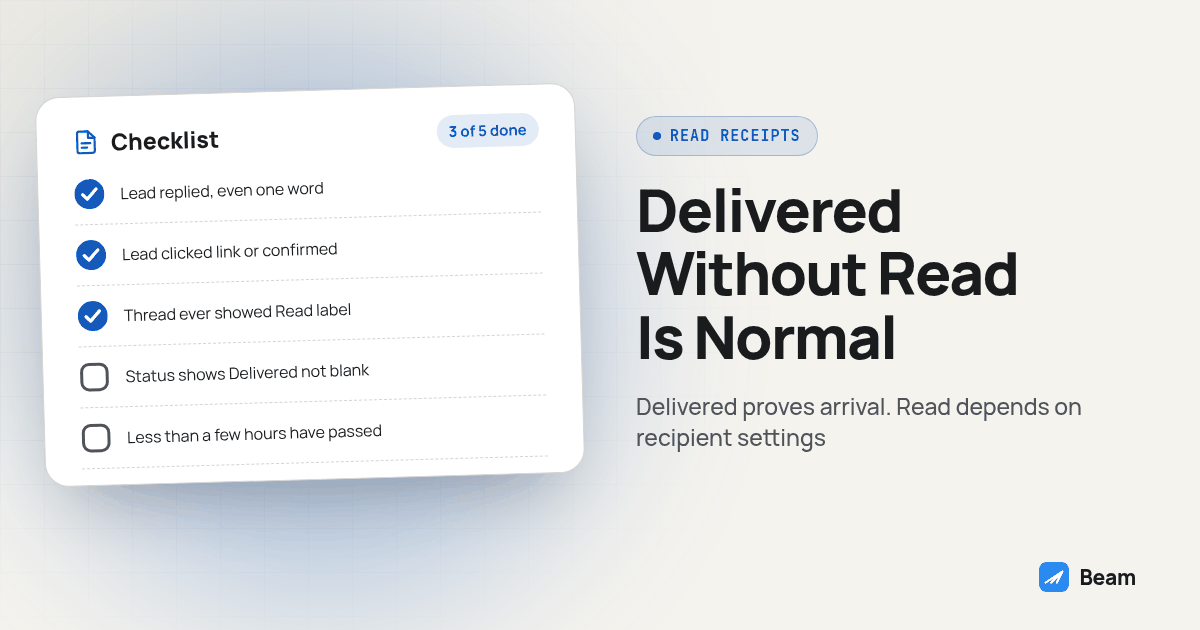
Keep this checklist next to whatever script the sales floor already uses for client conversations in GoHighLevel:
- Did the lead reply, even one word? A reply outranks any receipt, every time.
- Did the lead take an action tied to the text, such as clicking a link or confirming a time? That is stronger evidence than Read ever is.
- Has this thread ever shown a Read label on any past message? If never, stop expecting one on this message either.
- Is the status Delivered, or is it blank? Those are two different problems with two different fixes.
- Has it been less than a few hours since the send? Silence that short proves nothing about interest either way.
Copy that list into your team’s onboarding doc. A new rep who learns this in week one will stop escalating leads who are simply using a privacy setting correctly, and stop writing off people who were never going to be rude or ignore them in the first place.
Where Does Delivered-Versus-Read Fit Into a Business iMessage Line’s Setup?
A dedicated business number still reports delivery and read status per message, separate from which channel a given recipient lands on. Beam’s iMessage API returns the recorded delivery status for a message so your CRM or workflow can check it programmatically instead of a rep eyeballing a screen, and it will not fabricate a Read confirmation for a recipient whose phone never sent one back. That honesty is deliberate: a platform that always shows Read regardless of the recipient’s real setting would be lying to your sales floor, and a false positive is worse for a client relationship than an accurate “we don’t know yet.”
If your team is deciding whether to route a specific lead’s follow-up timing off delivery signals at all, it is worth wiring that decision into the system doing the routing rather than a rep’s gut read of one screen; our partner company’s guidance on routing real engagement signals into CRM stage changes covers how to build that without leaning on a receipt that might never appear (MetaTechAi: what to require from call monitoring software).
What Do Agencies Ask About Delivered Versus Read Status?
Does Delivered with no Read label ever turn into Read later if we just wait?
Sometimes, but only if that specific customer has Send Read Receipts turned on for your conversation and simply has not opened the message yet. If the thread has never once shown a Read label across many prior messages, waiting longer will not produce one, because the setting was never on in the first place. Treat a thread’s own history as the evidence, not the clock.
Our client is convinced a Delivered-only thread means the lead is ignoring us. How do we explain that it is not?
Point to the setting, not the silence. Read receipts require the recipient to turn on Send Read Receipts for themselves, globally or for that one conversation, before a Read label can ever appear. A lead whose setting is off may show Delivered without Read across messages, and that pattern alone says nothing about whether they are engaged.
Is there a way to confirm a customer opened a text if their phone never shows Read?
Not reliably from the message status alone. A reply, a clicked link, or a booked action is real evidence; a missing Read label is not. If you need confirmation inside a workflow rather than a human glance at the thread, build the trigger off a reply or a link click instead of waiting on a receipt that may never arrive for that contact.
Does switching a client from SMS to a Beam iMessage line add read receipts to their texting automatically?
It makes the read receipt and typing indicator features available on that thread going forward, because those signals only exist on iMessage, not SMS or MMS. It does not make a specific customer’s phone start reporting Read, since that still depends on a setting that customer controls for themselves, not on which platform sends the message.
Should a sales rep treat a Delivered-but-not-Read thread differently from a thread with no Delivered status at all?
Yes, because they are different problems. Delivered with no Read means the message reached the device and you are only missing an optional, recipient-controlled signal. No Delivered at all means you do not even have confirmation the message arrived, which is a separate troubleshooting path with its own checks.
What Should You Tell a Client the Next Time a Thread Says Delivered But Not Read?
Tell them the truth plainly: Delivered confirms arrival, and the missing Read label is a privacy setting on the recipient’s phone, not a verdict on the relationship. Walk the rep through the thread’s own history before anyone calls a lead cold, confirm the channel and status line are actually what they appear to be, and build follow-up decisions on replies and actions, not on a receipt that was never guaranteed to show up. If your team wants to see how delivery and read status actually report on a live business line before rolling this out to a client’s sales floor, text our team to try it.