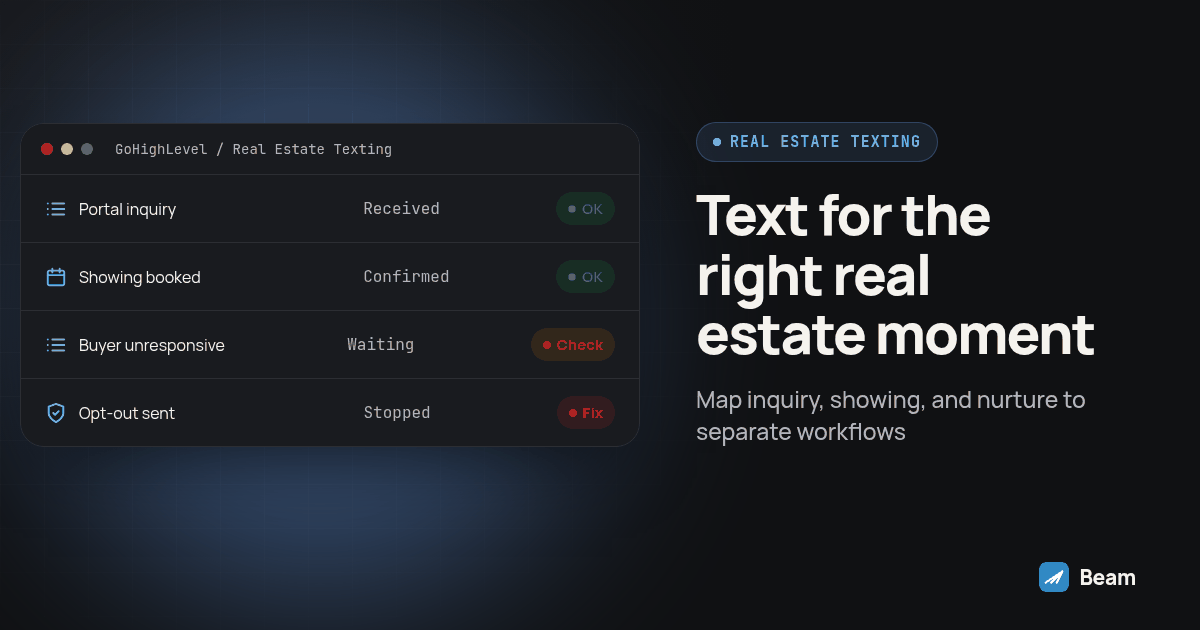
TL;DR: Use three separate GoHighLevel workflows: a first reply tied to the property inquiry, a confirmation and reminder tied to the showing, and slower nurture for a buyer who is not ready. Test each with a contact you control, confirm replies reach the assigned agent, and stop automation when the buyer replies or opts out.
A new portal inquiry, a booked showing, and a buyer who is still exploring need different triggers and stop rules. Keep each conversation in the right context, assign a person to own replies, and check consent before expanding a property inquiry into broader marketing. The steps below show how to map these moments into a team workflow.
What’s the right way to answer a brand new portal lead in the first few minutes?
Start with the property the person asked about. A property inquiry should not automatically become permission for a monthly market update. Keep the first workflow limited to the requested conversation and record the source and purpose with the contact.
- Confirm the portal integration creates a GoHighLevel contact with a usable phone number and recorded source.
- Create a draft workflow triggered by the form submission or the pipeline stage the lead enters.
- Add a Beam Custom Webhook step. Keep the authorization token in the request header, not in a contact field or screenshot.
- Run a dry-run validation against a contact you control and confirm nothing is sent.
- Turn off dry run and send one real test. Confirm the message reaches your test iPhone and the reply appears in the correct GoHighLevel conversation. See Beam’s GoHighLevel setup for the connection steps.
- Key the request to the lead and workflow step. A retry of the same request should not create a duplicate greeting.
- Publish only after the full test passes, then monitor the first real leads and check for routing or reply-sync issues.
What should the first message actually say, and when does it become a phone call instead?
Identify the agent, brokerage, and property, then ask one simple question. For example:
“Hey [first name], this is [agent name] with [brokerage]. Saw you asked about [address or listing]. Want me to send a few details here, or would a quick call work better?”
Use text for a listing link, address confirmation, or a simple availability question. Move detailed questions about financing, competing offers, inspection findings, or other consequential decisions to a live conversation with the agent. For teams that need a call handoff at scale, RizzDial’s real estate lead conversion guide covers the voice side of that workflow.
How do you confirm a showing without a round of phone tag?
Use the appointment as the trigger, not a delay counted from the original inquiry. A confirmation and reminder should follow the current calendar record.
- Trigger the workflow when the showing is booked.
- Tie each reminder to that appointment’s identifier so a reschedule does not leave an old reminder active.
- Include the property, confirmed local date and time, and the person meeting the buyer.
- Send the reminder in the existing thread and verify the workflow time zone.
- Stop the sequence when the buyer replies, reschedules, cancels, or confirms. Test each exit condition before enabling the workflow.
What keeps the nurture track for an unready buyer from feeling like a blast?
Keep nurture less frequent than an inquiry or appointment workflow, and use the original thread where possible. Stop on an opt-out or a reply that signals intent, then return the contact to an agent for a human response. If the buyer goes quiet for a long stretch, pause and review last activity and the original consent source before deciding whether another message is appropriate.
What consent should exist before any of this sends?
Keep the message within the purpose the person requested. Before sending, record who is texting, why, and where the permission came from. Make the opt-out path and required disclosures clear on the form and in the messaging process. A later market update requires a separate affirmative choice; do not infer it from a property inquiry. Beam’s consent and opt-out documentation explains opt-out handling, including plain-language requests to stop.
| Moment | Trigger | Thread | Reply owner | Stop condition |
|---|---|---|---|---|
| First reply to a portal lead | Form submission enters GoHighLevel | First message opens the thread | Agent assigned to the lead | Reply moves the contact to active follow-up |
| Showing confirmation and reminder | Appointment booked | Same thread as the first reply | Agent doing the showing | Reply, reschedule, or cancellation |
| Nurture for a buyer not ready | No real-intent activity for a defined interval | Original thread, lower frequency | Assigned nurture owner | Opt-out or reply signaling intent |
How is this different from Beam’s real estate texting page?
Beam’s real estate texting page describes channel support: iMessage for eligible iPhones, RCS where the Android phone and carrier support it, and configured SMS fallback otherwise. This guide focuses on which workflow should fire, what event it follows, and where its stop rule belongs.
What should you test before any of this touches a live lead?
Run this acceptance procedure with a phone number and calendar your team controls before connecting a live portal form.
- Submit a test inquiry and confirm the form’s consent wording and source are recorded with the contact.
- Verify the first message reaches the intended test phone and appears under the correct CRM contact.
- Book a test showing and confirm the reminder includes the current property, appointment time, and assigned agent.
- Reply from the test phone and verify the relevant reminder or nurture step stops.
- Send an opt-out request from the test number and confirm all workflows for that contact stop.
Record each result as pass, fail, or unresolved. Do not treat an accepted webhook as proof of delivery; check message status and the recipient device. A read receipt is a channel signal, not proof of understanding or intent.
What evidence should a team use to judge whether the follow-up is working?
Do not use a sent count as the result. For each workflow, record the event that started it, whether the intended message reached the contact, whether the contact replied, and what happened next. A queued webhook means the request was accepted. Check message status and the matching GoHighLevel thread; count a reply or confirmed appointment as a separate outcome. A read receipt is a channel signal, not proof that a buyer understood an offer or intends to transact.
Keep the review fair by recording the eligible lead source, message version, trigger, reply owner, and outcome before launch. If the opener changes during a pilot, mark when it changed and review the two versions separately. A portal inquiry about a specific property is not directly comparable to a broad audience that never made that request.
| Field | What to record | Why it matters |
|---|---|---|
| Lead source and event | Portal or form, submission time, property identifier | Clarifies what the contact requested |
| Permission record | Form wording, timestamp, purpose, source | Lets the team compare the planned follow-up with the original request |
| Send record | Workflow, request key, channel, status | Helps locate retries, duplicates, and uncertain delivery |
| Human ownership | Assigned agent and handoff time | Shows who should respond when the buyer replies |
| Outcome | Reply, call requested, showing booked, opt-out, or no response | Separates conversation progress from technical sending |
Review failures and unknowns alongside successful sends. A no-channel result, failed send, duplicate contact, or missing reply sync should go to an operator for resolution. Do not automatically repeat a message when delivery is uncertain; inspect the existing send and conversation first.
How should a team decide which workflow owns a contact?
The CRM should show one current next action for each person. A contact may move from new inquiry to active conversation, then to a scheduled showing, then to longer-term follow-up. The current stage should determine which workflow can send. When a showing is booked, remove the contact from the new-lead cadence. When a showing is canceled, let an agent decide whether to offer another time or move the buyer to another stage. When the buyer replies with a specific request, pause automated nurture until the assigned agent reviews it.
Add explicit exit conditions to each workflow and verify them on a controlled contact. If your CRM cannot make a transition reliably, keep the automated sequence narrow and assign someone to review the queue before adding more steps.
Use distinct request keys for distinct events. A lead follow-up key should identify the contact and workflow step. A showing reminder key should include the appointment and reminder step, so the system can distinguish a retry from a new reminder. A retry uses the original key; a genuinely new reminder uses a new one. Verify the behavior in the actual webhook integration before relying on it.
How do the three follow-up moments differ operationally?
The trigger changes what automation can do and where a person must take over.
| Moment | Business question | Automation can handle | Person must handle |
|---|---|---|---|
| New property inquiry | What did this person ask about? | Create or update the CRM record, check required fields, send an approved first reply, alert the assigned agent | Answer property-specific questions and decide whether a call or showing is appropriate |
| Showing scheduled | Is this reminder tied to the current appointment? | Send confirmation and reminder from the active calendar event, then stop on reply or cancellation | Resolve changes, access questions, and coordination with the listing side |
| Buyer not ready | Has the buyer asked to continue, pause, or stop? | Wait for an agreed interval, send a relevant check-in, end on reply or opt-out | Decide whether and how to resume based on what the buyer said |
A single workflow with long waits can hide these differences. Separate workflows make the event and accountable person easier to inspect and test. The automation should handle predictable record updates and reminders; an agent should handle advice, negotiation, and any situation that depends on context the workflow cannot verify.
What should the message say at each stage?
For the first reply, identify the agent, brokerage, and property, then ask one small question. Avoid stacking a valuation pitch, mortgage question, appointment link, and request for a call into the opening message. The buyer has already supplied enough context for an agent to continue.
For a showing, include the property, confirmed local date and time, meeting arrangement, and a clear way to flag a change. Verify those details against the current calendar record immediately before sending. If the appointment moves, update or cancel reminders tied to the old event. A stale time can create confusion even when the workflow technically ran.
For a buyer who is still exploring, refer to a stated property preference only if it remains accurate and appropriate to use. Ask whether they want another option, a call, or a pause in follow-up. Do not write as if the agent knows the buyer’s finances, family situation, or urgency unless the buyer shared that information and it matters to the conversation.
Keep templates clear across channels. Beam may use iMessage for eligible iPhones, RCS when the Android recipient’s phone and carrier support it, or configured SMS fallback. Route availability depends on recipient and line capability. Check the actual channel and delivery status instead of assuming every contact sees the same interface.
What do real estate teams actually ask before turning this on?
Does Beam charge extra to run this real estate cadence, or is pricing bundled some other way? Pricing is not shown here. Text our team with your sub-account count and lead volume and ask for a quote scoped to a real estate workflow before you build around any specific number.
How long does it take to get the portal-lead-to-showing cadence live in GoHighLevel? There is no fixed timeline worth promising a client. It depends on whether the portal integration already posts a clean lead into GoHighLevel, whether the line is connected, and how many test sends it takes before the workflow behaves as built. Keep it in draft until a contact you control receives the message and the reply lands where you expect.
Does this work with Zillow Premier Agent and Realtor.com leads, or only leads from our own website form? The cadence works off whatever contact GoHighLevel already holds, regardless of which portal or form produced it. Confirm the portal integration delivers a usable phone number and a recorded consent source into GoHighLevel first; the workflow below starts from that contact, not from the portal itself.
What happens if a buyer replies to a showing reminder while they are also sitting in the longer nurture track? A reply should pull the contact out of the scheduled nurture step and into a thread a person is watching, not let both run at once. Build that stop rule into the same workflow that sends the reminder, and test it on a contact you control before trusting it on a live lead.
Where should a team actually start?
Build and test the first-reply workflow first, then add the showing sequence and nurture track after their separate triggers and stop rules work. Public coverage from Blooio and Sendblue shows demand for the real-estate iMessage use case. The National Association of Realtors’ online lead guidance offers broader advice on handling online inquiries; none of these sources establish a universal response benchmark or guarantee a sale. Review outbound texting and mass texting when planning capacity and reply ownership across a team, and text our team to try the first-reply workflow with a contact you control.