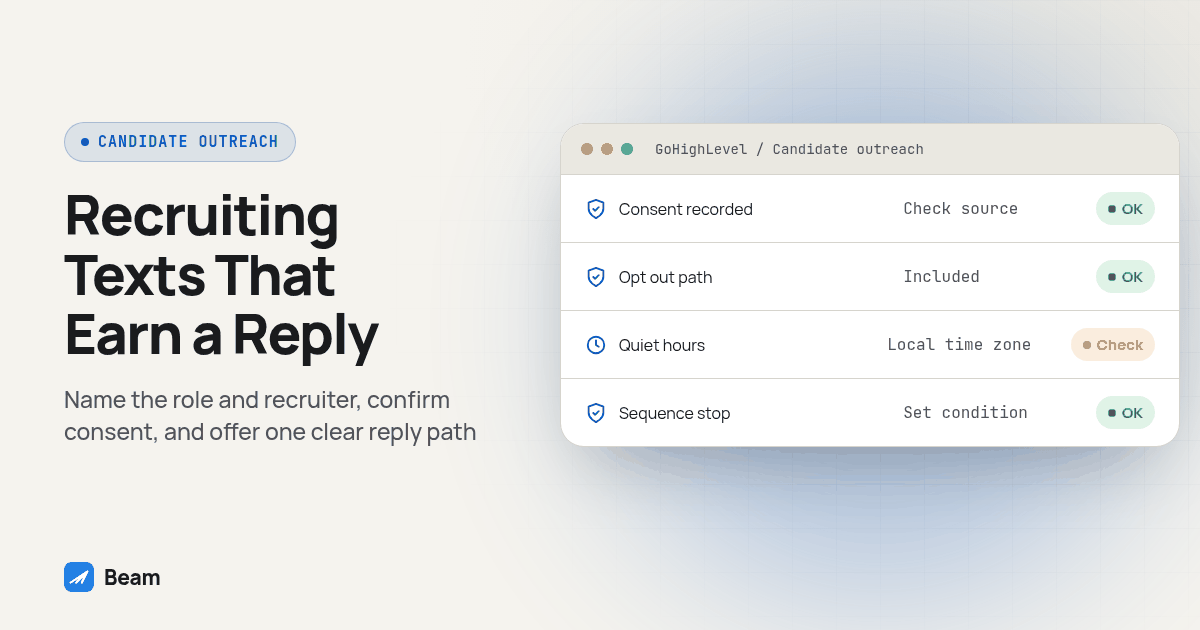
A text gets opened because it lands in the same thread as a message from a friend or a spouse, not because the channel is more polite than email. That only works for recruiting if the first message names the role and the recruiter, the candidate agreed to hear from you that way, and every message after it has one clear next step. Treat it like a mass blast and candidates mute the thread the same way they ignore a cold InMail.
TL;DR: Use iMessage for candidates who already gave you a phone number for this purpose, not for cold list texting. Open with the role and recruiter name, confirm consent at the point of capture, run confirmations and reminders through a tested GoHighLevel sequence, and build in a stop condition so quiet hours, opt-outs and send volume never catch you off guard.
Why does a text reach a candidate that an email or an InMail doesn’t?
Email competes with every other message in an inbox a candidate checks only a couple of times a day, and an InMail sits behind a LinkedIn login the candidate may not open until the weekend. A text from a number already saved as “recruiter,” or tied to a job they applied for, shows up on the lock screen next to a message from their kid’s school. That’s the advantage: proximity to attention the candidate already pays, not a property of the technology itself.
The same proximity makes a bad message worse. A vague “Hey, got a minute?” from an unknown number gets reported as spam faster than a generic email gets deleted. The fix is specificity in the first line, not volume. Name the role, name yourself, and say exactly what you need, one sentence in.
When does a recruiting text need documented consent, and when doesn’t it?
This is the part most recruiters skip, and it creates real exposure. A text about an interview the candidate already scheduled with you is informational: the number came from an application or booking tied to that interview, so a confirmation or reminder sits inside the purpose the candidate already agreed to. A cold first outreach to a number pulled from a resume database, a purchased list, or a job board without the candidate’s own opt-in is different, closer to marketing outreach, and under the TCPA generally needs prior express consent captured when you collected the number. A rule effective January 27, 2025 also narrowed how that consent can be shared: a recruiter can no longer rely on a broad, bundled opt-in collected by someone else for an unrelated purpose, often called one-to-one consent (Nelson Mullins’ client alert).
In practice, if your application form or job post says texting is part of the process and the candidate submits their number on that form, you have what you need for that role. If a sourcer is cold-texting a list bought from a data vendor, treat that like cold outbound and get the same written consent you’d want before a cold sales text. Keep a record of where each number came from, in case a candidate later disputes getting the texts.
What should the first outreach message to a candidate say?
Keep the first message short enough to read in one glance and specific enough that it can’t be mistaken for a scam text. Name the role and the recruiter, say how you got the number, and give one easy reply path.
Hi {{first_name}}, this is {{recruiter_name}} with {{company_name}}. You applied for {{job_title}} and I'd like to set up a quick call. Reply YES for a time that works, or STOP to opt out.Resist the urge to attach a second ask, like a job description link and a request for salary history. One message, one job. If the candidate replies with a question instead of a time, answer it before pushing scheduling again; repeating the same prompt after being asked something else reads as a bot.
How do you build an interview-scheduling sequence in GoHighLevel with Beam?
Map the trigger first, write the messages second, and test every branch before a real candidate sees it. Beam connects through GoHighLevel’s Custom Webhook action, the same path used for other workflow sends, so the calendar and candidate record stay the system of record.
- Map the trigger. Decide what starts the sequence: a status change, a booked calendar slot, or a manual tag applied after a call, and pick one trigger per stage so two workflows never fire the same message twice.
- Record consent at the source. Confirm the candidate’s number came from an application, referral or booking tied to this role, and note it in the contact record before the sequence fires; this is the check from the section above, not a separate step bolted on later.
- Write the confirmation message. Send it the moment the interview is booked, with role, recruiter name, date, time in the candidate’s time zone, format, and a reply path for a change.
- Write the reminder. Send one reminder timed to when a candidate could still reschedule rather than no-show; five minutes before a call helps nobody. This shape follows the same logic Beam uses for sales call no-show reminders, even though the audience and stakes differ.
- Build the reschedule path. Use GoHighLevel’s reschedule flow if it can identify the existing event, so the old slot releases instead of leaving two bookings open; otherwise route the reply to a recruiter instead of a generic rebooking link.
- Write the no-show message. Neutral tone, one offer to reconnect, no guilt. “Looks like we missed each other” reads better than “You missed your interview.”
- Set a stop condition. Decide how many reminders and reschedule offers a candidate gets before the sequence hands off to a human; two unanswered offers is a reasonable default.
- Test with contacts your team controls. Run every branch, confirmation, reminder, reschedule, no-show, opt-out, on a real iPhone and a real Android phone before candidates see it.
If a strong candidate replies within minutes, get a recruiter on the phone while the interest is fresh; the same urgency that wins sales leads applies to hiring, and RizzDial’s guide to speed-to-lead software covers the call side of that timing problem for agencies.
Text, call, email or LinkedIn message: which channel fits which recruiting step?
| Recruiting step | Text (iMessage/SMS) | Phone call | LinkedIn message | |
|---|---|---|---|---|
| First outreach to an applicant | Fast, but needs documented consent | Good for a warm referral, slow at scale | Easy to ignore, low urgency | Gated by a login the candidate may skip |
| Interview confirmation | Clear, keeps time/date in writing | No written record for the candidate | Often buried under other mail | Not built for scheduling |
| Reminder before the interview | Hard to miss, lands on lock screen | Can feel like a second ask | Easy to miss same day | Rarely checked same day |
| Reschedule request | Fast reply path if the link works | Fits a complicated change | Slow turnaround | Slow turnaround |
| No-show follow-up | Neutral, low-pressure | Can feel confrontational | Low urgency | Low urgency |
| Sensitive conversation (offer, rejection, background issue) | Too thin for nuance | The right channel for this | Fine for a formal written offer | Not appropriate |
None of these replace a recruiter’s judgment. A text can carry the scheduling logistics; a call still belongs to the moments that need tone, like a counteroffer conversation or delivering a rejection after a final round.
How do you handle opt outs, quiet hours and send volume without losing the number?
Apple doesn’t publish a fixed daily sending limit, but an iMessage number that suddenly sends at marketing volume can get flagged and lose the number mid-campaign. The safer practice is pacing: use iMessage for candidates you’re actively scheduling, not every applicant in a large requisition at once, and route high-volume initial outreach through an SMS line built for that volume instead of one iMessage-enabled number. Beam’s outbound texting guide covers planning sending capacity and budget before you message a full pipeline; check it before a sourcer texts several hundred applicants in one afternoon.
Two rules matter regardless of volume. Every text needs an opt-out path, and a candidate who replies STOP needs that honored immediately, not at the sequence’s end. The TCPA also restricts the hours a solicitation-style text can go out, generally 8 am to 9 pm in the recipient’s local time zone under 47 CFR 64.1200(c)(1) (a plain-language breakdown of the quiet-hours rule), and some states set a narrower window. A reminder scheduled in your time zone but delivered three zones away can land before 6 am for the candidate. Build the send time off the candidate’s area code or a time zone field, not your own clock.
Recruiting outreach benefits from the same framing Beam uses for other sales-adjacent texting: treat the candidate like a lead who can go cold, not a captive audience. Beam’s guide for B2B sales teams texting prospects covers the same pacing and consent discipline from the sales side, and most of it transfers directly to a recruiting desk.
What happens when a candidate is on Android instead of iPhone?
Beam sends iMessage to eligible iPhones, uses RCS when the candidate’s Android phone and carrier support it, and falls back to SMS for everyone else. The sequence logic doesn’t change: confirmation, reminder and reschedule messages fire the same way regardless of device, and only the delivery channel differs, handled automatically rather than chosen by a recruiter per candidate. SMS fallback still needs the registration rules for whatever number type sends it: local 10DLC numbers need A2P 10DLC registration, toll-free numbers need toll-free verification.
Test both platforms before rollout: send the confirmation and reminder templates to a controlled iPhone and Android phone, check that both display correctly, and confirm a reply from either device lands against the right candidate record. Don’t treat a missing read receipt on an Android thread as proof the candidate ignored you; read status depends on the channel, not candidate behavior.
Screenshot: a GoHighLevel workflow builder view showing the trigger (status change to “interview scheduled”), the consent-check condition, the Beam Custom Webhook send step, and the wait-then-reminder branch, labeled so a non-technical recruiter can follow the sequence.
How do you test this before a real candidate sees it?
Run this test procedure on contacts your team controls before the sequence touches a real application pipeline.
- Write the expected outcome for each branch. New booking, reply, reschedule, cancellation, opt-out and no-show, one sentence each.
- Send every message type to a controlled iPhone and Android phone. Confirm the content renders correctly and no merge field shows up blank.
- Test the reschedule path twice. Once with a reply, once ignored, confirming the old slot behaves correctly both times.
- Test the opt-out. Reply STOP from the test phone and confirm no further message sends to that contact.
- Check the consent field, not just the message. Confirm the contact record shows where the number came from before the first message was allowed to send.
- Review the full thread as if you were the candidate. Read every message in order and judge whether a stranger would feel informed or harassed by the pace and tone.
- Pilot on one requisition before expanding. Run the live sequence on one open role, watch reply and reschedule rates for a few days, then roll out once it behaves as expected.
What do recruiters ask before turning this on?
Does Beam publish a price for a recruiting text setup?
No. Beam does not publish pricing on this page. Setup depends on your line count, sub-accounts and how many recruiters need shared access. Text our team to try it and get a quote for your account.
How long does it take to get candidate texting live in GoHighLevel?
Plan for a short build and a test pass before any candidate sees a message: connect the business line, map the booking or application trigger, write the message fields, then run the test cases in this guide on phones your team controls. Most of the time goes to testing the scheduling and reschedule paths, not the initial setup.
Does this replace our applicant tracking system?
No. Beam is a sending and conversation layer, not an ATS and not a source of candidate consent. Keep applications, screening records and hiring decisions in the system your team already uses, and connect Beam to the trigger that tells you a candidate is ready for the next step.
What happens to texts we already send through another recruiting tool if we switch?
Message history in your prior tool does not move automatically. Export or archive existing candidate threads before switching, keep the same business number if you can port it, and run a short parallel period where both systems are reachable so no candidate reply gets lost mid-switch.
Text our team to try it: bring one open requisition, tell us how candidates currently get your number, and we’ll walk through what the consent check and scheduling sequence need for your account.