A client forwarding an iPhone screenshot needs a specific answer: which messaging service is affected, and did the business message arrive? Treat that as a troubleshooting scenario, not proof that the agency’s entire outbound list is unreachable. The same phone can have different results across iMessage, RCS and SMS.
The demand behind this guide is specific. The October 9, 2026 research snapshot of Google autocomplete for RCS messages on iPhone recorded suggestions about waiting for activation, messages not working and texting Android. Suggestions identify the wording people use; they do not establish search volume or the frequency of a fault. This guide answers that compatibility question separately from sender branding and registration.
Does Beam Even Send RCS To An iPhone?
Beam’s documented routing uses iMessage for eligible iPhones and RCS for supported Android recipients, with SMS fallback. Use that distinction when explaining the current service to a client. Beam supports iMessage, RCS and SMS, but a list of supported protocols does not mean every protocol is used for every recipient.
Apple separately supports RCS business messages on compatible iPhones and provides a control for receiving them. That is a capability of the recipient’s phone, not evidence that Beam used that route (Apple: turn on RCS messaging on iPhone). Ask which business sender and conversation the screenshot concerns before applying it to the client’s Beam line.
An iPhone’s RCS setting does not enable its iMessage route. However, delivery can still fail for other reasons. Keep the recipient number, sending line and available message status together when investigating. A working protocol on a test phone cannot establish that every customer’s number is reachable.
What Does “Waiting For Activation” Actually Mean On An iPhone?
Apple lists “Waiting for activation” among iMessage and FaceTime sign-in errors. Its guidance also describes a new-device setup case where messages can appear as SMS or RCS when iMessage has not activated (Apple: iMessage and FaceTime activation help). The wording in a screenshot therefore matters more than the customer’s shorthand description of an RCS problem.
First ask where the message appears and which phone number is selected. A screenshot from a sign-in screen and a missing RCS setting need different investigations. Have the customer conceal unrelated conversations and personal details before sharing it. Do not request their account password or a verification code to diagnose a messaging setting.
Separate two records in the support ticket: the customer’s reported device issue and the observed business-message result. For example, an activation warning can coexist with a received SMS. Record that as an observed fallback result, not proof that iMessage is working. Conversely, no receipt requires investigation even if the customer’s RCS toggle looks normal.
What Has To Be True Before RCS Even Shows Up As An Option?
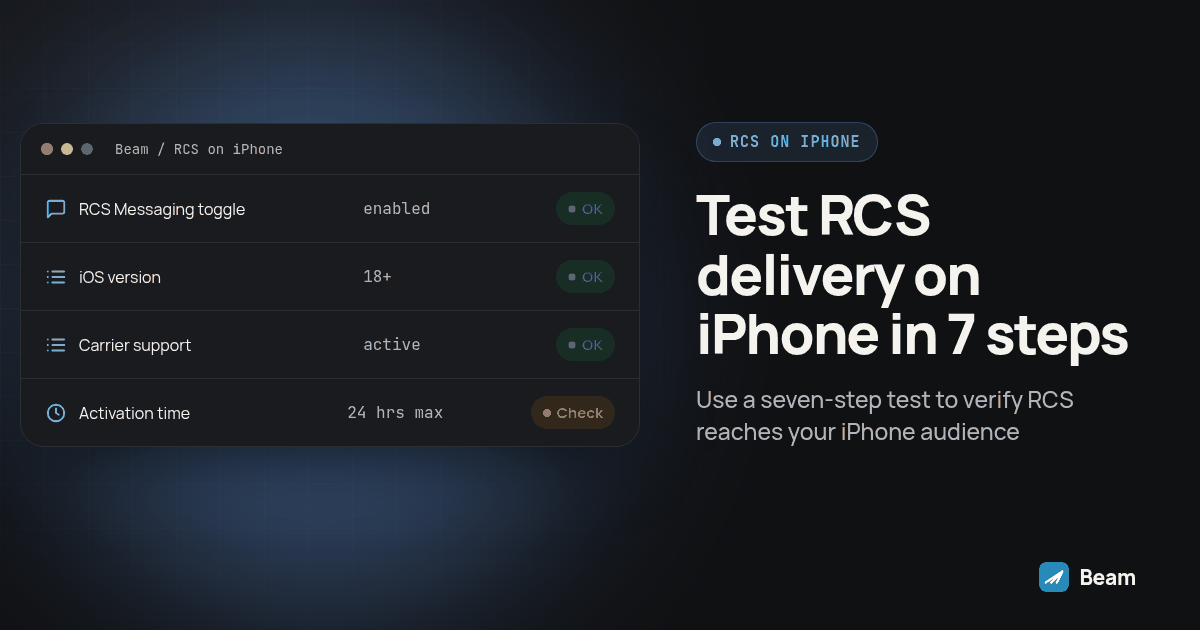
Apple requires iOS 18 or later and a cellular plan whose carrier supports RCS on iPhone. The control is under Settings, Apps, Messages, RCS Messaging. Availability varies by region and carrier; a missing setting can mean the service is unavailable. Apple also notes a delay after enabling it (Apple: RCS setup requirements).
Check the customer’s actual carrier and line against Apple’s carrier feature directory, then ask the carrier about that plan if the result is unclear. Do not infer support solely from a familiar network name, or assume a phone’s model proves its account is provisioned for RCS. The account holder should handle questions that require carrier authentication.
For a business RCS conversation, distinguish the general RCS control from the separate RCS Business Messages control Apple documents. A customer may choose not to receive those messages. Respect that choice; troubleshooting should explain the settings, not pressure someone to enable a channel. Keep the client’s preferred contact method in the conversation record.
Why Would RCS Stop Working On An iPhone That Had It Before?
Investigate what changed without assigning a cause in advance. Ask whether the customer changed their phone, cellular line, carrier plan or message settings. Those are useful checkpoints, but the timing of a change does not prove it caused the failure. Avoid telling a client that a software update reset a toggle unless someone actually observed that change.
Inspect the channel used by the affected conversation. Apple explains that both RCS and SMS use green outgoing bubbles, while iMessage uses blue; green alone does not identify a failed RCS connection (Apple: differences between message types). A screenshot without the conversation details can therefore leave the crucial question unanswered.
Match escalation to the evidence. A recipient-side RCS availability problem belongs with the customer’s carrier. A failed Beam send needs its message reference and line details reviewed by the team managing that connection. A reply missing from the CRM needs a separate sync investigation. These issues can occur together, so closing one ticket should not silently close the others.
How Is This Different From iMessage And SMS On The Same iPhone?
The comparison below separates an observation from a diagnosis. None of the rows guarantees receipt. Use it to choose the next check before changing a workflow or sending the same message again.
| What the customer’s iPhone shows | What to check | What it means for a Beam test |
|---|---|---|
| RCS Messaging setting missing | iOS version, region and carrier support (Apple setup guidance) | Test the documented iMessage or SMS route separately. |
| Waiting for activation in iMessage or FaceTime | Whether the recipient number has activated (Apple activation guidance) | iMessage eligibility may be affected; verify any fallback result. |
| Green outgoing bubbles | Whether the actual conversation uses RCS or SMS (Apple protocol comparison) | Bubble color alone cannot prove which route was used. |
| Blue outgoing bubbles | The destination number and status for that message | iMessage was used, but inspect receipt and reply separately. |
Read the table from observation to evidence. Ask the client to distinguish the sender’s outgoing bubble from the recipient’s view of the conversation. Record which phone supplied the screenshot. That prevents a recipient screenshot or an unrelated personal thread from being treated as the delivery record for the business line.
How Do We Test Whether A Client’s iPhone Audience Is Actually Reachable?
Run this original seven-step test before giving a client a delivery conclusion. It separates the device issue from the business texting workflow. A control send establishes what happened for that test; it does not certify the entire audience.
- Prepare a short list of team-controlled iPhones, covering the carrier and settings combinations relevant to the client. Include a customer only when they have agreed to help troubleshoot their reported problem.
- Send a dated control message from the assigned Beam line to a test iPhone you control, noting the exact time sent and which business line it came from.
- Check the channel Beam recorded for that send where available, and record the message reference, status and recipient observation separately. An accepted sending request is not a delivery receipt.
- Open Settings, Apps, Messages, RCS Messaging on the test iPhone and confirm whether the toggle is present and on, separate from checking whether the Beam message arrived, since the two are unrelated to each other.
- If a specific customer reported trouble, ask what their screen actually says, word for word, rather than accepting “RCS isn’t working” as a diagnosis. The exact wording usually reveals whether it is an iMessage activation message or a missing RCS setting.
- Have that customer check their own carrier and iOS version if the wording points to iMessage or FaceTime activation, since Apple’s own guidance is to wait up to 24 hours for carrier verification before escalating further (Apple: if you can’t turn on or sign in to iMessage or FaceTime).
- Repeat the control send after any carrier change, number port, or major iOS update the client mentions, so the result reflects the current device and account configuration. Compare the new observation with the previous record instead of assuming the route stayed the same.
What Should We Tell A Client Who Asks About This?
Most agencies do not need a long explanation here. They need a short message they can forward the moment a client brings up an RCS screenshot, one that answers the question without promising to fix something on a customer’s personal phone. Use this as a starting point and adjust it to match how your team already talks to clients.
Quick note on the iPhone messaging screenshot:
We are checking the exact setting or activation message separately from the business text. Beam’s documented iPhone route is iMessage with SMS fallback, so an RCS warning alone does not tell us whether our message arrived.
Our test result: [recipient and time] Recorded channel and status: [observed result] Recipient confirmation: [received, not received, or not yet checked] Next action and owner: [specific follow-up]
If the issue is the phone’s RCS availability, the account holder can check Settings > Apps > Messages > RCS Messaging and ask their carrier about support for that line.
Keep a copy of this on hand rather than writing a fresh explanation every time a client forwards a similar screenshot. Fill every placeholder from evidence for that specific send. Leave an unknown result marked unknown. Do not state that a message was delivered simply because the template contains a place to record delivery.
What About The Rest Of A Client’s Outbound List, Beyond One iPhone?
One confused screenshot from a single customer is not evidence about the rest of a list, and it is worth saying that directly to a worried client. Most outbound campaigns mix iPhone and Android recipients, sometimes within the same household or team, and Beam’s outbound texting routes each recipient through the channel that actually fits their device and carrier rather than forcing one channel across the whole list. An iPhone without working RCS can still be eligible for iMessage or SMS. Confirm which route the line actually used and whether the recipient received it before extending that finding to other contacts.
For teams running this through GoHighLevel specifically, the GoHighLevel iMessage setup guide covers how that routing shows up inside a workflow, and the RCS and SMS fallback guide goes deeper into how Android-side RCS and SMS fallback behave for the parts of a list that are not on iPhone at all. If a client’s question is really about A2P 10DLC registration rather than device compatibility, the RCS Business Messaging versus A2P 10DLC post and the verified sender branding post cover those separate questions without repeating what this one already answered. Voice teams juggling the same multi-channel mix on the calling side can see how RizzDial lines up channels for a similar problem in RizzDial’s multi-channel comparison.
What Do Agencies Usually Ask About RCS And iPhone?
Does Beam send RCS messages to an iPhone?
Beam’s documented iPhone route is iMessage with SMS fallback. Its RCS route serves Android recipients whose device and carrier support it. Check the recorded channel for the actual send rather than inferring it from an iPhone’s RCS toggle.
Do we need a separate RCS line to test iPhone delivery?
Start with the assigned Beam business line and a team-controlled iPhone. Verify that line’s supported route, send a dated control message, and record receipt and reply. An iPhone RCS setting alone does not establish a need to change the business line.
How long does it take to confirm an iPhone audience is reachable?
There is no single test that confirms an entire audience. Complete the controlled send, recipient receipt and reply checks for each planned case. Keep unresolved devices separate from successful cases and avoid promising a completion time for a carrier activation issue.
Do we need A2P registration for Beam?
Beam’s product offering requires no A2P registration. That does not make an iPhone’s RCS toggle a delivery guarantee. If the workflow also uses a separate SMS provider, verify that provider’s requirements independently and keep its results separate from the Beam test.
Close the support question with the observed route, receipt result and next owner. If the device setting remains unresolved but the approved business-message test succeeded, record both facts. If receipt is still unknown, keep investigating rather than turning an RCS explanation into a promise of delivery.