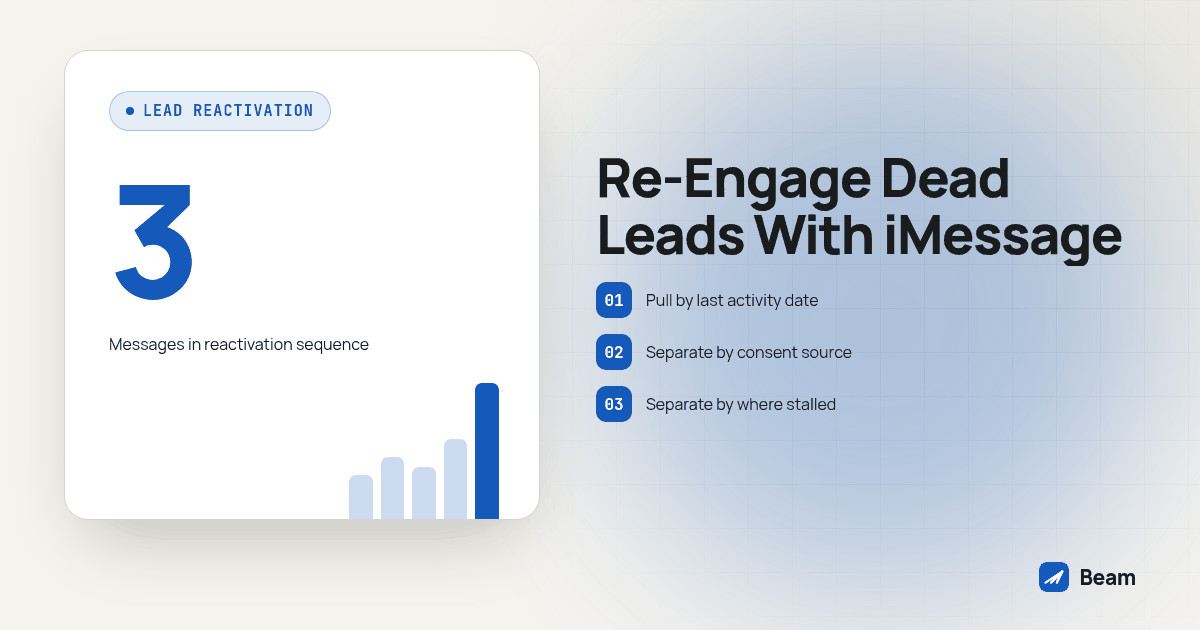
TL;DR: Segment the dead list by last activity and original consent source, not just by how long it has sat untouched. Run a short, three-message iMessage sequence that reads like a person checking in, not a blast. Exclude past opt-outs from this campaign, pace a large batch across days instead of one send, and the moment a cold contact replies with real interest, hand that reply to a live call through RizzDial’s dialer instead of sending a fourth text.
What counts as a dead lead worth reactivating over iMessage?
Most pipelines carry three kinds of quiet contact, and they are not the same project. One lead filled out a form and never answered the first call. Another took a call, asked for a quote, and went silent once the number arrived. A third is a former customer who churned or stopped responding to renewal outreach. All three sit in a GoHighLevel pipeline doing nothing, and the message has to match which one you are actually talking to.
These contacts already required acquisition work, so an eligible dormant segment is worth testing before committing more resources to new leads. That does not prove old contacts will respond, or that iMessage will outperform another channel. The useful question is whether your actual list produces qualified conversations after a relevant follow-up. Compare outcomes from a defined pilot instead of assuming that a delivered message was read or that a blue bubble creates interest.
How do you segment an old list before you send anything?
Pulling the whole pipeline into one sequence is how a reactivation campaign starts to feel like spam. Split it first.
- Pull by last activity date, not lead age. A contact created eight months ago who replied to an email last week is not dead. Filter on the date of the last inbound action, call, reply, click, or booking, not the date the record was created.
- Separate by original consent source. A contact who filled out your own form carries a different permission record than a name on a purchased or aggregated list, even if both sat untouched for the same stretch of time. Keep unverified records out of the send list until the responsible reviewer confirms permission for this campaign.
- Separate by where the contact stalled. Never responded to the first outreach, booked and no-showed, quoted and went quiet, or churned customer are four different conversations. A single generic “checking in” text ignores what actually happened.
- Exclude anyone who already said stop, anywhere. Pull this list from every channel’s opt-out record, not just the texting platform, before building the send list.
- Cap the first batch. After testing on your own phones, choose a small eligible segment that the assigned line and reply team can handle. Review delivery, replies and opt-outs before expanding.
| Segment | Last activity | Message angle | Priority channel |
|---|---|---|---|
| Recently stalled | 30 to 90 days | Direct, “still looking for X?” | Eligible iMessage, supported RCS or available SMS |
| Gone quiet | 91 to 365 days | New offer or a changed circumstance prompt | Supported channel after consent review |
| Long dormant | Over 365 days | Re-introduction only after permission review | No send without verified permission |
| Already said stop | Any | None, exclude from every segment | None |
These age bands are planning examples, not consent expiration rules or channel requirements. That last row is not a formality. The GoHighLevel workflow guide for routing Beam sends and your platform’s tag structure both exist to make that exclusion automatic instead of something a team member has to remember to check by hand every time a new batch goes out.
What does a reactivation message sequence look like that will not read as spam?
A reactivation text fails the moment it reads like a mass blast instead of a person reaching back out. The fix is specificity: name what the contact actually talked to you about, keep the ask small, and give an easy way to say no.
Message 1, the opener, sent to the recently-stalled or gone-quiet segment:
Hi Dana, this is Marcus with [Company Name]. We talked a while back about [specific thing, the kitchen remodel quote, the policy review, the demo you booked]. Still something you’re working on, or did that end up getting handled another way? Reply STOP to opt out.
Message 2, the bump, sent a few days later only if there was no reply:
No worries if the timing wasn’t right before. If [specific thing] is still on your list, I can get you a current answer this week. If not, just let me know and I’ll close this out.
Message 3, the break-up, sent if message two also goes unanswered:
Last check from me on this one. I’ll assume the timing isn’t right and take you off this particular follow-up. Text back anytime if that changes, we’ll pick it back up.
Three things keep that sequence from reading as spam regardless of segment. First, every message names the specific thing the contact actually discussed, not a generic product category. Second, the ask shrinks with each message, from a real question to a yes-or-no to an explicit opt-out, instead of repeating one pitch across the whole sequence. Third, the break-up message actually closes the loop instead of going silent, which is also what keeps the list honest: a contact who never replies to any of the three moves to “reactivation attempted, no response” rather than staying in an open-ended queue.
For a churned-customer segment, the opener changes shape, since there is a real relationship to reference instead of an old quote:
Hi Priya, this is the team at [Company Name]. It’s been a while since your last visit. We’ve made a few changes since then, want me to walk you through what’s new, or would you rather I just update your file to inactive?
That version works because it offers the same two honest outcomes, reconnect or close the file, rather than only one.
How do you handle consent and opt-outs on a list this old?
Time does not erase a stop request, and it does not automatically create new permission either. Before any segment goes out, pull the recorded consent source for that batch and confirm it still plausibly covers a text follow-up months or years later, not just whether the contact is technically reachable.
Treat a STOP reply the same way regardless of how old the contact is or which segment they came from. The FCC’s 2024 order identifies STOP and similar text replies as reasonable means of revoking consent FCC order on reasonable means of revoking consent. An opt-out from a reactivation text is not a one-time bounce to clear and retry later; keep that contact suppressed from this campaign, including its call branch. This is an operational checklist, not legal advice; have the responsible reviewer check the current requirements for your campaign.
Pacing matters more on a dead-list reactivation than on a routine follow-up, because the batch is bigger and more concentrated than a normal day’s sends. Spread a large dormant segment across several days on a line sized for the volume rather than sending the whole batch at once, and plan sending capacity and line count with the team before a big reactivation push the same way you would for any other mass send. Beam’s outbound and mass texting guide covers sizing a line for a volume spike and planning who will handle replies. Pacing is not a guarantee against filtering. No A2P registration is needed for iMessage lines; local 10DLC SMS requires A2P 10DLC registration, toll free SMS requires verification, and short codes require carrier approval.
When should a warm reply get handed to a live call instead of staying in text?
Not every reply needs a human on the phone. A contact who texts back “not right now, maybe in a few months” just needs a note in the CRM and a longer wait before the next touch. The reply that matters is the one with real urgency or a real question that a text thread answers slowly: pricing on a specific option, a timeline that already changed, or a decision the contact is trying to make this week.
That is the moment to offer a call and confirm the contact wants one. Once a dormant contact replies with genuine interest, especially in categories where timing drives the sale, insurance, home services, real estate, the fastest next step is usually a live conversation, not a fourth text explaining the same thing in writing. Tag the reply as warm in the workflow and route it straight to a call task instead of letting it sit in the same sequence as the contacts who have not answered yet.
RizzDial’s AI dialer offers a related voice option through its direct GoHighLevel integration, dialers and AI voice agents. Configure and test the call handoff separately: assign an owner, confirm permission for the proposed call, and make sure the next text is cancelled. A warm tag alone does not prove a call was placed or answered. Keep the reply in the CRM so the person handling the conversation can see what the contact actually asked.
How do you build this as a GoHighLevel workflow with Beam?
Here is the build we walk through with a team reactivating a dormant pipeline for the first time. Test every step against your own phone before a real contact in the old list sees any of it.
- Export and tag the segments first, using the last-activity and consent-source splits from the table above, before touching the workflow itself. Use the tag for enrollment, then recheck suppression and replies before each send because eligibility can change during a delay.
- Build one workflow per segment, each starting from its matching tag, rather than one workflow with branching logic trying to handle every segment at once. A dormant-customer sequence and a quoted-and-quiet sequence need different opening lines, so give them different workflows.
- Add the Beam Custom Webhook step inside each workflow, pointed at the connected line for that account, the same action used for texting a Facebook lead form the instant it is submitted, just triggered by the reactivation tag instead of a new lead event.
- Set delays between the three messages, enough days that the sequence feels like a check-in rather than a countdown, and confirm the delay step behaves correctly in a controlled workflow test before trusting the timing on a live batch.
- Stop scheduled follow-ups on any reply, then tag “warm reply” separately from a plain acknowledgment, so the workflow can route an interested answer to a call task without also sending the next scheduled message in the sequence to someone who already responded.
- Confirm the iMessage, RCS and SMS fallback decision is working per recipient by sending the first message to a test iPhone and a test Android phone before the segment goes live, using the same routing Beam’s GoHighLevel setup applies to every send.
- Turn it on for the smallest segment first, watch reply and opt-out rates for a few days, then open the next segment once the sequence and the handoff to a live call are both behaving the way you expect.
A webhook dry run validates the request without sending. Next, send to your own contact and confirm arrival, the correct sender, CRM threading and inbound reply sync. Repeat the same request key to test duplicate suppression; use a different stable key for each intended sequence step. Test STOP and a contact already marked DND, then verify that neither receives a later message. Queued means accepted, not delivered. Confirmed-failure SMS fallback is a workspace setting; uncertain delivery is not automatically resent (Beam routing guide).
Keep the batch size and sending pace from the earlier section in view through every step here. A workflow that is technically correct can still burn a line’s reputation if the segment behind it is sized for a mass blast instead of a paced reactivation push.
What do agencies ask before running a dead-lead reactivation campaign?
What does Beam charge to run an iMessage reactivation campaign on an old list?
Text our team for a Beam quote and a review of the proposed campaign. Bring the list size, contact history, existing number types and intended workflow so the team can discuss setup and sending capacity. Confirm the commercial terms directly before moving acquisition budget into reactivation.
How long does it take to get a reactivation sequence live?
Allow time to pull and tag the segments, write and test the messages on your own phones, and confirm the Custom Webhook step, replies and suppression. Readiness depends on the list, line and workflow checks. Start segmentation while the workflow is being built, but keep real contacts out until testing passes.
Does this work with our CRM, or only GoHighLevel?
Beam supports GoHighLevel sends through a Custom Webhook action and offers API and webhook connections for other systems. A different CRM needs its own mapping, reply handling and suppression tests. Channel selection depends on recipient capability and the assigned Beam line, not just which CRM triggers the request.
Is it legal to text a lead who went cold years ago without ever replying STOP?
No STOP reply does not establish permission. Review the original disclosure, source and recorded consent against the planned campaign before sending. Exclude prior opt-outs from this sequence and its call handoff. Have the responsible reviewer resolve missing or unclear permission rather than treating age or silence as approval.
We already pay for a lead list subscription. What does switching that budget into reactivation actually involve?
It involves list review, workflow setup, sending capacity and staff time to handle replies. Measure a small eligible pilot before changing the acquisition budget. Compare qualified conversations and appointments against the resources used; working an existing list does not guarantee lower costs or more sales.
Text our team to discuss this sequence built against your own dormant GoHighLevel list before you spend on another one.