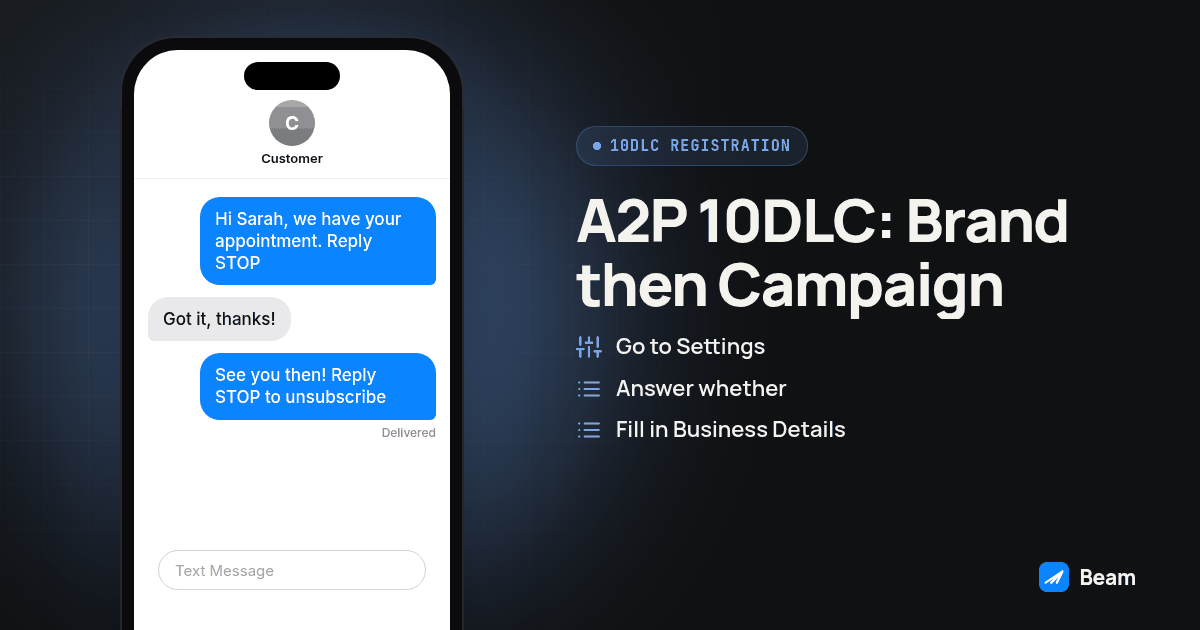
TL;DR: A2P 10DLC registration has two stages, Brand first and then Campaign, submitted through your messaging platform’s registration flow (GoHighLevel calls it Trust Center). Rejections usually trace back to a mismatch between a legal name or tax ID and business records, a campaign description that does not match the sample messages, or an opt-in method reviewers cannot verify. Read the specific failure reason, correct the named gap, and check the provider’s resubmission process.
An agency that has already decided to register a client’s local number does not need another explainer on why A2P 10DLC exists. It needs the actual form fields, in order, and a straight answer about which ones get an application sent back. This walks through Brand registration, Campaign registration, the vetting score, and the specific mismatches that cause a rejection, using GoHighLevel’s Trust Center as the working example.
What is A2P 10DLC registration, and why does a client’s local number need it?
Application to person messaging over a ten digit long code, the formal name behind A2P 10DLC, is the registration system carriers built once local numbers started carrying real business texting volume. US application-to-person messaging over local ten-digit numbers generally requires a registered business identity (the Brand) and a declared messaging use case (the Campaign), though the exact workflow depends on the messaging provider. The Campaign Registry, known as TCR, states that Brands and Campaign Service Providers are verified before they are allowed to send messages, which is why no campaign registers on a number tied to an unverified business.
None of this is new regulatory territory dressed up with a new acronym. The FCC has acted to block illegal and unwanted text traffic, and CTIA publishes messaging principles for the wireless industry. Registration does not replace consent, opt-out handling, or review of the rules that apply to a particular campaign.
For a GoHighLevel agency, keep the business identity and campaign details tied to the client account being registered. GoHighLevel provides its registration flow through Trust Center inside each sub-account separately; do not assume one agency-level setup registers unrelated client businesses.
How do you actually register the Brand?
Open the client’s sub-account and follow the current GoHighLevel Trust Center flow. Labels can change, so use the platform documentation if the menu differs:
- Go to Settings, then Business Services, then Phone System, and open the Trust Center tab, then click Start Registration under A2P Messaging.
- Answer whether the business has a Tax ID. This decides whether you build a Standard Brand or a Sole Proprietor Brand, and the two paths ask for different fields from here on.
- Fill in Business Details. With a Tax ID: legal business name, business type, industry, EIN, business email, and operating region. Without one: owner name, industry, and a US or Canada mobile number for a one-time code.
- Enter the real street address, no P.O. boxes. Carriers check it against the address on file with the IRS or state registration.
- Add an authorized representative’s contact details. Standard Brand needs a business domain email; Sole Proprietor can use a public domain email like Gmail.
- Complete identity verification, either a Persona identity check or an email one-time code, depending on the path.
- Submit the Brand and wait for approval before touching Campaign Details, which only opens once the Brand clears.
Screenshot: GoHighLevel’s Trust Center tab showing the A2P Messaging card with a Brand status badge above a grayed-out Campaign Details section that opens after Brand approval.
Why do Brand registrations get rejected?
Common Brand rejections involve a mismatch between what you typed and an official record. GoHighLevel’s brand approval guidance names recurring causes: a legal name that does not match official records, an EIN off by a digit or formatted wrong, a business address that does not line up with the registered one, and newly issued or recently changed information that has not yet propagated through the databases used for verification.
A subtler failure is registering a business as Sole Proprietor when it actually has an EIN on file; if a Tax ID exists, register Standard instead. Twilio’s troubleshooting documentation lists the same family of failures in plainer terms: business information that is incomplete, formatted incorrectly, or does not match existing records.
The fix is narrow, not total: compare the entered details with the client’s IRS or state business records, correct only the field the rejection names, and use the original business documents as the reference rather than guessing at spelling or formatting.
How do you register the Campaign once the Brand is approved?
Campaign registration describes what the client actually sends, and it is the stage most agencies underestimate. GoHighLevel’s campaign registration guide breaks the flow into the stages covered below.
- Choose a messaging volume tier that fits the client’s expected messaging, not a target the business does not actually expect to send.
- Pick a setup method: GoHighLevel’s Chat Widget Setup generates its own consent form, or use Manual Setup if the client already collects consent its own way.
- Fill in Campaign Details. Choose a use case category (Marketing and Promotional, Informational and Non-Marketing, or Mixed), add the website URL, and write a description that says who is sending, who is receiving, and why.
- Write two realistic sample messages with opt-out language; a sample that does not resemble the client’s real messages is a rejection waiting to happen on its own.
- Document the opt-in method exactly as this client collects it: a website form, a paper intake form, a QR code, verbal consent on a call, or something else.
- Add working links to the client’s live Privacy Policy and Terms and Conditions pages, both public, not behind a login.
- Let the platform’s compliance check run, then submit to the carriers through your platform, then TCR, then the carriers’ upstream partners.
Diagram: a horizontal flow showing Brand submitted, Brand approved, Campaign submitted, Campaign approved, then the number carries SMS traffic, with a “rejected” branch looping back to whichever stage failed.
Why do Campaign registrations get rejected?
GoHighLevel’s campaign guidance and Twilio’s documentation point to the same gaps. GoHighLevel’s campaign approval guidance says a campaign should tell one consistent story across identity, use case, sample messages, opt-in flow, and website, which is why a use case that says appointment reminders paired with a sales-pitch sample leaves a reviewer nothing to reconcile. A missing, dead, or login-walled Privacy Policy or Terms page is another frequent cause. A vague opt-in description, such as customers sign up on our website without saying where or what they see, leaves consent unverifiable; Twilio’s documentation lists incomplete opt-in and opt-out details among the recurring campaign failures.
Business information that does not line up with the approved Brand is its own failure category, which is why order matters: a Brand correction made after Campaign submission can orphan a Campaign built against the old details. Some use cases require additional review, so follow the provider’s instructions and avoid promising a go-live date until the campaign is approved.
Standard Brand or Sole Proprietor Brand: which one actually fits your client?
Most agencies default to Standard Brand without checking whether the client is genuinely a sole proprietor, which causes the mismatched-type rejection described above.
| Standard Brand | Sole Proprietor Brand | |
|---|---|---|
| Who it fits | Any business with an EIN, Tax ID, or other registered business number | An individual or very small business with one employee and no Tax ID or registered business entity |
| Contact email | Use a business-domain email when possible; a public email may slow approval | Public domain email, like Gmail, required |
| Throughput ceiling | Supports the higher volume tiers and multiple phone numbers per campaign | Capped lower, generally limited to one phone number per campaign |
| Verification step | Business record match against the entered EIN and legal name | Identity verification tied to the individual, often a one time code to a mobile number |
| Common mistake | Entering a mismatched or newly issued EIN | Registering as Sole Proprietor when an EIN already exists for the business |
What does the carrier vetting score actually change once you are approved?
Approval does not mean every campaign can send at any volume: providers and carriers apply throughput limits based on Brand and Campaign details, trust evaluation, and carrier policies. Published thresholds change, so check current provider documentation before planning volume for a client’s exact registration and routes.
If a provider reports a low vetting result or throughput limit, review the registration details and the provider’s explanation before requesting another review, rather than inferring a specific cap or reset schedule from a score label alone.
What should you do when a registration comes back rejected?
Read the specific reason the registration flow names, not just the word rejected. GoHighLevel’s guide to campaign rejections and required fixes points you to a view required fixes detail rather than a generic denial, and that detail is the thing to act on.
- Identify which stage failed; Brand and Campaign fail for different reasons and the fix lives in a different form.
- Pull the client’s IRS or state registration document and compare it character by character against what was typed into Business Details.
- If the Campaign failed, reread the sample messages against the declared use case and rewrite them to match the real messages.
- Check that the Privacy Policy and Terms links are live and not behind a login.
- Correct every listed issue, then review the full Campaign before resubmitting. Some fields cannot be edited on the existing submission, so the provider may require a new Campaign.
- If the rejection cites a newly issued EIN, check its issue date before trying again. GoHighLevel’s brand approval guidance says EINs issued within the last 15 days may be rejected because verification systems may not have the information yet. Ask the provider when to resubmit instead of relying on an older waiting estimate.
Keep a short record for every client, so the next person on your team is not guessing at what already failed once:
A2P 10DLC REGISTRATION RECORD for [client sub-account name]
Brand type: Standard / Sole Proprietor
Legal name matches IRS/state record: yes / no
EIN matches record: yes / no
Business address matches registered address: yes / no
Contact email domain: business / public
Brand status: pending / approved / rejected, reason: [reason]
Volume tier: Low / High
Sample messages match use case: yes / no
Opt-in method: [website form / paper form / QR code / verbal / other]
Privacy Policy and Terms links live and public: yes / no
Campaign status: pending / approved / rejected, reason: [reason]
Submitted: [date]  Resolved: [date]
What should an agency build into a repeatable A2P 10DLC checklist?
Treat registration as a repeatable process, not a task to relearn with every client. Confirm the legal name, EIN or Tax ID status, and real business address before opening Trust Center rather than while the form is open, and decide Standard versus Sole Proprietor based on whether an EIN actually exists, never on which path looks faster. Write each campaign’s sample messages from that client’s real message drafts instead of a generic template reused across accounts, and confirm the Privacy Policy and Terms pages are live and public every time, since a link that worked for the last client can be dead for this one. Keep the registration record above in the client’s file so a rejection or re-vet does not start from zero.
Review our business phone number types guide with the client before registration starts, so the number type is settled first; a toll free number follows a different verification path entirely. If the client cannot wait out a stalled application, read texting clients without A2P 10DLC registration for the iMessage workaround while the correction clears. Agencies running both texting and outbound calling for the same client should check the calling side separately; RizzDial’s GoHighLevel integration guide covers that for voice, since A2P 10DLC has no bearing on call traffic.
What do agencies ask about A2P 10DLC registration?
How long does A2P 10DLC registration actually take once you submit a client's Brand and Campaign?
There is no fixed promise you can give a client. Twilio's documentation says standard campaign reviews take up to five business days, and its troubleshooting documentation explains that review depends on the use case and vetting path. Other platforms and campaigns can follow different timelines, so check the registration provider for the current status and estimate.
Does A2P 10DLC registration cost extra, and who charges it?
Yes. The registry and carriers may charge Brand and Campaign registration fees, and GoHighLevel documents separate platform charges on top of those passthrough fees. The amounts and billing structure can change, so ask the registration provider for its current fee schedule before quoting a client.
Does every GoHighLevel sub-account need its own Brand and Campaign, or can an agency register once for every client?
Treat each client's business identity and messaging use case as its own registration record. GoHighLevel's Trust Center flow is managed within a client sub-account, so an agency should not assume one agency level registration covers every client's business. Confirm the current Trust Center requirements for each account before submitting.
Do I need A2P 10DLC registration if a client is only sending through an iMessage line?
No. A2P 10DLC is a rule for SMS traffic sent over a ten digit local number on the carrier networks. An iMessage conversation runs outside that system. If the same workspace falls back to SMS when iMessage is unavailable, that fallback traffic still follows the SMS rules for whatever number type is sending it.
What happens to a client's texting while a rejected A2P 10DLC application is being fixed?
SMS campaign traffic on that local number stays blocked or restricted until the correction clears review. That is a real gap for a client who needs to keep a conversation going this week, and it is the specific reason an iMessage line is worth evaluating as a parallel channel while the SMS correction works through the registry, not as a way to skip registration altogether. For the fuller compliance picture beyond registration alone, consent, opt outs, quiet hours, and how each number type fits together, our texting compliance guide walks through the rest of what a launch checklist needs. If you want a second set of eyes on a client's registration before you submit it, text our team to try it and bring the specific Brand or Campaign details you are unsure about.