TL;DR: Build a GoHighLevel workflow on the Call Details trigger, filtered to No Answer, Busy and Voicemail, and swap the default Send SMS action for a Custom Webhook that routes through Beam. That gets eligible iPhones iMessage, supported Android phones RCS and other reachable recipients SMS fallback from your Beam business line. Hand a reply to a person the moment it stops matching your template; everything else can stay automated.
A missed call is the easiest lead to lose, and the easiest one to save if the reply reads like a person wrote it and lands in a thread the caller already trusts. HighLevel’s Missed Call Text Back feature sends SMS from an eligible number in the location. A separate Call Details workflow with a Custom Webhook can route a message through Beam for iMessage to eligible iPhones, RCS to supported Android phones, and SMS fallback, with a rule for when a person takes over.
This article stays on the texting side: the trigger, the message, reply routing, and the handoff to a person. Whether an AI voice agent should call back instead of texting is a different decision, covered in RizzDial’s companion piece on missed call text back versus an AI voice agent.
What actually triggers a missed call text back in GoHighLevel?
Two different things answer to the same name, and mixing them up wastes a setup afternoon. The first is HighLevel’s Missed Call Text Back feature in Settings, under Phone System, Voice. Its current setup documentation says it sends an SMS after an incoming call goes unanswered past the configured timeout. HighLevel first tries the number the caller dialed if it can send SMS, then selects another eligible number in a documented order when needed. It is enabled separately from a custom workflow.
The second is a workflow trigger called Call Details. HighLevel’s current Call Details trigger documentation says it can filter by call direction and system call status, including busy, voicemail, no-answer and completed. Choose incoming calls, then select the outcomes you want; follow the current Call Details label and status filters in the workflow builder.
That second trigger is the one to build on when you need custom workflow branches and actions: the built-in feature sends its configured SMS, while a Call Details workflow can use a Custom Webhook action for Beam’s available message routes, including the blue-bubble path GoHighLevel iMessage integration documents for a Custom Webhook to Beam.
How is the built-in setting different from a custom workflow routed through Beam?
Put them side by side before you decide which one a client actually needs:
| What matters | Built-in Missed Call Text Back setting | Custom Call Details workflow through Beam |
|---|---|---|
| Where it lives | Settings, Phone System, Voice | Automation, Workflows |
| Sending number | The number called when SMS eligible, otherwise another eligible number selected by HighLevel | Your Beam assigned business line |
| Channel | SMS only | iMessage to eligible iPhones, RCS where supported, SMS fallback |
| Call outcomes it catches | Unanswered calls, as a group | No Answer, Busy and Voicemail selected individually, or any combination |
| Message wording | Message configured in the feature | Message configured in the workflow |
| Reply handling | Lands in the standard SMS conversation | Lands in the same thread, with tags available for branching |
Neither option is wrong on its own: the feature is faster to enable when a business needs a simple SMS response. Build a workflow when a client wants channel routing through Beam, branching on outcomes or a reply that triggers a person to take over.
How do I build the no-answer-to-iMessage workflow step by step?
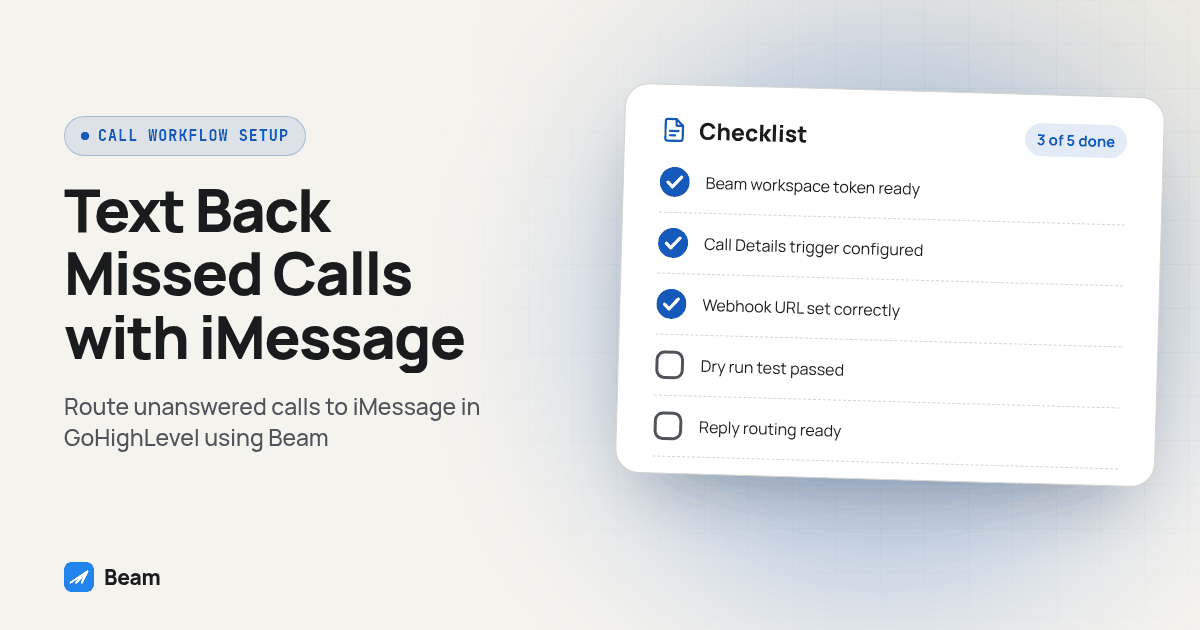
Run this procedure in a draft workflow before it ever touches a live contact.
- In Beam Settings, CRM inbox messaging, connect the exact GoHighLevel location this workflow will live in.
- In Beam Settings, Developer access, create a workspace token with Send real messages enabled. Add Control automation too, only if this workflow should pause Beam’s assistant on that contact.
- In GoHighLevel, go to Automation, Workflows, and start a new draft workflow rather than editing a live one.
- Add a new trigger and choose Call Details. Set Call Direction to Incoming, since this is about calls reaching the business.
- Set the Call Status filter to No Answer, Busy and Voicemail. Leave Completed unchecked, so answered calls do not fire the same text.
- Add a Custom Webhook action. Name the step “Send with Beam,” set the method to POST, and point the URL at the documented endpoint,
https://beam.aisync.link/api/crm/workflows/send, per Beam’s GHL workflow guide. - Set the Authorization header to a Bearer token using the workspace token from step two, and set Content-Type to application/json.
- Build the JSON body with GoHighLevel’s contact-value picker, not typed values, for the contact ID and first name. Beam pulls the phone number from that GHL contact.
- Keep
dry_runset to true and run the workflow against a test contact. Expect a validated response with nothing sent. - Flip
dry_runto false, repeat the test, confirm a real message lands from the correct business line, then check it on that contact’s GoHighLevel timeline before this workflow touches a real missed call.
Here is the request shape to build in step eight, with placeholders swapped for your own values:
{
  "location_id": "YOUR_GHL_LOCATION_ID",
  "contact_id": "{{contact.id}}",
  "workflow_id": "missed-call-text-back-v1",
  "from": "YOUR_BEAM_BUSINESS_LINE",
  "message": "Hi {{contact.first_name}}, sorry we missed your call just now. What can we help with?",
  "request_key": "{{contact.id}}.missed-call-text-back-v1.step-1",
  "consent": true,
  "assistant_mode": "preserve",
  "dry_run": true
}
The request_key names one intended message, not just one contact, so if GoHighLevel’s call event fires twice for the same missed call, the second request reports a duplicate instead of texting the caller again. Reuse that same key pattern, with a new step suffix, for anything later in the sequence.
What should the first missed-call text actually say?
A missed call is not an inbound lead form: the caller already tried the channel they preferred, calling, and got nothing, so the text needs to acknowledge that before asking anything else. Use a short template built from fields your workflow already has:
Hi {{first_name}}, this is {{business_name}}. Sorry we missed your call just now.
What can we help with, or what's a good time to call you back?
A clinic running this for patients might land on: “Hi Maria, this is Lakeview Dental. Sorry we missed your call just now. What can we help with, or what’s a good time to call you back?” That reads like the front desk, not an autoresponder, because it names the business and the specific thing that just happened.
Keep the message to one question; a caller who just hung up on an unanswered line is not reading three paragraphs of options. If the call came in after hours, say so plainly: “Hi {{first_name}}, we’re closed right now but saw you called. Reply here and we’ll follow up first thing, or call back during business hours.”
When should the reply route to a human instead of staying automated?
Sending the missed-call text is the easy part: the reply decides whether this becomes a booked appointment or a caller who gives up and calls a competitor, so build that decision as its own trigger rather than a buried condition inside the same workflow.
GoHighLevel’s Customer Replied trigger fires when a contact responds to a message, and it supports filters worth using here: Contains Phrase, Exact Match Phrase, Intent Type, and Reply Channel. Intent Type in particular can separate a positive response or a plain question from something that reads as a complaint, which is the signal worth routing to a person first.
A practical split looks like this: a reply that matches a known phrase, such as “yes,” “call me back,” or a time of day, continues the automated sequence or books the callback window directly; a reply flagged with a complaint-leaning Intent Type, or one that does not match any expected phrase, should notify a teammate and pause further automated sends to that contact; and silence after a reasonable wait moves to a second, different message, not a repeat of the first, before anyone gives up on the thread.
On the Beam side, a reply can wake the assistant when a workspace has enabled it, and an inbound reply stops any approved follow-up sequence automatically. The Control automation permission from step two is what lets a GoHighLevel action pause the assistant the moment a teammate claims the thread, instead of the automation and a human both replying to the same caller.
How do I make sure the reply logs back into the right GoHighLevel conversation thread?
Routing through a real business line instead of a shared number means the reply lands in one place your team already watches. Beam’s routing documentation describes tags like imessage-sent, imessage-replied and bot-handoff firing on the connected contact, letting a GoHighLevel workflow branch on “this missed-call contact just replied” without anyone checking a separate inbox.
Verify this before trusting it with a client’s phone line:
- Place a test call to the connected number from a phone you do not answer, and confirm the Call Details trigger fires with the call status it recorded.
- Confirm the text arrives on that same test phone, as iMessage if the phone supports it.
- Reply from that test phone and confirm the reply shows up against the same GoHighLevel contact record, not a duplicate one.
- Check that the
imessage-repliedtag, or whichever tag your workflow watches, actually fired. - Trigger the human-handoff branch on purpose and confirm the right teammate gets notified, with the thread still intact.
A duplicate contact mapping is the most common quiet failure here: if a test reply lands against a newly created contact instead of the one the call came from, fix that mapping before enabling anything live.
What about consent and quiet hours on a missed-call text?
A missed call is not blanket permission for every future text; it is a signal that the caller wants to reach your business right now, so the reply should answer that specific call, not enroll the caller in a marketing sequence they never agreed to. Beam’s consent documentation treats a text-us-first exchange as implied consent to continue that conversation, not as consent for campaign messages later.
Keep the missed-call text inside your workspace’s sending window: Beam’s documented default runs 9am to 8pm, per the same consent guide, so a caller who rang at midnight should not get an automated text at midnight just because the call happened then. Honor STOP, UNSUBSCRIBE and plain-language opt-outs immediately. None of this is legal advice; a regulated business should have its own counsel review the exact wording before it goes live.
How does this fit into a bigger speed-to-lead setup, not just one workflow?
Missed call text back is one trigger inside a larger decision: which speed-to-lead stack gets tested end to end before it touches a client’s ad budget. Speed to Lead Software for Agencies: What to Check covers the same trigger-timing and consent checks for that broader buying decision. If leads come through a Facebook form instead of a phone call, Text Facebook Lead Form Leads Instantly With GHL covers that Custom Webhook setup, and the hub for connecting GoHighLevel to Beam overall lives at GoHighLevel iMessage and RCS for agencies.
What should I test before turning this on for a real client?
Treat the dry run from the build procedure as the floor, not the finish line. Run the same verification list above for a real No Answer, a real Busy signal and a real Voicemail outcome individually, not just one of the three, and add two final checks before going live: an opted-out contact and a contact marked DND should both stop the sequence before a single message goes out.
Keep the workflow in draft until every one of those passes on a contact you control.
What do agencies ask about missed call text back over iMessage?
Does GoHighLevel’s built-in Missed Call Text Back setting already send over iMessage, or do I need to build something extra?
HighLevel’s Missed Call Text Back feature sends SMS from an eligible number in the location after a call goes unanswered past its configured timeout. Getting iMessage, RCS or SMS fallback from your own business line instead means building a Call Details workflow with a Custom Webhook action pointed at Beam, as the procedure above walks through.
How long does it take to get a Call Details workflow routed through Beam live for a new client?
Allow time to connect the GHL location in Beam, create a workspace token, build the Custom Webhook step and run the full dry-run-then-live test on a phone you control. Beam does not publish a fixed setup time, since it depends on your workflow’s complexity and how many test calls it takes to confirm delivery; text our team with your setup and we will scope it with you.
Does this replace GoHighLevel’s built-in Missed Call Text Back feature, or work alongside it?
It works alongside it. The Call Details trigger and its No Answer, Busy and Voicemail filters stay in the workflow. The action is what changes: use a Custom Webhook to Beam instead of, or alongside, the regular Send SMS action.
When should a missed-call reply go to a person instead of staying in the automated sequence?
Route to a person the moment the Customer Replied trigger shows a question your templated message cannot answer, a complaint-type reply, or a request tied to money, scheduling conflicts or a cancellation. Keep the automated sequence for a plain confirmation, a reschedule request that fits your template, or silence.
What happens if the missed call came from an Android phone instead of an iPhone?
Beam sends RCS when the Android recipient’s phone and carrier support it, and falls back to SMS otherwise. The workflow step does not change. Sender capability and recipient reachability still matter, so test the actual line against a real Android phone before trusting the fallback in production.
Want to see your own missed-call workflow send a real iMessage before you build it for a client? Text our team to try it on a number you control, then point this same workflow at a test call.