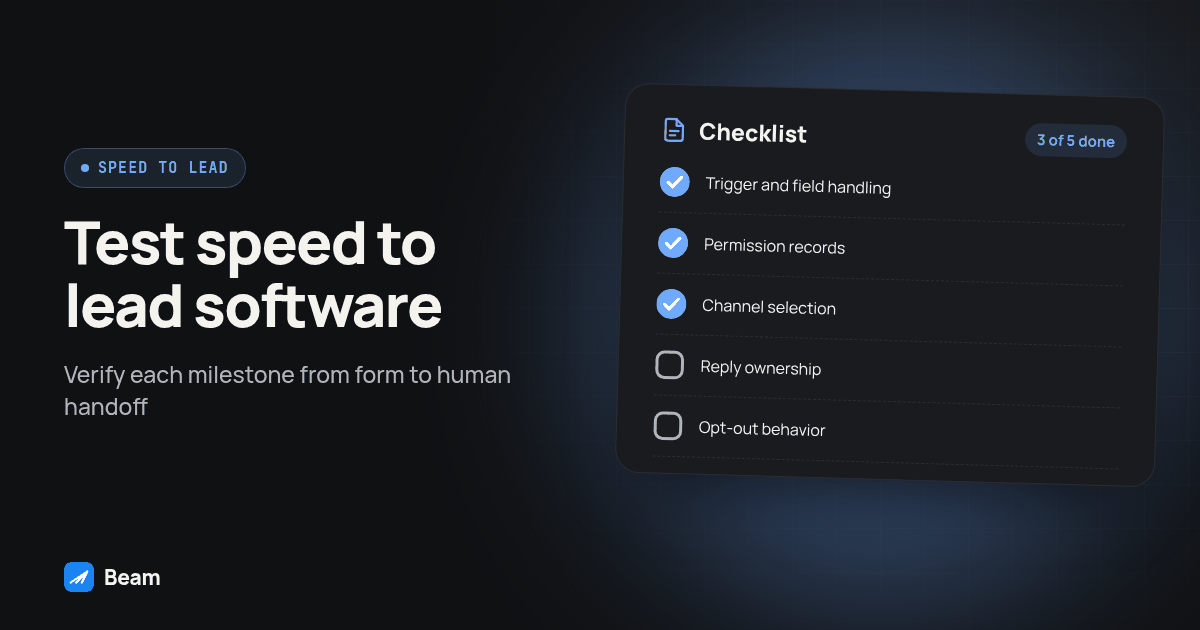
TL;DR: Speed to lead measures the time from a form submit to a message the lead actually opens, not just a message your software marks as sent. An SMS-only sequence can land as a green bubble a lead has learned to ignore, while putting an iMessage send first in the same GoHighLevel workflow tends to get read sooner, because it shows up styled like a text from a person. Before buying anything, check how the tool handles trigger latency, consent capture, channel fallback, human handoff and opt-outs, because those five items are where most “speed to lead” deals quietly fail.
Speed to lead is a workflow built from a trigger, a channel, a fallback and a human. A tool may own only one or two of those pieces, so evaluate the full path before buying. This is the checklist we use before recommending a stack, and the workflow we build once a tool passes it.
What does “speed to lead” actually measure?
Speed to lead measures elapsed time from form submission to a message the lead sees and responds to, not the moment your software logs a send. A form submit kicks off at least four events: the CRM receives the submission, a workflow enrolls the contact, a messaging action fires, and the recipient’s phone renders the message. A dashboard showing a fast send confirmation only covers the third event. If the fourth event, the lead actually opening it, happens hours later because the message sat as an unread green bubble, the lead experience was not fast, whatever the dashboard says.
Tuco’s own post on this exact question argues blue bubble delivery gets opened sooner than green bubble SMS; we will not borrow their number without testing it against our own accounts, but the underlying claim lines up with something plainer: people have trained themselves to glance past unknown-sender SMS. When you evaluate a tool, ask what it is actually timing, since a demo that only shows “webhook received, message sent,” with no reference to delivery state or reply time, is selling speed on the clock that matters least to the lead.
Why does an SMS-only sequence get ignored while iMessage-first gets opened?
An SMS-only workflow uses SMS for every recipient. An iMessage-capable workflow can use iMessage for eligible iPhones and choose RCS or SMS for Android recipients according to capability. This changes the channel and message presentation, but does not guarantee that a lead will open or answer.
iMessage can provide a blue bubble for eligible iPhone conversations. Read receipts and typing indicators depend on the conversation and recipient settings, so do not make them a required signal in your sales workflow. Beam’s GoHighLevel integration adds that channel to a connected workspace, resolving iMessage for eligible iPhones, RCS where the Android recipient’s phone and carrier support it, and SMS fallback everywhere else, so the workflow does not need a device-specific branch to get the richer channel when it is available.
None of this guarantees that a lead opens the first message in a particular window. Measure your own workflow and keep send time, delivery status, reply time and human response time separate. A channel choice is one part of the process; it cannot make a lead want to buy or establish that one channel performs better for every audience.
What should an agency actually check before buying speed to lead software?
Run every vendor through the same five checks before signing anything. Start with trigger latency, measured rather than advertised: connect the tool to a test form and time the gap between your submission and the recorded send state. Repeat the test and record each result instead of relying on a single run. Next, check consent capture on the form itself, since the tool should not assume a form submission is blanket permission to text; ask the vendor what the form needs to say before the first automated message goes out. Then confirm channel fallback behavior instead of assuming it: a vendor that cannot describe its own fallback logic for an Android recipient or a failed send is guessing at scale, with your client’s leads as the test.
The last two checks matter just as much. Decide upfront which replies need a human handoff immediately, a buying question, an objection, a stop request, versus which can stay automated, and confirm the tool actually lets you build that branch as a workflow rule rather than a manual habit. Finally, look for opt-out enforcement at the send layer, not just logged in a report; a tool that records a STOP reply but still queues the next send until a human notices is documenting a compliance failure, not preventing one. Ask the vendor to demonstrate each of the five checks in a test workspace. If a check is unavailable, record it as a gap and decide whether your team can safely cover it.
How does a GoHighLevel speed to lead workflow actually get wired?
Here is the build we walk through once a tool clears the checklist above, with Beam connected to a GoHighLevel sub-account. This is the generic web-form version; if the lead source is a Meta ad instead, the trigger step changes but the rest holds, covered in texting Facebook lead form leads instantly.
- Confirm the form captures consent before the trigger exists. Put the disclosure near the submit button: who is texting, what it is for, “message and data rates may apply,” and an opt-out instruction. GoHighLevel’s workflow trigger documentation covers how a form or lead-source event enrolls a contact, and the pattern holds for a native GHL form or a connected ad platform alike.
- Build the workflow in draft, triggered on Form Submitted. Set the trigger to the specific form, not a catch-all, or it will text leads who never asked for a follow-up on this offer.
- Add a Custom Webhook step pointed at Beam’s workflow endpoint. Name it something a teammate recognizes later, set the method to POST, and use the contact-value field picker for the phone and first name.
- Let the channel resolve automatically. The webhook call needs no device branch; the receiving line resolves iMessage for an eligible iPhone, RCS where supported, or SMS fallback, per Beam’s outbound texting page.
- Send a first message that references what the lead actually did, not a generic “someone will contact you soon” line.
- Build the no-reply branch before the win case. Most of a speed to lead workflow’s value shows up when nobody answers: a second, different text after a short wait, then a call handoff.
- Add the human handoff condition as its own step, checked before every delayed send: a stop automation signal, a licensed-answer question, or an objection interrupts the sequence immediately.
- Test the whole path on a contact you control. Submit the form yourself, confirm the bubble color, reply and confirm it threads to the right contact, then send STOP and confirm the next step does not fire.
- Publish, then watch the first real batch closely. A webhook that worked in testing can still fail silently on a field mapping edge case the test contact never hit.
Diagram: Form Submitted feeds a Custom Webhook step labeled “Send with Beam,” branching to “Reply received” (straight to a human) and “No reply” (looping to a second text, then a call handoff).
For a fully worked version of this pattern built around one vertical’s actual quote form and consent language, see how we set this up for insurance agents; the workflow shape is identical and only the first message and consent wording change by industry.
How do speed to lead tool categories actually compare?
Agencies usually end up choosing between three real categories, not dozens of products. Here is how they differ on the five checklist items above:
| Checklist item | CRM-native SMS action | SMS-only speed to lead tool | iMessage-first with SMS fallback |
|---|---|---|---|
| Trigger latency | Same workflow trigger already in use; no added hop | Usually its own trigger or Zapier-style connector, adding a sync step | Same GHL trigger, routed through one Custom Webhook step |
| Consent capture | Depends entirely on your form | Rarely enforced by the tool itself | Depends on your form, same as the other two |
| Channel fallback | None; always SMS | None; always SMS | Resolves iMessage, RCS or SMS by recipient and line capability |
| Human handoff rule | Build it yourself in the workflow logic | Varies; often a flat sequence with no branch | Buildable as a workflow condition once the channel is routed |
| Opt-out enforcement | Depends on your workflow’s DND checks | Varies; some log it, fewer enforce at send time | Enforced at the send layer, on top of your own DND checks |
Each category has a different fit. A CRM-native action may be enough for a simple SMS sequence. Compare what each option can verify in your account, especially consent records, suppression and human handoff.
What goes wrong when agencies skip the checklist?
A common implementation mistake is to move every follow-up to text after leads stop answering calls, then assume the channel change alone solves the response problem. Texting still needs a human handoff rule, an opt-out path and a channel the recipient can receive. Without those pieces, the same unresolved lead can simply move from a call log into a text thread.
The text side is only half the handoff. Once a lead replies ready to talk, someone has to pick up the call, and RizzDial’s speed to lead page covers wiring the voice side of that sequence.
The fix is not a different tool; it is finishing the checklist, a trigger that fires reliably, consent captured before the first send, a channel the lead actually opens, a person pulled in when needed, and an opt-out that stops every pending step.
What has to be in place before any of this ships to a real lead?
Opt-out handling is not optional polish added after launch; it has to work before the first real lead touches the workflow. The FCC’s 2024 order addresses revocation of consent and a reasonable processing period for covered calls and texts. Build suppression into the workflow so a stop request blocks pending messages promptly; do not treat any outer legal deadline as an operational target. Review the FCC order and get qualified advice about how the rules apply to your campaign.
Run the same test-contact and STOP checks from step 8 of the build above, then add two more: rerun the test against your quiet-hours window if the first attempt landed outside it, and walk the human handoff branch manually with a message written like a real objection to confirm it reaches a person instead of continuing the automated sequence.
Keep records of the consent language shown on the form, which version a given lead saw, and the suppression event for every opt-out. Beam’s consent and opt-out reference is a useful starting point, but whether your form language and jurisdiction’s law authorize the planned message is a legal question for whoever owns compliance at your agency.
What do agencies ask about speed to lead software?
What does speed to lead software actually cost, and who bills for it?
Two different bills exist. GoHighLevel bills for the CRM and its own workflow and SMS actions; a messaging platform like Beam bills separately for the lines and the channel routing it adds. Ask any vendor for a quote scoped to your sub-account count and message volume before you build around their product; we show no price here for the same reason, the honest number depends on your setup.
How long does it take to wire a speed to lead workflow in GoHighLevel?
There is no fixed timeline worth promising a client. It depends on whether the form already posts a clean webhook payload, whether the line is connected and verified, and how many test-contact sends it takes before the workflow behaves as built. Budget time for testing, not just building, and keep it in draft until a test contact gets the message and the reply lands where you expect.
Does speed to lead software need to integrate with my existing CRM, or does it replace it?
It should sit on top of GoHighLevel, not replace it. The CRM stays the system of record; the messaging layer just handles the send, the channel choice and the delivery status. If a vendor asks you to move your contacts into their own database to use a speed to lead feature, that is a switching-cost decision, not a feature comparison, and it deserves its own conversation with whoever owns the CRM.
What compliance work has to happen before a speed to lead workflow goes live?
Consent language on the form, a working opt-out path, and quiet hours that match the law covering that recipient, all before the first real lead hits the workflow. A fast reply does not override any of that. Treat compliance as part of the software evaluation, not a step handled after picking a vendor: some tools make opt-out enforcement a manual process, some do it at the send layer automatically.
Where should you start?
Run the five-item checklist against whatever tool you are considering, and run the opt-out test above before connecting a live form to it. For the ad-lead version of this pattern, see texting Facebook lead form leads instantly; for a fully built vertical example, see the insurance agent speed to lead workflow. To see the Custom Webhook step and channel routing against your own form, text our team and we will walk through it.