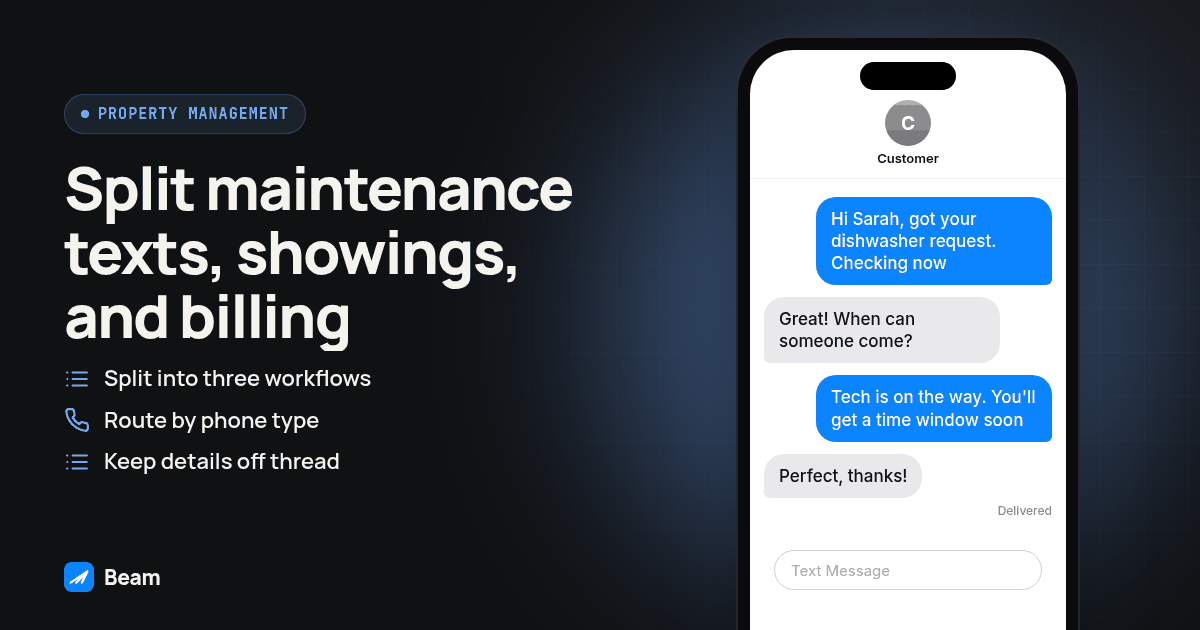
In short: Split tenant texting into three separate workflows: a maintenance acknowledgment tied to the ticket, a showing or tour confirmation tied to the calendar event, and a neutral notice pattern for anything billing- or lease-related that keeps account detail out of the message body and points to a portal link instead. Route by recipient, not preference: iMessage for eligible iPhones, RCS for Android phones whose phone and carrier both support it, and SMS fallback otherwise, with A2P 10DLC only applying to that SMS fallback.
Running several buildings does not leave room for one script covering every tenant moment. A maintenance update, a showing confirmation and a rent notice are three different events with three different expected tones, and sending them from the same generic template is exactly what makes a tenant feel like a number instead of a renter the company actually knows.
Why does a routine tenant text read like a mass blast?
It is rarely the channel. It is almost always identical copy sent to everyone at once with no reference to what the tenant actually did. Beam’s own number-health guidance puts it plainly: volume spikes and identical broadcast copy are the classic signature carriers watch for, while high reply rates and genuine two-way conversation build trust over time. Tenants notice the same pattern a carrier does.
The fix is not a better subject line. It is keeping each kind of tenant moment in its own workflow with its own trigger, so the system never collapses a dishwasher ticket and a lease renewal notice into one generic template. We cover the same personalization-at-scale problem from the other direction in our guide to reactivating a dormant lead list: avoiding a mass-blast feel works the same way whether the list is cold leads or occupied units, which is why a property management rollout should borrow that warm-up and personalization discipline instead of treating tenants as exempt from it.
How should a maintenance request acknowledgment text actually work?
A maintenance ticket is the clearest “the contact already expects to hear from us” moment a property manager has, so build the acknowledgment to fire the moment the ticket is created, not on a batch schedule.
- Confirm your maintenance ticket system can trigger a webhook, or write to a field GoHighLevel can watch, the moment a request is logged.
- Create a draft workflow keyed to that trigger, scoped to one property so unit numbers and staff assignments stay correct.
- Add a Beam Custom Webhook step and keep the authorization token in the request header, never in a contact field. See Beam’s GoHighLevel workflow guide for the setup.
- Run a dry-run validation against a contact you control and confirm nothing actually sends.
- Turn off dry run and send one real test to your own phone. Confirm the acknowledgment names the unit and the issue, not a generic “we got your request.”
- Key the webhook request to the ticket ID so a retry from a flaky integration does not duplicate the acknowledgment.
- Add a second step tied to the technician’s status update, so the tenant hears “someone is on the way” as its own message instead of waiting for the ticket to close before hearing anything.
A template that works for the first message:
“Hey [first name], this is [property name] maintenance. Got your request about [issue] in [unit]. We’re looking at availability now and will text you a window before anyone shows up.”
Keep the second message, the one that confirms a technician is actually en route, separate from this first acknowledgment. Hearing nothing between “we got it” and a knock on the door is the exact gap that turns a maintenance text program into a source of complaints instead of fewer phone calls.
What should a showing or tour confirmation text to a tenant actually say?
Property management companies run showings for two audiences: a prospective tenant touring a vacant unit, and a current tenant whose unit is shown ahead of their own move-out. Both need a confirmation tied to the actual calendar event, not a countdown from when the tour was first requested.
- Trigger the workflow when the showing is booked, not when the inquiry first came in.
- Tie the reminder to that appointment’s identifier, so a reschedule does not leave a stale reminder active for a slot nobody is using.
- Include the unit number, confirmed local time, and who the prospective tenant or agent will meet.
- If the unit is occupied, send the resident their own separate notice of the entry window, required by most leases, instead of folding it into the prospect’s thread.
- Stop the sequence on a reply, reschedule, or cancellation, and test each exit path before trusting it on a live showing.
A confirmation template for the prospective tenant:
“Hi [first name], confirming your tour of [unit] at [property name] on [date/time]. [Leasing agent name] will meet you at the leasing office first. Reply here if anything changes.”
And a shorter notice to the current resident ahead of that same showing: “Hi [first name], heads up: we have a showing scheduled for your unit on [date/time] as part of the move-out process.”
This differs from our real estate lead follow-up guide, which follows one agent and one buyer inquiry. Property management serves many occupied units, so borrow its trigger-and-stop-rule discipline while keeping tour confirmations separate from resident entry notices.
How do you text a tenant about a billing or lease notice without turning the thread into an account statement?
Rent reminders, late notices and lease renewal prompts are the category most tempting to over-explain in the message body, and the one where that instinct backfires hardest. Text threads are not secure documents: Apple’s own support page on messaging types confirms that once a conversation drops to SMS or MMS, those messages “aren’t end-to-end encrypted,” unlike iMessage (Apple: messaging in Messages). Roommates or anyone else with access to that phone can see whatever lands in the thread, so a lease balance or account number should not sit in plain text waiting to be read by whoever picks up the phone next.
The pattern we use is a neutral notice: state that something needs attention, name the general subject, and send the tenant to the portal or a phone call for the specific figures.
“Hi [first name], there’s an update on your account for [unit] that needs a look. Check the tenant portal or give the office a call, and we’re happy to walk through it.”
This holds for rent reminders, renewal prompts, and any notice touching money or lease terms: state the subject and the action, keep the number off the thread, and let the portal or a phone conversation carry the specifics a shared device should not.
What happens when a tenant’s phone is Android instead of an iPhone?
Mixed portfolios mean mixed tenant phones, and the message still arrives, just not always the same way. Beam checks the recipient the moment a message is sent: eligible iPhones on a capable line get iMessage, Android phones whose phone and carrier both support it get RCS, and everything else gets SMS fallback (Beam: how routing works). RCS carries read receipts and typing indicators much like iMessage does, and Apple’s own documentation confirms RCS “can be sent to non-Apple devices as well as another iPhone,” with encryption depending on carrier support starting with iOS 26.5 (Apple: messaging in Messages). Where RCS is not available, Beam’s configured SMS fallback keeps the message moving instead of the thread going silent.
The discipline above does not change across channels. A maintenance acknowledgment, showing confirmation, or neutral billing notice should read the same regardless of bubble color, and keeping specifics off the thread matters even more once the channel drops to SMS, the weakest encryption guarantee of the three.
Which channel should handle each kind of property management text, and why?
| Tenant message type | Primary channel | Why | Fallback |
|---|---|---|---|
| Maintenance acknowledgment and en-route update | iMessage on eligible iPhones, RCS on supported Android | Read receipts and typing indicators reassure a tenant that a person is handling the ticket | SMS, same wording, when neither channel is available |
| Showing or tour confirmation | iMessage or RCS, same logic | Reaching the recipient reliably in a channel they already check matters more than rich formatting | SMS, same content, slightly shorter |
| Neutral billing or lease notice | Whatever channel the recipient supports | The notice stays short regardless of channel, so landing matters more than richness | SMS is the expected path here anyway, since the notice is already minimal |
| Emergency or after-hours alert (water shutoff, building-wide outage) | All channels at once for the affected units | Speed matters more than format when something affects a whole building | None; a plain SMS blast to affected units is the right call here |
Everything above the emergency row stays tied to an individual trigger, not a broadcast. That row is the one deliberate exception: a building-wide outage is the rare case where every affected tenant needs the same message at once, and personalizing it would only slow down the notice where speed is the point.
Does texting tenants require A2P 10DLC registration the way SMS campaigns do?
Only the SMS fallback piece, and only depending on the number type behind it. A2P 10DLC is the standard carriers use “to ensure that SMS traffic to US end users through long code phone numbers is verified and consensual” (Twilio: A2P 10DLC), applying to local ten-digit numbers specifically. Toll free numbers need toll free verification instead, and short codes need their own carrier approval. iMessage conversations never touch any of this, since they are not SMS traffic; the registration question only shows up the moment a tenant’s phone forces a fallback to SMS. Beam’s texting compliance guide breaks down the registration path by number type, including quiet-hours rules for marketing messages.
Treat registration and consent as separate questions. Registration identifies your business and campaign to the carrier; it does not establish that a tenant agreed to receive the message. An existing lease is a reasonable basis for maintenance and showing confirmations. A promotional message, like a referral bonus, needs its own consent the lease itself does not provide.
How should a property management company test this before rolling it out across a whole portfolio?
Run this acceptance procedure on one property, with phones and a calendar your team controls, before pointing any workflow at a live portfolio.
- Submit a test maintenance ticket and confirm the acknowledgment names the correct unit and issue, in the right thread.
- Update that ticket’s status and confirm the en-route message fires as its own separate text, not a rewrite of the first one.
- Book a test showing and confirm the confirmation includes the current unit, date and leasing agent, then separately confirm the resident entry-notice fires if the unit is occupied.
- Send a neutral billing-notice test and confirm it contains no account numbers, balances, or lease figures in the message body itself.
- Reply from the test phone to each workflow and confirm the correct one stops without accidentally stopping the others.
- Repeat steps 1 through 3 from an Android test phone and confirm delivery over RCS or SMS, with the same wording landing correctly.
- Send an opt-out from the test number and confirm every workflow for that contact stops immediately, not just the one that happened to be active.
Record each result as pass, fail, or unresolved rather than treating an accepted webhook as proof the tenant received anything. Once a property clears all seven checks, expand one building at a time, since outbound texting and mass texting at portfolio scale is a question of pacing and reply ownership, not just a bigger contact list pointed at the same workflow. For emergencies, pair the text channel with a voice path: RizzDial’s guide to automating a property management answering service covers the after-hours call side, so a tenant who calls instead of texting about a burst pipe overnight still reaches someone.
What questions do property managers ask before turning this on?
What does Beam charge a property management company to text a whole portfolio of tenants?
Pricing is not shown here. Text our team with your unit count, how many buildings or regions you run, and your current texting tool, and we will scope a quote around that volume.
How long does it take to get tenant maintenance texting live across our properties?
There is no fixed timeline worth promising a property management client. It depends on whether your maintenance ticket system can fire a webhook, whether a line is already assigned, and how many test sends it takes before each workflow behaves the way you built it. Keep every workflow in draft until a contact you control receives the right message in the right thread.
Does this connect to our property management software, or only GoHighLevel?
Beam connects through a Custom Webhook action inside GoHighLevel, and through API and webhook connections for other systems. A platform that is not GoHighLevel needs its own mapping from a maintenance ticket, a showing calendar or a lease event into that webhook or API call, plus its own reply-handling and opt-out tests.
Do we need A2P 10DLC registration to text tenants about maintenance updates and showings?
Not for iMessage conversations. iMessage sits outside carrier A2P rules entirely. Any SMS fallback riding on the same line still needs the registration its number type requires: a local 10DLC number needs A2P 10DLC registration, a toll free number needs toll free verification, and a short code needs carrier approval.
What happens to our tenant text history if we switch from our current texting tool to Beam?
History does not automatically move itself. Export whatever conversation records your current tool will give you before you cut over, and ask your current provider and Beam whether the existing number can be ported, since a ported number keeps the same thread open instead of starting a new one.
Diagram: a floor plan icon branching into three paths, a maintenance ticket into “Acknowledgment + en-route update,” a calendar into “Showing confirmation,” and a document into “Neutral billing notice,” each ending at a phone icon split into three bubbles (iMessage, RCS, SMS) before converging on one “tenant replies here” thread icon.
Start with the maintenance acknowledgment workflow on one property, since it is the easiest to test and the one tenants notice fastest. Add the showing confirmations and the neutral notice pattern property by property rather than all at once. Text our team to try it against your own maintenance ticket system and calendar before pointing any of this at a live portfolio.