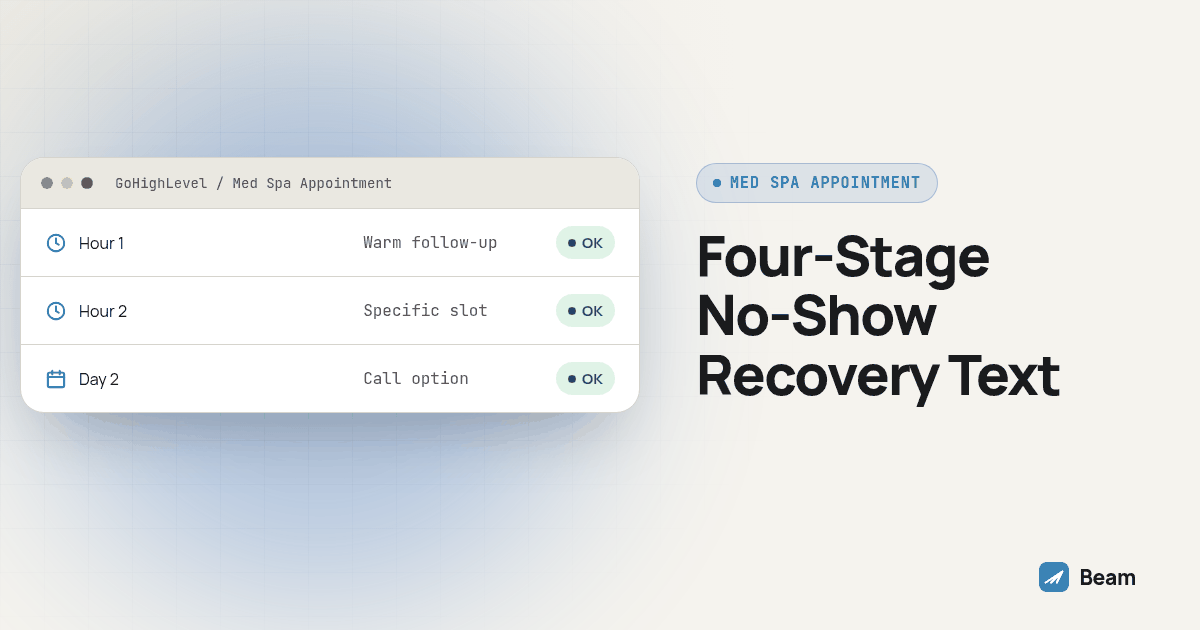
TL;DR: Do not send one no-show text and wait. Send a neutral message the moment the visit is marked missed, a second message an hour later if nobody replied, a third message two hours in that offers a specific slot, and a final day-two message that offers a call instead of another text. Each stage is a separate GoHighLevel workflow action with its own wait step and its own stop condition, built on the same connected Beam line.
Most med spas already have a no-show text. What they usually do not have is a reason for it to go out once and then stop. A client who misses an appointment is easiest to recover in the window right after it happens, while the visit is still on their mind, not three days later when a generic reminder finally lands. This piece is narrower than our general iMessage playbook for med spas, which covers consult follow-up, no-show recovery and rebooking as a whole program. Here we are only building the first two hours after a missed appointment, message by message, with the exact wait steps and stop conditions behind each one.
Why does the first two hours matter more than the rest of the week combined?
A missed appointment is a small decision point, not a verdict. The client forgot, got stuck in traffic, or decided at the last minute they were not ready, and for a short window afterward they are still reachable with a low-friction ask. Wait a day and that window closes; the moment passes, their calendar fills back in, and a text asking them to rebook reads like cold outreach instead of a simple recovery.
A clinic client told us during an early October training call on their CRM setup that they had been calling patients to confirm appointments, the patients never called back, and the bookings were lost. That is the exact failure mode a timed text sequence is built to avoid: a phone call either connects live or goes to voicemail with no easy reply path, while a text sits in the thread waiting for a one-word answer whenever the client is free to give it. The Cochrane review of mobile messaging reminders found, across healthcare settings, that text reminders improved attendance compared with no reminder at all, with similar effects to phone reminders. That review is about reminders before a visit, not recovery after one, and it is not a Beam study, but the underlying reason still applies here: a message the client can answer on their own time beats one that requires them to pick up or call back.
What does the full two-hour, four-stage sequence look like at a glance?
Here is the shape of it before the detail. Each stage is a separate send with its own job, not a repeat of the one before it.
| Stage | What the message does | Tone | Exit condition |
|---|---|---|---|
| Minute zero | States the miss plainly and asks if they want help finding another time | Neutral, no blame | Any reply pauses the next stage |
| Hour one | Follows up if silent, offers a quick reply path | Slightly warmer, easy yes | Reply or rebooking stops the sequence |
| Hour two | Last same-day touch, offers a specific slot instead of an open question | Direct but still low pressure | Reply, rebooking or opt-out stops it |
| Day two | Offers a call as the next step instead of a third same-day text | Calm, gives the client an out | Workflow ends regardless of reply |
Build each row as its own action in the workflow, with a wait step between them, so a reply at minute zero never still triggers the hour one message an hour later.
What exactly goes out at minute zero, the instant the visit is marked missed?
The first message fires as close to the actual miss as your calendar status allows, usually when staff mark the appointment no-show or a grace period after the scheduled start passes. Keep it short, name the practice, and ask one simple question.
Hi {{first_name}}, this is {{business_name}}. We had you down for {{appointment_time}} and did not see you come in. Want help finding another time today or this week? Reply with a day that works.Preview this with a test contact that has every field filled, then a second test contact missing one, so a blank {{appointment_time}} never reaches a real client. If the client replies here, the workflow should stop immediately; there is no reason for the hour one message to fire on top of an answer that already arrived.
What changes in the hour one message if nobody has replied yet?
An hour of silence does not mean the client is ignoring you. It usually means the minute zero text landed, got a glance, and got buried under whatever else showed up on their phone in the meantime. The second message should not repeat the first one word for word; it should lower the effort needed to respond.
{{first_name}}, following up on today's missed {{appointment_time}} visit. We can usually find something within the next day or two. Reply YES and our front desk will text you two open times.Offering to do the work of finding times, rather than asking the client to name one, removes a step that silence in the first hour suggests they were not ready to take. Set this as a wait step of one hour from the minute zero send, filtered so it only fires if no reply tag and no rebooking exists on the contact yet.
What does the hour two message need to do differently, since it is the last same-day touch?
By hour two, open-ended questions have had two chances to work. The third message should narrow the choice instead of widening it, and it should give the client a graceful way to say no instead of just going quiet a third time.
{{first_name}}, last check-in for today. We held a spot at {{alt_time_1}} tomorrow if that works, or reply with a better day and we will find one. If now isn't a good time to reconnect, just reply STOP.Pulling a real open slot from the calendar into the message, rather than asking the client to guess at your availability, is what makes this stage different from the first two. If your scheduling setup cannot reliably confirm a slot is still open at send time, keep the open-ended version instead of naming a time you might have to walk back. Naming the STOP option here matters as much as the offer: a client who is done engaging should have an easy way to say so instead of being pushed into a fourth message.
What happens on day two if the first two hours got no reply at all?
Three texts in one day without a reply is a signal, not a reason to send a fourth. Day two is where the channel should change, not just the wording.
Hi {{first_name}}, we have not heard back since yesterday's missed visit. We will hold off on further texts unless you reply, but if a call would be easier, let us know a good time and {{business_name}} will call you directly.This message does two things a text-only sequence cannot: it tells the client the automated messages are stopping, and it offers a live conversation as the alternative instead of a fourth automated nudge. If your front desk follows up by phone after this stage, RizzDial’s guide to AI dialer outreach for medical practices covers running that call-side follow-up alongside a texting workflow like this one, so the call and the text sequence reference the same missed visit instead of working from separate records.
How do you build this exact timing as a GoHighLevel workflow with Beam?
Build this on a calendar and phone numbers your team controls before it reaches a real client list. The engineering here, timed waits with a reply-based exit at every stage, is the same pattern we used for sales call no-show recovery over iMessage; this version applies it to a missed treatment visit instead of a missed demo.
- Pick the no-show trigger. Use GoHighLevel’s Appointment Status trigger filtered to the no-show status your calendar actually sets, rather than assuming every missed visit flows through one event type.
- Add the minute zero action. Point the Beam sending step at the connected line through the Custom Webhook integration described in the GoHighLevel iMessage guide, using GoHighLevel’s Custom Webhook documentation for the request setup, and run it as a dry run against a test number first.
- Insert a one-hour wait, filtered. Add a Wait step set to one hour, then an IF/ELSE branch that checks for a reply tag or a new booking before the hour one message is allowed to fire.
- Insert a second wait to the two-hour mark, filtered the same way. Repeat the branch check before the hour two message, so a client who replied during hour one never sees the hour two text at all.
- Insert the day-two wait and a final filtered check. Set this wait to carry the workflow to the next day, confirm no reply or rebooking exists, then send the day two message and end the workflow regardless of what happens after that.
- Test every exit point separately. Run four test contacts: one who never replies (should receive all four messages), one who replies at minute zero (should receive only that message), one who replies at hour one, and one who rebooks directly through the calendar at hour two. Confirm each one stops exactly where it should.
- Pilot on one no-show type before turning it on everywhere. Launch for a single service category first, review a week of real sends and stop points, then extend the same four-stage structure to the rest of your appointment types.
Keep a short record of each test contact’s trigger, stage reached, reply and stop reason, the same way you would for any workflow change, so another staff member can repeat the checks later without re-deriving the logic from scratch.
What should stay out of a fast recovery text, even with the clock running?
Speed is the whole point of this sequence, but speed is not a reason to pack in more detail than a routine text needs. None of the four messages above name a treatment, request a photo, or state a dollar amount, and that is deliberate. A text is readable on a lock screen or a shared phone, so a missed-appointment recovery message should carry only what the client needs to act on.
Route anything beyond scheduling, a question about results, a request for a prescription change, a billing dispute, to a staff member instead of letting the workflow try to answer it. Beam supports HIPAA compliant texting through compliant carrier infrastructure, but the practice’s own consent records and staff training for this specific sequence are what keep a fast four-message exchange inside the practice’s own requirements, not the texting platform alone. If a client replies with a clinical question partway through the sequence, that reply should route to a person immediately, not continue down the automated stages as if nothing happened.
Does a faster sequence actually mean more replies, or just more texts?
Faster is not automatically better if nobody is watching what comes back. Track four outcomes separately for every contact that enters this sequence: which stage got the reply, whether the reply led to an actual rebooking, whether the client showed up to the rebooked visit, and whether anyone opted out along the way. A reply at hour one is not the same evidence as a client who showed up to the new appointment; keep those as two different fields in the record, not one combined “recovered” flag.
Run the four-stage sequence against a two-week sample before deciding it works better than whatever single message you were sending before. Compare reply rate by stage first, since that tells you which message is actually doing the work, before you look at the harder number: how many of those replies turned into a visit that was actually kept. If hour two consistently produces more replies than minute zero, that is useful information about your own client list, not a result to assume applies to every practice running this.
What do med spa teams ask before turning on a two-hour recovery sequence?
Does Beam charge extra for a two-hour no-show recovery sequence on top of our existing texting workflow?
Beam does not publish a separate price for this sequence on the blog. It runs on the same connected line and GoHighLevel workflow you already use, so cost depends on your line count, message volume and sub-accounts. Text our team with your current setup and we will scope a quote for the add-on stages.
How long does it take to add this timed sequence if we already have a no-show text working?
Expect to spend more time on testing than on building. Adding three wait steps and two extra message stages to an existing no-show workflow is a small change; confirming that each wait step actually holds for the right length and that a reply or rebooking stops the next stage from firing is the part that takes real testing time, on a calendar and phone numbers your team controls, before a client ever sees it.
Does a same-day recovery text need to mention HIPAA or say anything about compliance?
The text itself does not need a compliance disclosure. Beam supports HIPAA compliant texting through compliant carrier infrastructure, but what actually keeps a fast recovery sequence compliant is what you leave out of the message: no treatment name, no photo request, no billing amount. Keep those in your practice’s approved channel and let this sequence do one job, getting the client to reply with a day that works.
Do we need to turn off the no-show message in our existing med spa playbook before adding this?
Yes, run one no-show sequence per appointment, not two competing workflows on the same trigger. If the broader med spa playbook already fires a no-show text, replace that single stage with the four-stage, two-hour sequence described here, rather than layering a second automation on top of it, so a client does not get two different messages fired in the same hour.
Screenshot: a GoHighLevel workflow canvas showing four Send Beam Message actions in a row, each preceded by a Wait step and an IF/ELSE branch checking for a reply tag or a new booking, with the branch’s “yes” path running straight to the workflow’s end point at every stage.
Text our team to walk through your current no-show message and see where the extra stages fit before this touches a real client.