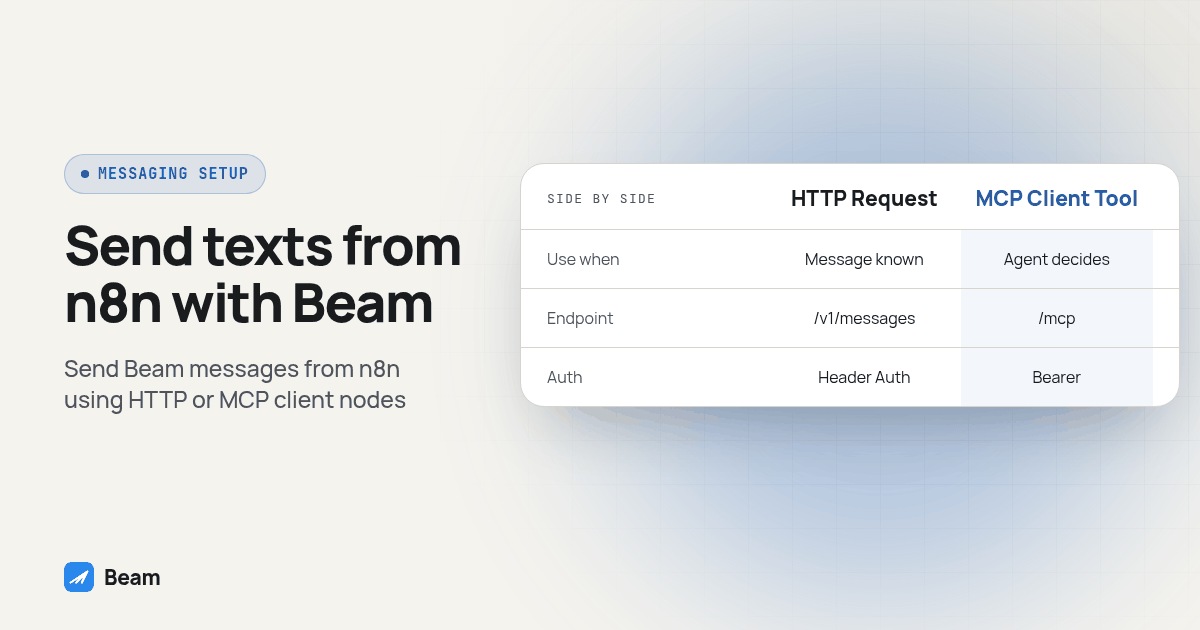
TL;DR: Add an HTTP Request node, set it to POST
https://beam.aisync.link/v1/messages, and authenticate with a Header Auth credential carrying your Beam workspace key in anx-api-keyheader. That is the whole setup for a fixed step that already knows what to send. For a workflow where an AI Agent reads a conversation first, use the MCP Client Tool node instead, pointed athttps://beam.aisync.link/mcpwith Bearer authentication and a connection token from Beam’s settings.
Why would an n8n workflow need its own iMessage number?
An n8n workflow can notify a teammate in Slack, but a customer confirmation needs a channel the customer can answer. Sending it from a dedicated business number lets the customer reply into the team’s conversation history. Beam supplies that number: dedicated iMessage lines, RCS for the Android phones whose carrier supports it, and SMS everywhere else, all addressed from one line your team already answers from.
n8n has no native concept of any of that, and no node in its own panel built specifically for Beam. What it has instead is a generic HTTP Request node that can call a REST API, and, inside an AI Agent step, an MCP Client Tool node that can call any MCP server. Both reach the same workspace; which one fits depends on whether the step already knows exactly what to send, or needs an agent to figure that out first.
Which n8n node should send the text, HTTP Request or MCP Client Tool?
Start by asking what decides the message content. If your trigger step already has the recipient’s number and the exact words to send, a fixed call is simpler and has fewer moving parts to debug later. If the step needs to read a conversation and compose a reply on its own, it needs a tool an agent can call, which is what the MCP Client Tool node is built for.
| HTTP Request node | MCP Client Tool node | |
|---|---|---|
| Fits | A step that already knows the recipient and the message | An AI Agent step that reads context first and composes the reply |
| Beam endpoint | POST https://beam.aisync.link/v1/messages | https://beam.aisync.link/mcp |
| Credential | Header Auth, x-api-key, workspace API key | Bearer, a connection token from Beam’s settings |
| Where it runs | Any trigger, any n8n plan | Inside an AI Agent node only |
| Who picks the call | You, once, when you build the node | The agent, per run, based on its instructions |
How do I create the credential n8n needs?
Beam hands out two different credentials from two different screens, and the mistake worth avoiding up front is reaching for the wrong one.
For the HTTP Request node, sign in to Beam as the workspace owner and open Settings, where the workspace API key lives. That key is meant for server-side, automated calls, never anything a site visitor could see, and an n8n workflow running on n8n’s own infrastructure qualifies.
For the MCP Client Tool node, sign in as the workspace owner and open Settings → Developer access, MCP & API instead. Name the connection something recognizable, such as “n8n agent.” Choose its permissions: read and train are on by default, while sending, publishing, automation and booking each need explicit approval, only for what this workflow actually does. Click Create connection token and copy it right away; it is shown once and cannot be displayed again after leaving that screen (Beam developer access).
Running this for an agency client rather than your own business? Open the same Developer access screen inside the agency workspace, and choose the specific client under “Workspace this connection can access” before creating an MCP connection token. That token reaches one workspace and cannot switch clients later. For REST calls, use the intended workspace’s API key instead.
How do I set up the HTTP Request node to text through Beam?
Build this node right after whatever starts the workflow, a webhook from a form fill or a Schedule Trigger for a recurring reminder batch.
- Add an HTTP Request node, connected after your trigger step.
- Set Method to
POST. - Set URL to
https://beam.aisync.link/v1/messages. - Under Authentication, choose Generic Credential Type, then Header Auth. Create a new credential with name
x-api-keyand value your Beam workspace API key, confirmed against Beam’s API reference, which documentsx-api-keyas the header every/v1/*call expects. - Turn on Send Body, with Body Content Type set to
JSON. - Map the body fields from your trigger data:
tofor the recipient’s phone number andmessagefor the text, written in plain language with whatever merge fields your trigger exposes. Addfirst_nameas a third field if your trigger has it; Beam saves it to the contact the first time it messages them. - Click Execute step. A correct call returns an
idand astatusofqueuedin the output panel. - Open your Beam inbox, or watch a phone you control, and confirm the message actually arrived, not just that n8n logged a success.
- Activate the workflow only once step 8 has checked out against a real test contact.
Here is the body as a starting template. The curly-brace values are what you map from your trigger step inside n8n’s editor, not literal text to paste unedited:
{
  "to": "{{recipient_phone_from_trigger}}",
  "message": "{{your_message_text}}",
  "first_name": "{{recipient_first_name_from_trigger}}"
}
And the response that confirms the call worked, matching the shape documented on Beam’s send-message reference:
{
  "id": "41",
  "status": "queued",
  "to": "RECIPIENT_PHONE_NUMBER"
}
How do I connect n8n’s MCP Client Tool node to Beam instead?
Reach for this path once a step in the workflow needs to decide what to send, not just fire a fixed message.
- Add an AI Agent node to the workflow, if it does not already have one.
- Add an MCP Client Tool node and connect it to the agent’s tool input.
- Point the endpoint field at
https://beam.aisync.link/mcp. Older builds of the node label it SSE Endpoint. Newer builds add a Server Transport option; pick HTTP Streamable there, since Beam documents its endpoint as Streamable HTTP with anAuthorization: Bearerheader (Beam developer access). - Set Authentication to Bearer, and paste the connection token created above as its value. n8n’s MCP Client Tool node lists Bearer, Header Auth, Multiple Headers Auth, OAuth2 and None as its authentication choices (docs.n8n.io); Beam’s hosted endpoint accepts Bearer only, since OAuth-only connectors are not supported yet.
- Under Tools to Include, choose All, Selected, or All Except, matching the permission scopes turned on when the token was created.
- Save, run a test execution, and give the agent an instruction such as “Call workspace_read and tell me the workspace name before doing anything else,” the same first check Beam recommends for any new MCP client.
A token created with only read and train permission cannot call message_send, no matter what the agent is asked to do, because that tool simply is not on the token.
Some workflows need to call the lead too, not only text them. Beam handles the messaging side here. For outbound calls, numbers and transcripts, RizzDial’s guide to giving your AI agent a phone covers the voice half of the same build.
How does Beam decide between iMessage, RCS and SMS for each contact?
Neither node sets a channel field anywhere, and that is deliberate. Beam checks the recipient’s phone the instant a request lands on /v1/messages or message_send: an eligible iPhone on a capable line gets iMessage, a supported Android phone and carrier pair gets RCS, and anything else gets plain SMS, per Beam’s routing reference.
SMS fallback after a confirmed failed iMessage is a workspace setting, turned on deliberately rather than assumed. An uncertain delivery does not get re-sent on a different channel automatically; a teammate decides any follow-up from the inbox once a send looks stuck. Compliance does not shift with the channel: iMessage lines carry no A2P registration requirement, but an SMS fallback on the same number still needs whatever its number type requires, local 10DLC registration, toll free verification, or short code carrier approval. Pick the number type with that fallback path already in mind, since any real contact list eventually lands some sends on SMS.
How do I test this before it touches a real contact list?
Run these checks against a phone you control, every time, before either node reaches a live list.
- Fire the workflow against your own number and confirm the text lands on the device, not just that n8n’s log shows a green check.
- Fire it again against an Android contact, if you have one, and confirm it still arrives, as RCS or SMS rather than a blue bubble.
- Check the returned message
idagainstGET /v1/messages/:id, watching the status move fromqueuedtoward its final state before trusting the workflow unattended. - Confirm merge fields actually populate. A field that comes back blank in a test will come back blank for a real customer too.
- On the MCP path, run the agent against a test contact first; the wording it generates is the part most worth a second look.
A queued status means Beam accepted the request. It does not mean the text was delivered, so check for delivered or failed before you leave the workflow running on its own.
How do I read an inbound reply back into the same n8n workflow?
Sending is only one side of this. A reply coming back needs its own path into n8n, and that path is a webhook, not a polling node.
- In n8n, add a Webhook node as the trigger for a separate workflow, set to listen for
POSTrequests, and copy its production URL. - In Beam, open Settings → Event webhooks and add that HTTPS URL as the destination. Save the signing secret privately and handle
message.receivedevents, following Beam’s event reference. - Beam signs every event with a
Beam-Signatureheader, an HMAC-SHA256 hash of the timestamp and body using your signing secret; verify the timestamp plus a period plus the exact raw request body before trusting the payload. Follow Beam’s signing reference, including freshness and constant-time comparison checks. Use a verifier that can access the raw body and signing secret; do not reconstruct the body from parsed JSON. - Branch on the event type. A
message.receivedpayload carries the contact, the channel and the body, enough to route the reply into a CRM update, a Slack alert, or an AI Agent node that decides whether it needs a human. - Route the verified reply to its existing conversation and designated owner. If an external agent will answer, pause Beam’s assistant for that conversation through
conversation_pausewith automation permission so two agents do not answer together.
What should I watch once more than one workflow uses this connection?
A few habits are worth setting before this scales past a single trigger.
For MCP, create a separate connection token with only the permissions each workflow needs, so you can revoke it independently. A REST workspace key is a different credential and does not inherit those token scopes. Watch the MCP rate limit: Beam’s developer access page lists 60 requests per minute per token, and a generous retry loop can hit that faster than you expect.
Route opt-outs to a human: a contact who opted out gets a 403 and nothing sends, so add an IF node that tags the record for review rather than letting that response vanish into the log. Keep duplicate protection inside the REST workflow, since /v1/messages does not document an idempotency key. MCP writes require a request_key: reuse it only for the exact same request, and inspect uncertain outcomes before retrying.
Last, keep the key or token in n8n’s credential store only. Never put it in a Set node, a Code node, or a workflow export you share with someone.
Before pointing this at a mass outbound list, read outbound texting and mass texting with Beam so sending pace, budget and reply ownership get decided alongside the workflow, not discovered after it is live. Beam’s consent and opt-out guide is worth reading too, before any workflow sends a first marketing message to a list you did not build one reply at a time.
What do people ask about connecting n8n to Beam?
Do I need a paid n8n plan to connect to Beam?
No. The HTTP Request node ships on every n8n plan, self-hosted included, and reaches Beam’s REST endpoint with nothing extra to buy. The MCP Client Tool node is also a standard n8n node, but it only does anything useful inside an AI Agent node, since it is the agent that decides which tool call to make.
Does sending from n8n through Beam need A2P 10DLC registration?
Not for iMessage, since iMessage sits outside carrier A2P rules entirely. Whatever SMS fallback rides on that same line still needs the registration its number type requires: a local 10DLC number needs A2P 10DLC registration, a toll free number needs toll free verification, and a short code needs carrier approval.
Which credential does the HTTP Request node actually need, Bearer or something else?
Header auth with an x-api-key header, not a Bearer token. Beam’s REST endpoints all authenticate the same way: every /v1/* call reads the workspace API key from x-api-key. Bearer tokens belong to the separate MCP and /v2/tools path, created from a different screen in Beam’s settings.
What happens if my n8n workflow fires twice for the same contact?
Two REST sends can produce duplicate texts. Beam’s /v1/messages reference does not document an idempotency key, so a timeout retry or two workflows sharing a trigger can produce two texts for one event. MCP writes instead require a request_key; reuse it only for the exact same request. Build the trigger to fire once per real event, and check n8n’s execution history before assuming a run failed and retrying it by hand.
Can the MCP Client Tool node use OAuth instead of a Bearer token?
It can for servers that support it, since the node offers Bearer, Header Auth, Multiple Headers Auth, OAuth2 and None as its authentication options. Beam’s hosted MCP endpoint is Bearer-token only right now; hosted connectors that require OAuth-only login are not supported yet, so pick Bearer in the node’s Authentication field, not OAuth2.
For related workflows, see Zapier setup, Codex setup, and Grok Bot setup. Review the full iMessage API before connecting a live pipeline.