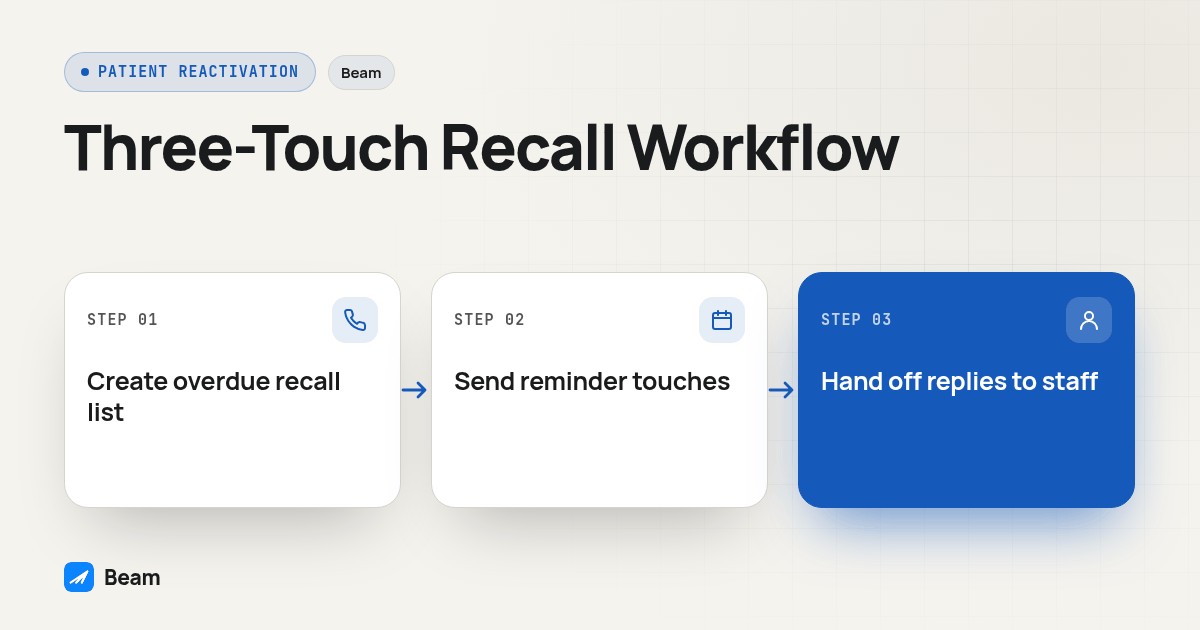
A dental practice can run overdue hygiene recall and patient reactivation over iMessage with safeguards planned before launch, provided the list, the cadence, and the handoff get built as three separate pieces, not one blast to everyone who hasn’t been seen in a while. Practices that skip straight to writing recall texts usually end up fixing the list and the stop rules after the fact, once a patient who already rebooked gets a fourth reminder anyway.
This piece covers the workflow end to end: the recall list, the reminder cadence, what a recall text can never say, and how a reply reaches a real person. For wording itself, see the front desk texting checklist; this article builds the process those templates plug into. For the general setup of a dental business line, see Beam’s dental text messaging page, and for registration and HIPAA mechanics, start with Beam’s texting compliance hub.
What counts as an overdue hygiene recall patient, and how do you build the list?
“Overdue” has to mean something specific before a workflow can act on it, and that definition lives in the practice management system, not the texting platform. Most systems, Dentrix, Eaglesoft, or Open Dental, already generate a recall report built around each patient’s assigned interval, and that report is the starting point, not a text list to copy as is.
Pull the recall report by interval rather than a single cutoff date, since a patient on a three month periodontal interval and one on the standard interval are overdue at different points. Export the assigned interval and the last completed hygiene visit date for each patient, then strip out anyone with a future appointment already booked; a patient who rescheduled last week but whose chart still shows the old overdue date will get an unnecessary, and slightly odd, recall text if the appointment book isn’t cross referenced first. Remove anyone on the opted out suppression list next; Beam blocks every future send to an opted out contact anyway, so filtering it out beforehand just keeps reporting accurate instead of showing attempted sends that quietly failed.
From there, segment by how overdue a patient is, not just whether they’re overdue. A patient one month past their interval and a patient a year past it are different conversations: a short gap can run the standard cadence below, while a long gap benefits from a front desk call before any text goes out, since a year of silence sometimes means the patient moved to another practice. Load the segmented list into GoHighLevel as its own tag, separate from the general contact database, with a status field the workflow reads and updates, recall_status: active, booked, or paused, acting only on contacts tagged active. Treat this list as a living export, refreshed on whatever interval the front desk already pulls recall reports, not a one time pull that goes stale as new patients age onto it.
What should the reminder cadence look like after a patient lands on the list?
For an agency serving a dental practice, agree who refreshes the export and who answers replies before enabling any workflow. Keep patient data out of unrelated client workspaces.
Public coverage of dental iMessage reminders and reactivation, checked October 25, 2026, shows this workflow is an established vendor topic. It does not establish search volume or prove a result for your practice. Use the test procedure below to evaluate your own setup.
A recall cadence holds up better as three distinct touches with a clear stop condition between each one than as a single message repeated until someone answers. The first reminder goes out the day a patient enters the active recall list, simply letting them know they’re due and offering a way to respond; a booking, reply, or opt out removes them from the cadence immediately, and the content rules in the next section apply to every touch. If the contact is still active roughly ten to fourteen days later, a follow up re-surfaces the request with a slightly different framing, under the same stop conditions plus a pause if the patient replied to the first message with anything other than a stop request. A final notice goes out roughly thirty days after the first reminder if the contact is still active; it is the last iMessage or SMS touch before the practice tries a phone call instead, and sending it automatically moves recall_status to paused and hands the name to the front desk’s call list.
Send the first reminder through the Custom Webhook workflow action, not the standard GoHighLevel Send SMS action, so the message routes through Beam’s channel selection, iMessage for an eligible iPhone, RCS for a supported Android phone, SMS fallback otherwise, instead of the CRM’s default provider. Before the follow up goes out, check recall_status; if the field already shows booked or paused, skip that contact instead of sending a reminder to someone who already acted. It’s worth varying the follow up wording from the first reminder, not for novelty, but because a patient who ignored one phrasing sometimes responds to a different opening line or a more direct question about timing.
The final notice should name that it’s the practice’s last text before they’ll try a call instead; that framing itself sometimes produces the reply the first two touches didn’t. A recall program that keeps texting silently past three touches stops reading as a reminder and starts reading as noise.
The healthcare exemption under 47 CFR 64.1200(a)(9)(iv) is worth knowing about, even though it won’t cover every recall program: a narrow set of conditions, including patient provided numbers and a combined call and text cap, applies to certain provider initiated healthcare messages. Most recall programs run on the patient’s own appointment consent instead, so confirm which basis applies before assuming its limits govern your cadence.
What should never go into a recall or reactivation text?
A useful heuristic: a recall text should never say more than the front desk would say to whoever picks up if a staff member called the house and left a voicemail without confirming who was listening. HHS guidance on patient messages permits healthcare communication like appointment reminders while expecting reasonable safeguards and limited disclosure, exactly the bar a lock screen text needs to clear.
Skip the diagnosis or procedure name: “You’re due for your routine visit” does the job, while “Your periodontal maintenance is overdue” names a condition the patient may not want visible on a shared phone. Leave out treatment plan detail too, since an outstanding item beyond routine hygiene belongs on a phone call from clinical staff, and skip balance or insurance detail the same way; billing questions, once raised, move to a call or a portal instead of staying in the thread.
A recall text about one patient should also never reference another patient on the same household account, even in passing, and the workflow itself should never guess at a clinical reply. If a reply contains anything beyond a yes, a proposed date, or a stop request, the workflow should not attempt to answer it; that’s the handoff covered next, not a job for automation.
HHS’s minimum necessary guidance notes an exception worth understanding, not using as a license: the standard doesn’t technically apply to disclosures made to the patient who is the subject of the information, so HIPAA itself doesn’t flatly forbid naming a procedure to the patient it belongs to. The reason to leave it out anyway is practical, since a text can sit on a lock screen or a shared family phone; treat the omission as the practice’s own safeguard, not a claim that the law bars sending it.
How does the front desk take over when a patient replies interested?
A recall workflow’s only automated job is to send the three scheduled touches and pause the moment any reply comes back. Everything past that is a person’s job: any non-matching reply routes to a named staff member, using Beam’s inbox and your documented staff ownership process so the conversation belongs to one person rather than left in a shared queue anyone might answer twice or not at all. That assignment should pause the automated cadence on that contact right away, so a human reply stops any scheduled follow up or final notice from going out on top of it.
The assigned staff member books the visit in the practice management system, then updates recall_status to booked so the workflow reflects reality. If the reply is a question rather than a booking, they answer with whatever detail the front desk is comfortable putting in writing, and move anything clinical to a phone call, the same rule that governs the outbound touches. Logging who handled the reply matters too, so a privacy lead reviewing the program later isn’t reconstructing it from memory.
Beam’s consent and opt out documentation covers the other side of this handoff: a patient who replies with a plain language stop request, not just the word STOP, has to be suppressed across every workflow pulling from the recall list, not only the one that sent the message they replied to.
How should you test the recall workflow before turning it on for the whole list?
Run this sequence against fictional records and team-controlled phones before a real patient lands in the active segment.
- Load three test contacts at different points in the interval: one just past due, one a month overdue, one a year overdue. Confirm segmentation routes them differently rather than treating every overdue patient the same.
- Book a future appointment for one test contact after it’s marked active, then re-run the list export. Confirm that contact drops out of the active segment instead of receiving a reminder anyway.
- Send the first reminder and check the delivery status, not just a queued confirmation. Confirm which channel it actually used before trusting the sequence with real patients.
- Reply to the first reminder with a treatment question from the test phone. Confirm the cadence pauses and the reply reaches the named staff member without any automated attempt to answer it.
- Opt out on a second test contact, then try to trigger the follow up and final notice anyway. Both should be suppressed. Repeat with a plain language stop request instead of the keyword.
- Compress the timing for the test run so the full cadence, including the move to
recall_status: pausedafter the final notice, can be observed in one sitting rather than waiting weeks. - Get sign off from whoever owns privacy decisions at the practice on the wording, the consent basis, and the staff access list, with the date and reviewer recorded, before the workflow touches a real patient.
A passing test doesn’t carry over to a different list; a reactivation push for patients unseen in over a year deserves its own pass through this sequence, since the segmentation and stop rules matter most where the list gets riskiest.
Practices leaning on iMessage for recall sometimes pair it with outbound calling for the long overdue segment that text alone doesn’t move; RizzDial’s guide to med spa appointment booking with an AI voice agent covers that calling side for a comparable small practice. For messaging rules beyond recall, see iMessage for healthcare patient communication.
What do dental practices ask about recall texting by iMessage?
Is sending overdue hygiene recall texts by iMessage HIPAA compliant?
The channel is only part of the answer. Your practice still decides what a recall text says, who on staff can read replies, and which vendor arrangements are required. Keep recall wording limited, and have the privacy lead verify those arrangements and confirm the proposed use with Beam before sending protected health information.
How long does it take to stand up a recall workflow in GoHighLevel with Beam?
There is no guaranteed setup timeline. The Custom Webhook connection requires an assigned Beam line, the correct GoHighLevel location and a tested workflow. List preparation, privacy review and handoff testing also take work. Schedule launch only after the fictional-record tests below pass and the practice has approved the wording, access controls and consent basis.
Does a patient need to opt in separately for recall texts, or does their appointment consent already cover it?
Treat recall permission as a record to review separately from appointment confirmations. What the existing consent covers depends on its wording and the proposed message. Have the practice approve that scope, capture any additional permission needed, and let a STOP reply or plain language stop request silence every future recall touch. Do not assume a booked appointment authorizes promotional reactivation.
What happens if a patient replies to a recall text with a treatment question instead of booking?
The workflow should pause the moment any reply arrives. A stop request triggers suppression; other replies, including a yes or proposed date, go to a named front desk staff member. That person handles booking and moves treatment questions to an appropriate clinical channel instead of letting a template guess at an answer.
What does a recall and reactivation campaign cost on Beam?
Text our team for a quote scoped to your practice. Bring your line requirements, recall list size and front desk process so the team can review the setup before you choose a launch date.
A recall program built this way asks less of the front desk, not more: the list starts with a report the practice already runs, the cadence has a hard stop, and the one job left for a person is the part that needs one, a real reply from a real patient. Start with Beam’s texting compliance hub for the mechanics underneath this workflow.
Text our team to try it: /#interactive-demo.